Chapter 5: Installation
Installing a Processor Module (PM-1)
Page 5-36 Inter-Tel
®
5000 Installation Manual – Issue 2.4, May 2008
BASE SERVER MODULES
This section provides procedures for installing and removing the expansion modules that can be
installed in the Inter-Tel CS-5200/CS-5400/CS-5600 Base Server. The procedure for installing a
Processor Expansion Card (PEC-1) on a PM-1 also appears in this section.
Installing a Processor Module (PM-1)
Install the processor module (PM-1) as described in the following procedure. For part numbers
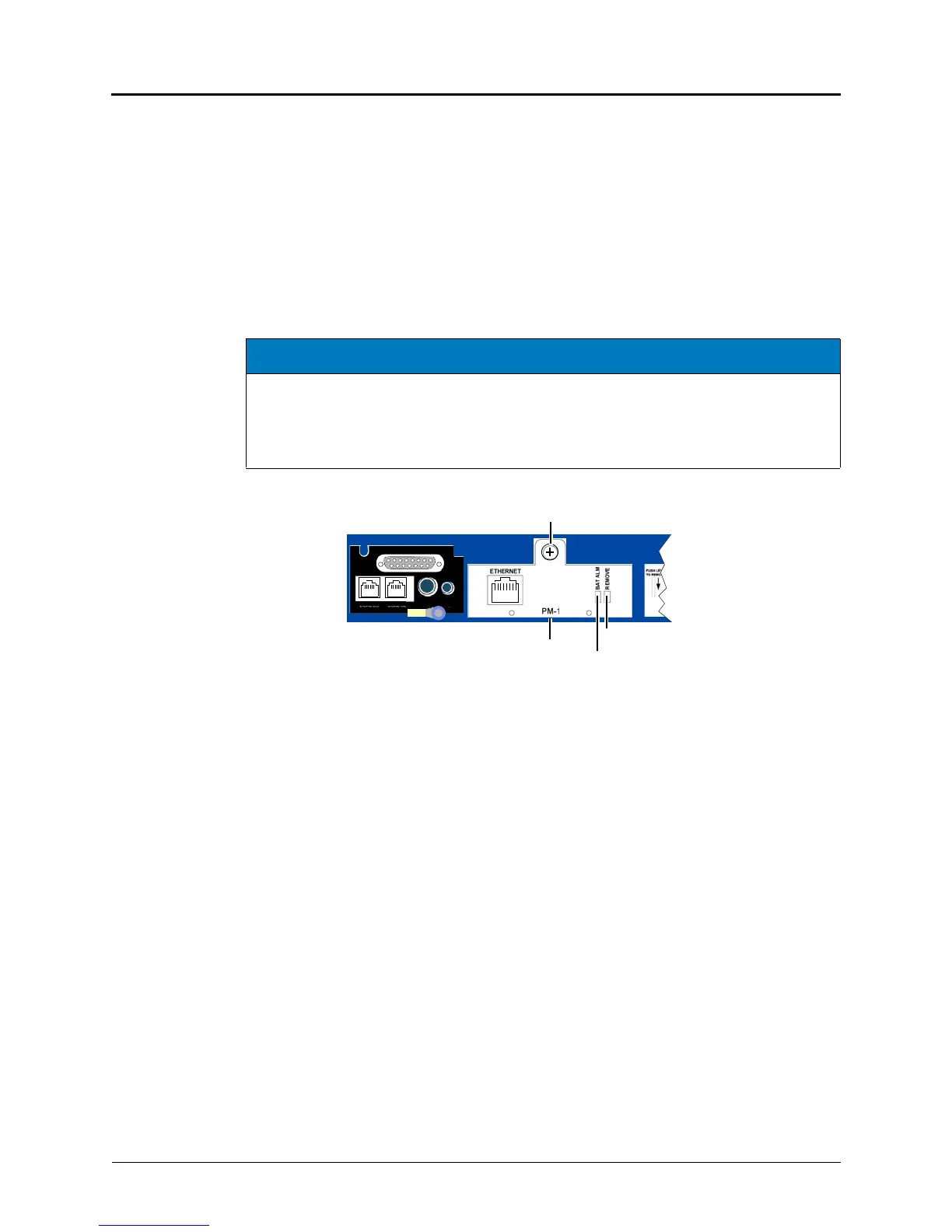
see Table 6-4 on page 6-4. Figure 5-15 provides an illustration of the PM-1.
Figure 5-15. Processor Module
To install the processor module (PM-1):
1. Make sure the system has been shut down (using the LCD panel) and that the power
cord has been unplugged from the power source. See the NOTICE above.
2. Using a properly terminated, anti-static wrist strap, remove the module from the
protective anti-static bag.
3. Check the following components. Use the following illustration as a guide.
• Module battery: Check that the processor module battery is securely in place.
• SDRAM memory: Check that the SDRAM memory is correctly seated (the module
is pushed in and the gold “fingers” are not exposed).
• Pins 1–7 block strap: Check that the strap is installed on pins 1 through 7.
NOTICE
Equipment Damage Hazard. Use the LCD panel to shut down the system, then unplug all
power sources to the chassis before working with the processor module (PM-1). Replacing or
inserting a processor module with AC power turned on to the chassis will damage the
processor module. A processor module damaged in this manner will not be replaced under
warranty.
Processor Module
Base Server Back
Module-to-Chassis Fastener
Remove Module LED
Battery Alarm LED
DUAL LS
DUAL SL
EXP
PAGE MOH



 To Next Page