Chapter 5: Installation
Programming an SLA for Dual DID Trunks
Page 5-134 Inter-Tel
®
5000 Installation Manual – Issue 2.4, May 2008
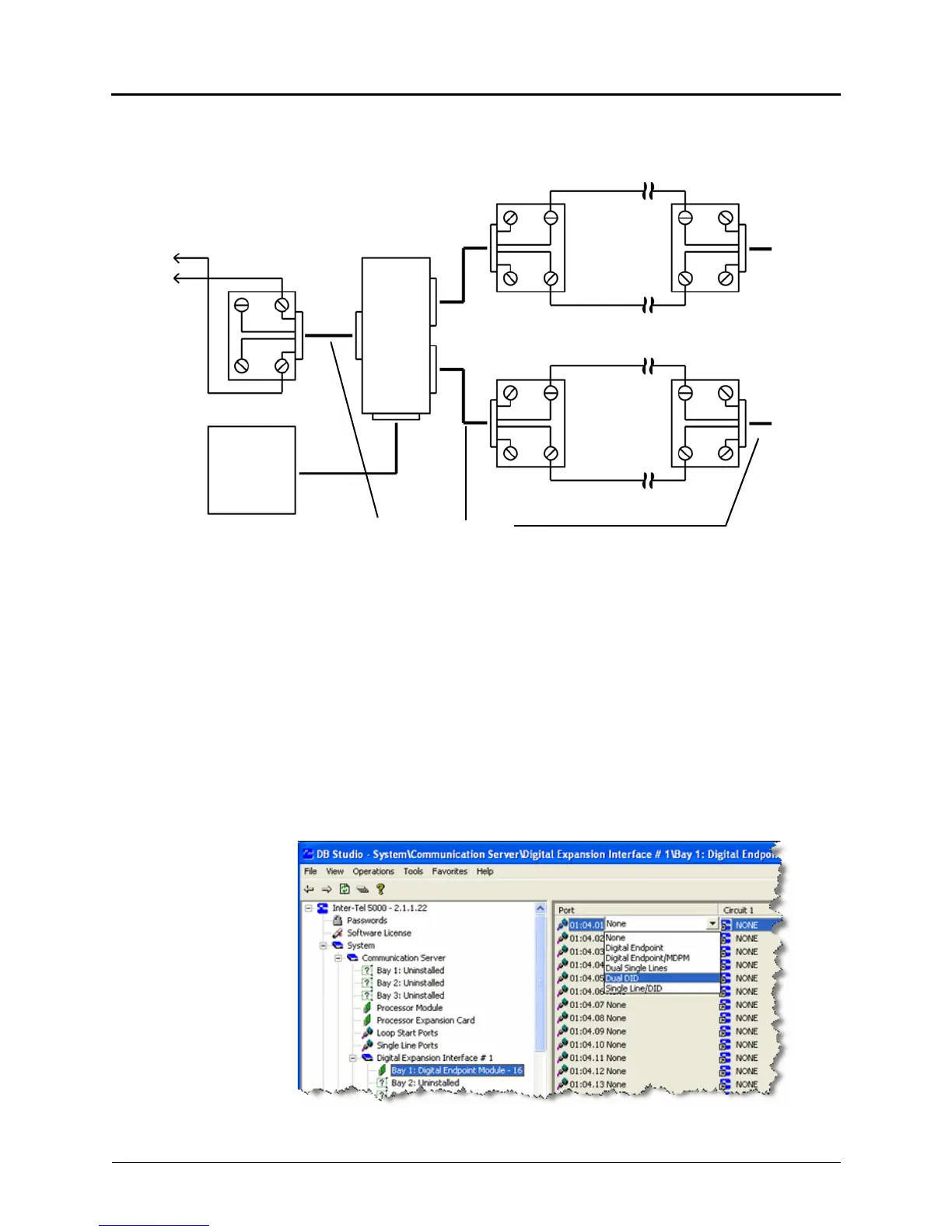
Figure 5-58. SLA Terminations for Single Line Endpoints with a U.S. System
Programming an SLA for Dual DID Trunks
You can use an SLA to install DID trunks on the Inter-Tel 5000 platform. The trunks coming in
from the CO [local exchange] attach to the SLA that has been programmed for Dual DID
functionality on a DEM-16 port.
To program an SLA for dual DID trunks:
1. Open a session of Session Manager.
2. From the DB Studio screen, select System – Communication Server – Digital Expansion
Interface # <n> – Bay <n>: that is equipped with a Digital Endpoint Module - 16.
3. In the right-side pane, click an available Port and from the drop-down menu click Dual
DID. The Create DID Extension window displays (not shown).
Single Line Endpoint Modular
Jack Assemblies
Endpoint Modular
Jack Assembly
SLA
AC Transformer
Standard Reversing
Mod-to-Mod Line Cords
Y
BK
G
R
G
R
Y
BK
TIP
RING
TIP
To Single Line
Line Endpoint
Playback
Device
RING
G
R
G
R
Y
BK
Y
BK
Y
BK
G
R
TIP
RING
To
DEM-16
Block
If a single line endpoint is located near the SLA, it can be plugged directly into the unit.
To Single Line
Line Endpoint
Playback
Device



 To Next Page