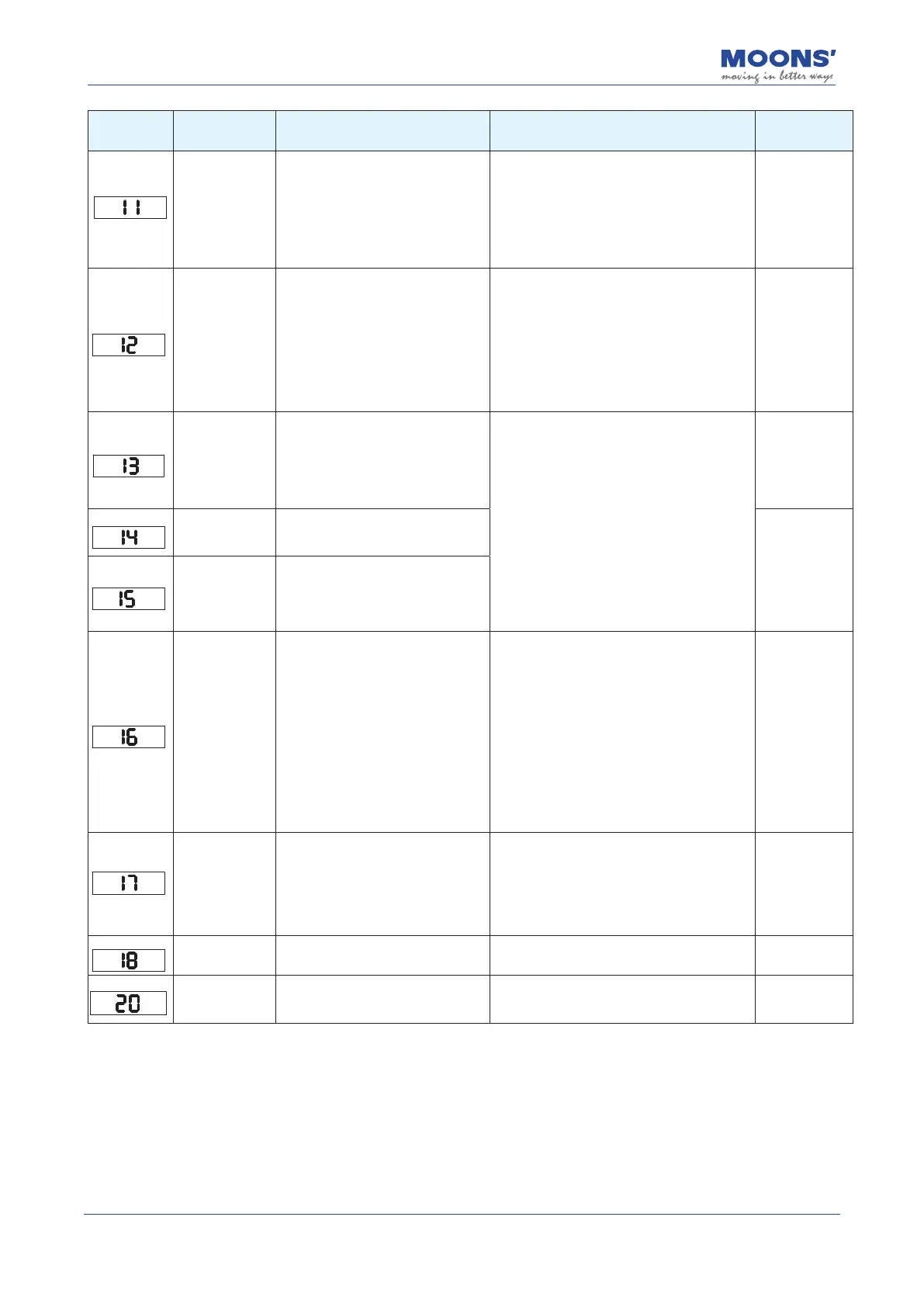
153
Rev. 2.0
07/27/2023
MBDV Hardware Manual
Display
content
Description Alarm Causes Alarm Fixes
Alarm Status
Drive low
voltage alarm
DC bus voltage is too low. Input
power has fallen below 18 VDC.
1. The power supply voltage is low
causing a power failure.
2. The power supply capacity is not
enough to operate the MBDV and
Servo motor.
3. Drive has failed (circuit failure).
Measuring input voltage
1. Increase the power supply voltage capacity
and replace the power supply;
2. Connect the power supply correctly;
3. If the above does not solve the problem,
replace the drive.
Alarm clear
Speed exceeds
limit
motor speed exceeds the limit value
of P2-00
Check whether the motor speed command is
within a reasonable range
1. Avoid excessive speed commands;
2. When overshoot occurs due to poor gain
adjustment, adjust the gain;
3. Connect the encoder cable correctly
according to the wiring diagram;
4. Check motor cable U, V, W sequence is
correct.
Alarm clear
Limit switch
triggered
1. Positive rotation prohibition limit
and negative rotation of digital input
Turn inhibit limit is triggered
2. In the absolute value system, the
actual position of the motor touches
the to positive and negative software
1. The external limit switch has been triggered;
2. The limit input function is not set correctly,
please refer to 7.1.5 Positive Reverse Limits
chapter.
3. In the absolute value system, the software
limit setting is unreasonable
Automatically
clear after
detachment
Negative limit
switch triggered
1. Negative limit function trigger
2. In the absolute value system, the
actual position of the motor touches
Automatically
clear after
detachment
Positive limit
switch triggered
1. Positive rotation prohibit limit
function trigger
2. In the absolute value system, the
actual position of the motor touches
the to the positive software limit
Current Limit
1. The load is too heavy, and the
eective torque exceeds the rated
speed
torque, continuous operation for a
long time;
2. Poor gain adjustment leads to
oscillation, vibration,
The motor has vibration and
abnormal sound;
3. The machine is collided and the
load suddenly becomes heavier,
Torsion entanglement occurs.
1. Whether the gain parameters are properly
debugged;
2. Whether the motor selection matches the
actual load and whether the acceleration and
deceleration
is too big;
3. Check motor cable U, V, W sequence is
correct. U-
red, V -yellow, W - blue;
4. Increase the capacity of the driver and
motor, and prolong the acceleration and
deceleration
time, reduce the load.
less than the
motor rating
at constant
current
auto clear
Communication
error
Check the communication error
when the drive is connected to the
host computer
1. The Luna software is trying to establish
communication with the drive (this
is a normal alarm)
2. Check the communication line and
communication address, whether the baud
rate is set
correct
Automatically
clear after
normal
communication
Parameter save
failed
Failed to save parameters Please try saving again
auto clear
Safe torque o
Safe Torque O STO function
is activated, please reword this
correctly so that it makes sense.
Conrm safety input 1, 2 The status of the
input wiring or the setting of the safety sensor
is triggered.
Automatically
clear after STO
input is normal













 To Next Page