64
Rev. 2.0
07/27/2023
MBDV Hardware Manual
Auto switch mode
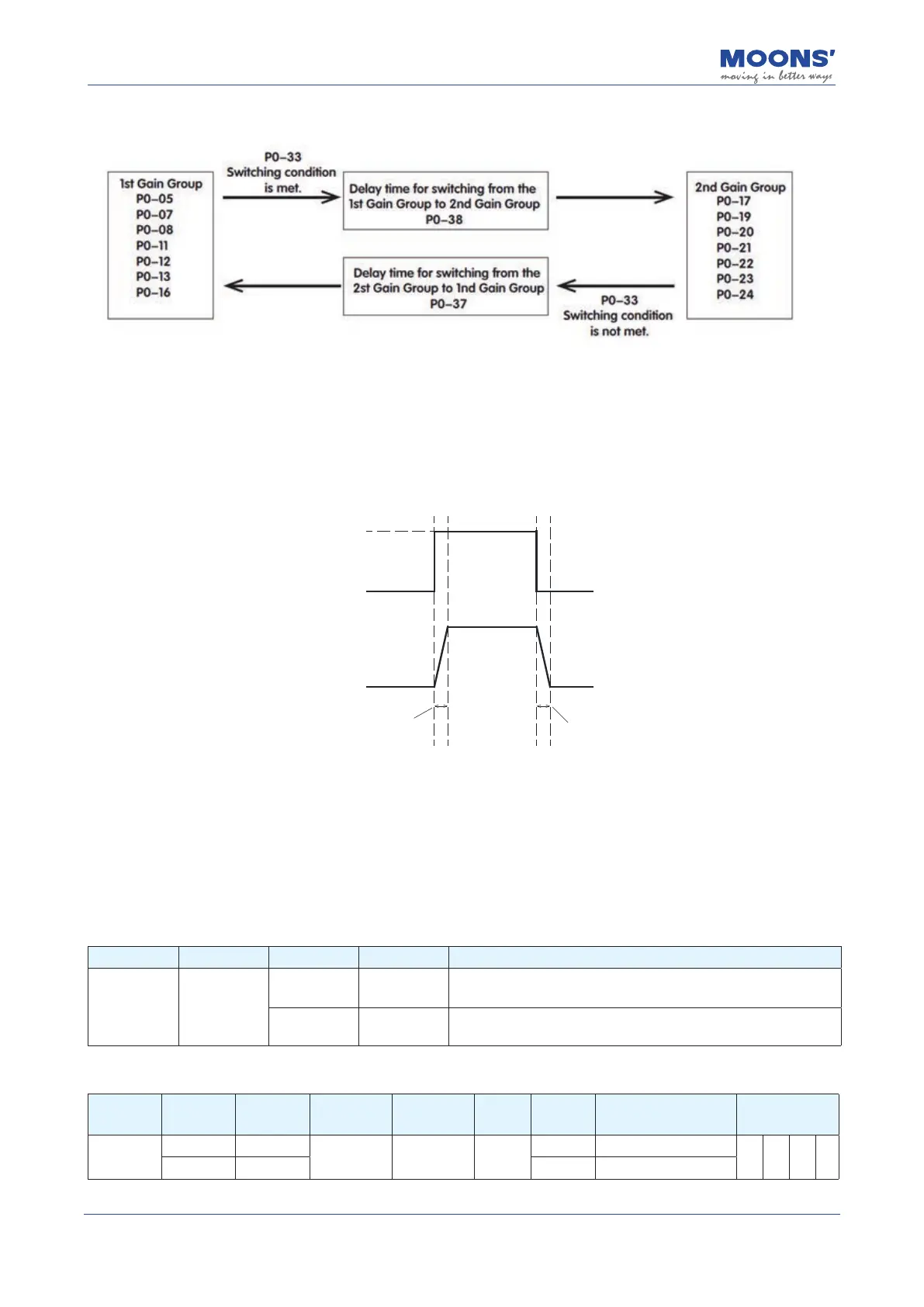
4) Gain Switch Delay Time
To avoid jitter caused by immediate gain switch, when the switch condition is met, the 1st gain
group will gradually switch to the 2nd gain group with the gain switch delay time P0-38.
In the same way, when the inverse switch condition is met, the 2st gain group will gradually switch
to the 1nd gain group with the gain switch delay time P0-37.
As shown below.
Switching Condition
Effective Gain
P0-37 P0-38
NOT MET
Met
Gain Group 2
Lower gain
Gain Group 2
Lower gain
Gain Group 1
Higher gain
Switch delay time from
Group 2 to Group 1
Switch delay time from
Group 1 to Group 2
7.1.7 Emergency stop
Emergency stop is a function to forcibly stop the servo motor rotating through an external digital
input.
The E-stop signal needs to be assigned to a digital input when using emergency stop function.
When emergency stop input signal is triggered, the motor will stop to zero with a quick stop
deceleration(P2-01), then and become disabled. Meanwhile an "Emergency Stop" fault is reported.
Type Signal name Setting Signal logic Function
Input E-STOP
13 Closed
When E-STOP input is CLOSED, the motor is emergency stopped.
When E-STOP input is OPEN, the motor runs normally.
14 Open
When E-STOP input is CLOSED, the motor runs normally.
When E-STOP input is OPEN, the motor is emergency stopped.
◆
Default settings for MBDV series drives
Signal
Symbol
Input NO. PIN NO. Parameter Command Setting
Signal
logic
Description Support mode
E-STOP
X4 12
P5-04 MU5 39
Closed Motor emergency stop.
P V T
XCOM 13 Open Motor runs normally.













 To Next Page