154
Rev. 2.0
07/27/2023
MBDV Hardware Manual
Display
content
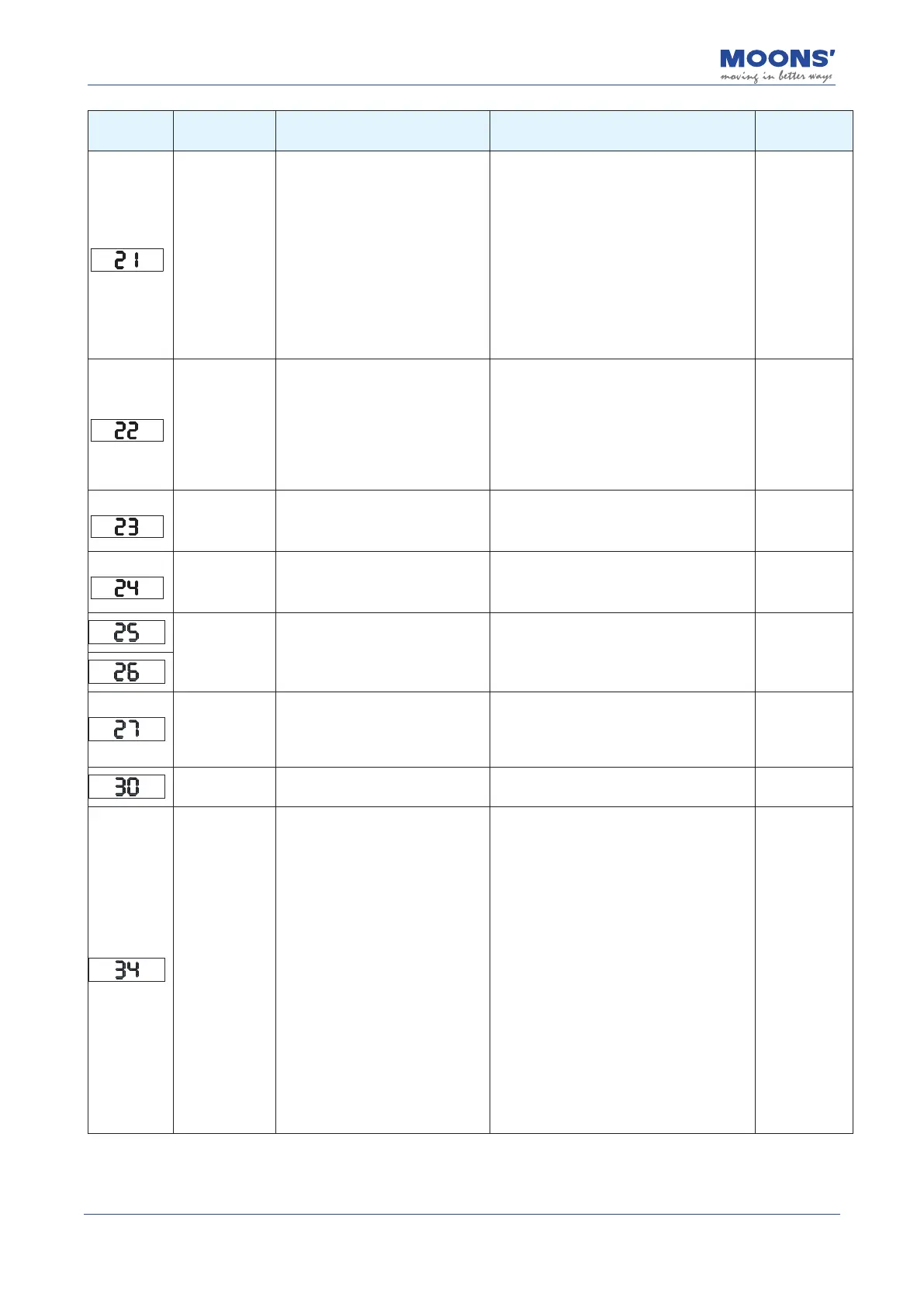
Description Alarm Causes Alarm Fixes
Alarm Status
Regeneration
Failed
The regeneration energy exceeds
the regeneration absorption
resistance can
capacity.
1. Due to the large load inertia,
the generate energy, causing the
bus voltage to rise, regeneration
Abnormality due to insucient
energy absorption of the absorbing
resistor The detected value rises;
2. The motor speed is too high to
decelerate at the specied speed
Regenerate energy is completely
absorbed within time.
1. The external regenerative discharge
resistance does not match, resulting in failure
to absorb regeneration potential;
2. Reduce the running speed of the
equipment and increase the acceleration and
deceleration time.
3. Refer to chapter 4.7 REG- regenerative
energy absorption resistor connection line
Alarm clear
Undervoltage
warning
Driver undervoltage, below 20VDC 1.
The power supply voltage is low, and
an instant power failure occurs;
2. The power supply capacity is
insucient, when the main power
supply is turned on the impact of the
inrush current, resulting in the supply
voltage under drop;
3 Drive failure (circuit failure)
Check the input voltage
1. Increase the power supply voltage capacity
and replace the power supply;
2. Connect the power supply correctly, please
refer to 4.3 Main -Driver Electric source wiring
method;
3. Check the Main terminal of the driver and
the
Alarm clear,
automatically
clear when
the voltage is
normal
No Q program
warning
The drive is running in Q mode, but
no Q program is running
1. Check if there is a Q program;
2. Check whether the working mode is correct;
3. Check whether the Q program is written
incorrectly and cannot be run in a loop.
Alarm clear
Motion
command
received while
motor disabled
When the motor is not enabled, the
operation command is received
Please enable the motor rst, and then send
the running command
Alarm clear
automatic clear
Internal voltage
error
The internal voltage of the driver is
lower than the normal value
Check the voltage of the power supply, if
there is any problem, please contact the
manufacturer.
Re-power on to
clear
emergency stop
Digital input emergency stop function
is triggered
1. Conrm the emergency stop input switch
2. Conrm whether the emergency stop input
logic setting is reasonable
Automatically
cleared when
emergency
stop input is
released
memory error
Abnormal internal memory of the
drive
If it cannot be cleared after powering on again,
please contact the manufacturer.
Re-power on to
clear
Motor
overtemperature
The drive detects that the motor
temperature exceeds the allowable
value
1. Check if the ambient temperature where the
motor is located is too high
2. Reduce the ambient temperature of the motor
and improve the cooling conditions;
3. Increase the capacity of the driver and motor,
and extend the acceleration and deceleration
time
time, reduce the load.
4. Whether the motor is rubbed by the load
5. When using a motor with an oil seal, please
derate it. Electricity The output torque of the
motor should be 70% of the rated torque of the
motor
6. The temperature rise and torque of the motor
is the motor installed in the standard cooling
measured on the board, when the motor
mounting board is small, in order to prevent
The motor is overheated, please use with
derating
7. The temperature of the motor is normal and
cannot be cleared by re-powering on, please
update
change the motor
Re-power on to
clear













 To Next Page