162
Rev. 2.0
07/27/2023
MBDV Hardware Manual
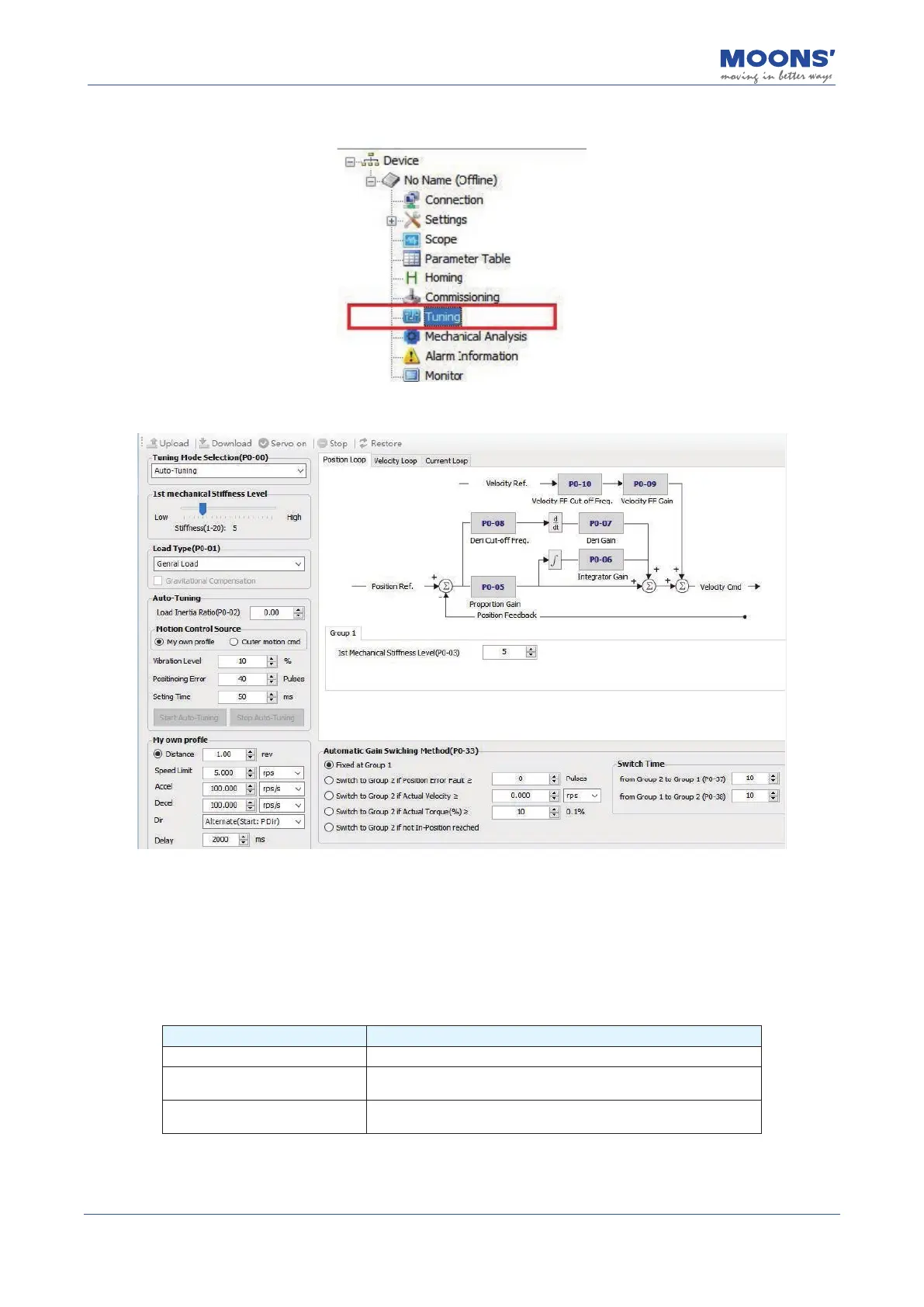
Step 3: Select the " Tuning " function in the left tree interface
Step 4: In the debugging interface, set the parameter tuning mode to " Auto tuning "
• First mechanical Stiffness grade:
Set the appropriate rst mechanical Stiness level (P0-03), the general recommended value is
“
5
”
when running for the rst time
• Load type
According to the current load, select the corresponding load type
Load type Description
normal load Suitable for most loads except belt loads
Rigid load
Horizontal turntable, ball screw, etc. with good mechanical
mechanical Stiness
Flexible load
Suitable for loads with poor mechanical Stiness such as belts
and chains













 To Next Page