177
Rev. 2.0
07/27/2023
MBDV Hardware Manual
Step 4
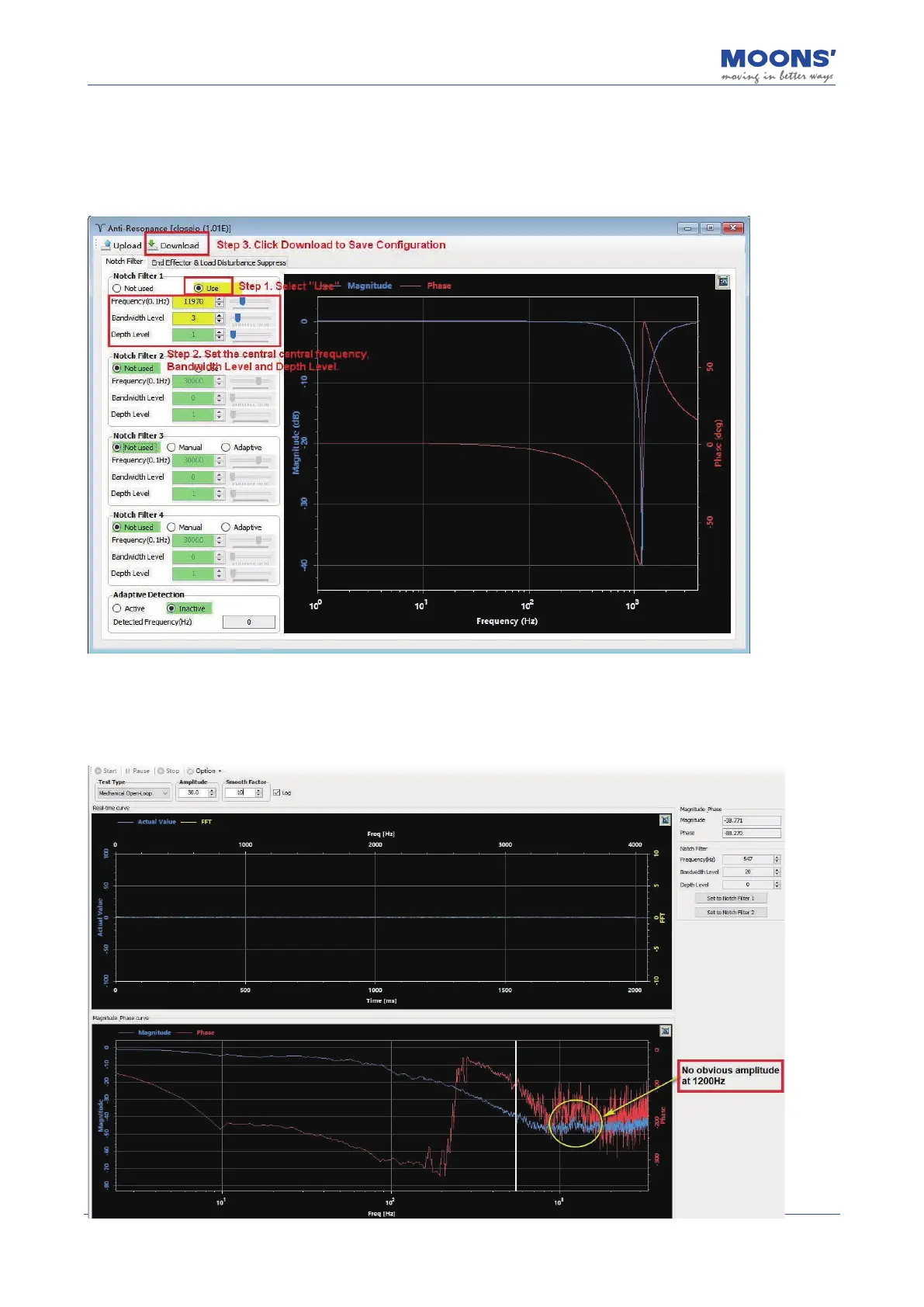
To set a resonance suppression notch lter, select the "Anti-Resonance" option in the device
tree to the left of the Luna Software. On the desired lter, select "use" to enable the lter, set the
appropriate bandwidth frequency level and resonance depth level. Then click download.
Step 5
The below waveforms showcase the results of velocity closed loop analysis













 To Next Page