4 Product description
Maschinenfabrik Reinhausen GmbH 201944 5163667/06 ENETOS
®
IM
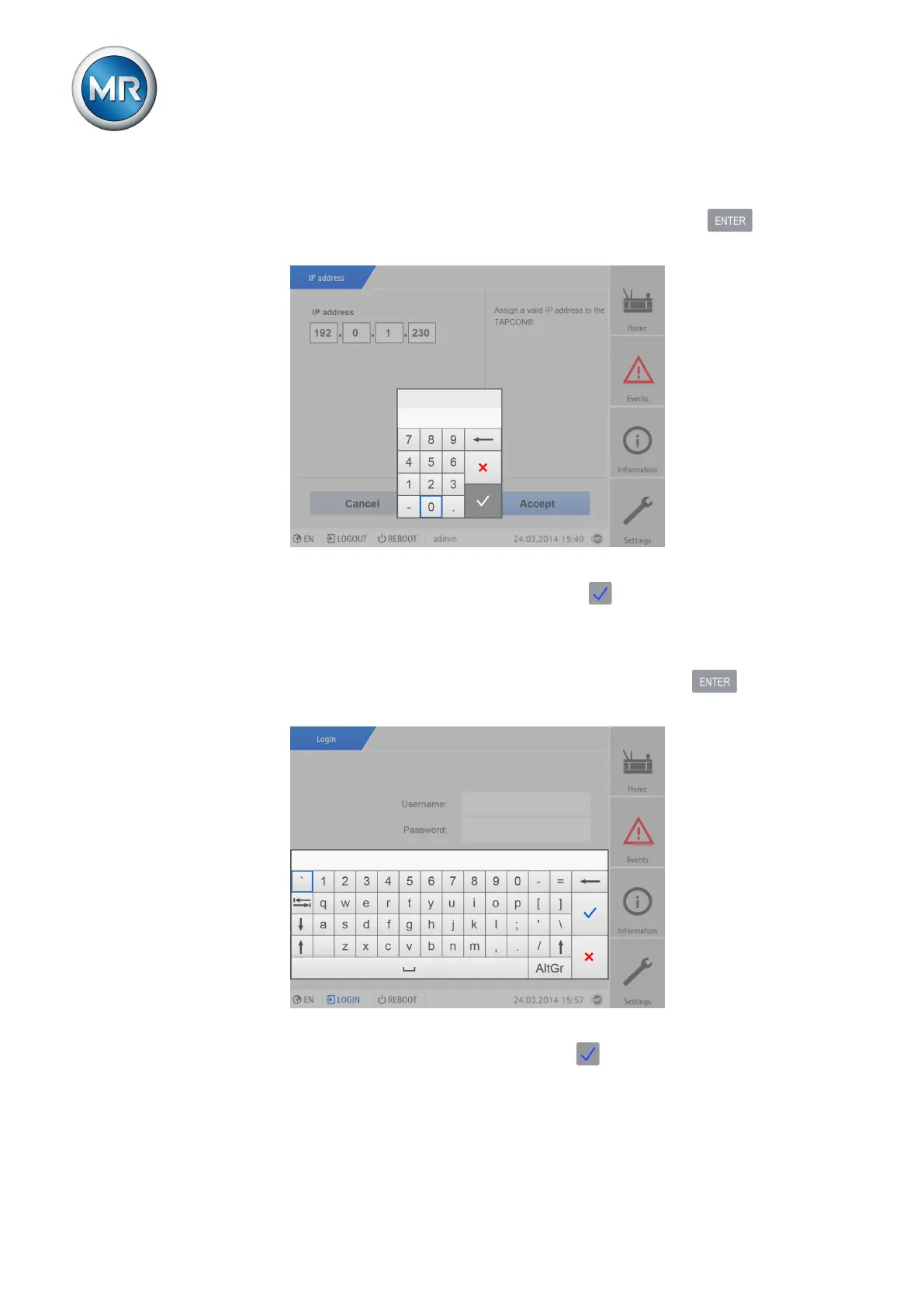
Entering a value To enter a value, proceed as follows:
1. Use the rotary knob to select the value field and press the key.
ð If operating via the front panel, the numerical keypad appears.
Figure23: Entering a value
2. Enter the desired value and confirm with .
3. Press the Accept button to save the modified parameter.
Entering text To enter text, proceed as follows:
1. Use the rotary knob to select the text box and press the key.
ð If operating via the front panel, the keyboard appears.
Figure24: Enter the text
2. Enter the desired text and confirm with .
3. Press the Accept button to save the modified parameter.



 To Next Page