Distributing Data via a Scan Server 9-4
9.3 How to Send
9
9.3 How to Send
1
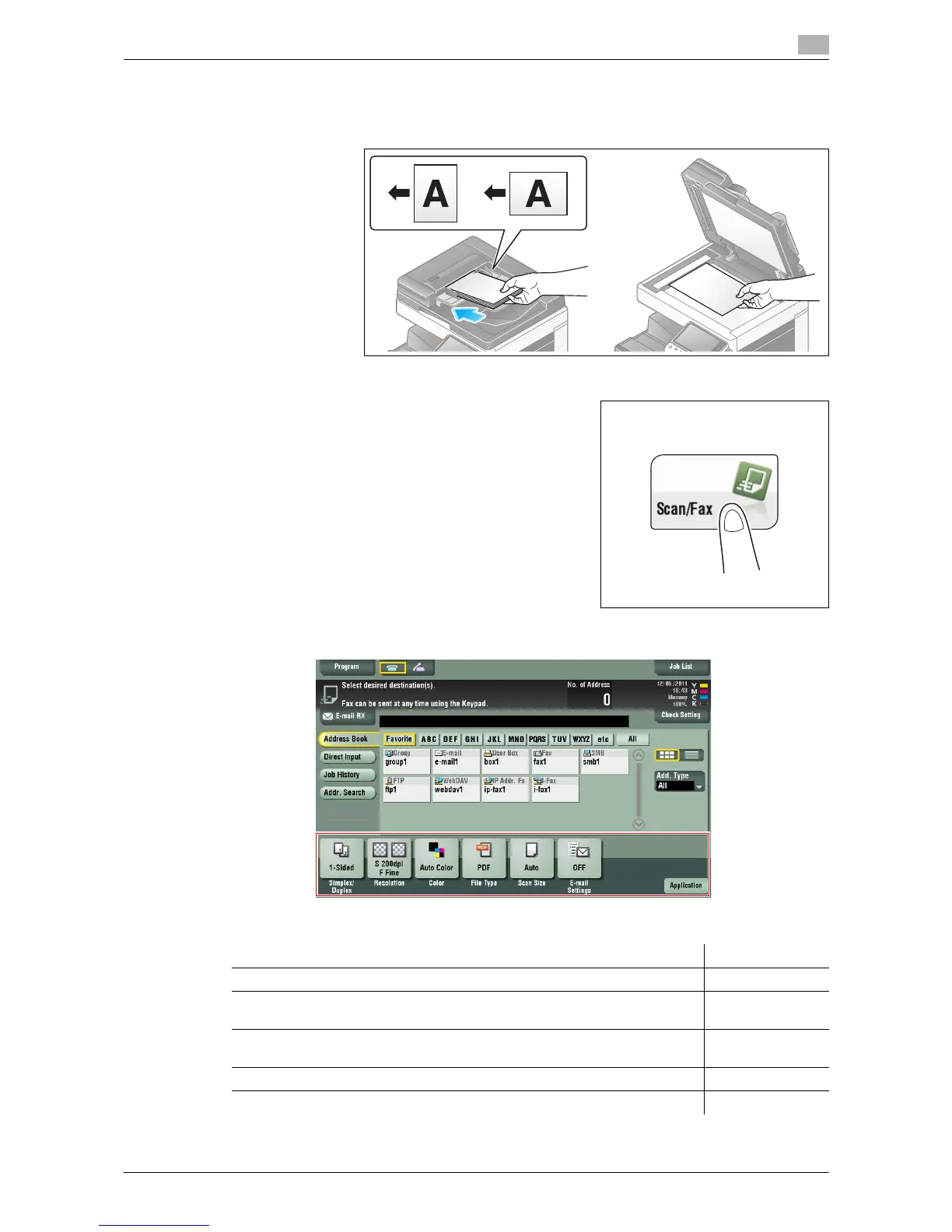
Load the original.
2 Tap [Scan/Fax].
3 Configure Scan option settings as necessary.
% For details on configuring option settings, refer to the respective columns of the following table.
Purpose Reference
To configure basic options such as color and original size page 1-17
To configure options to scan various types of originals such as various sizes
and books
page 1-19
To adjust the image quality level of the original such as colored background
(newspaper, etc.) or light printing original
page 1-23
To print date/time and page number page 1-24
Other option settings page 1-25



 To Next Page
 Loading...




