Description of Setup Buttons 11-17
11
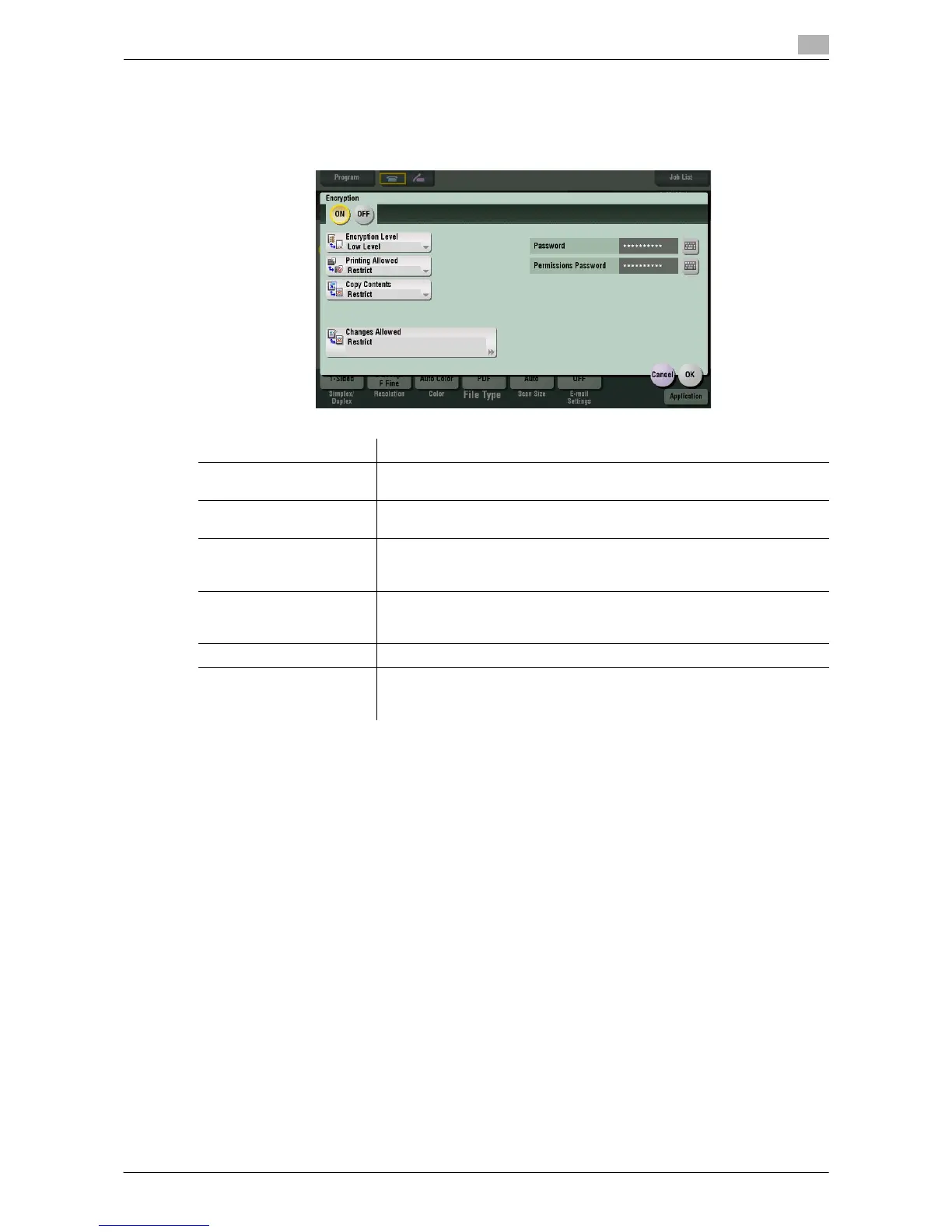
[Encryption]
To display: [Scan/Fax] - [File Type] - [PDF Detail Setting] - [Encryption]
If [PDF] or [Compact PDF] is selected for file format, you can encrypt PDF files.
Settings Description
[Password] Enter the password to restrict access to the file. Create a PDF file that is
accessible by specific users who know the password.
[Permissions Password] To specify permissions for printing and editing a PDF file, enter an author-
ization password.
[Encryption Level] When specifying permissions for a PDF file, select an encryption level ac-
cording to the security level that you want to specify.
If you select [High level], you can specify permissions more in detail.
[Printing Allowed] Select whether to permit printing of PDF files.
If [Encryption Level] is set to [High level], you can permit printing of PDF
files only in low resolution ([Low Resolution]).
[Copy Contents] Select whether to permit copying of text and image from PDF files.
[Changes Allowed] Select the content of PDF for which modification is permitted.
If [Encryption Level] is set to [High level], you can select the contents to be
permitted more in detail.



 To Next Page
 Loading...




