Sending Original Data as an E-mail Attachment (Scan to E-mail) 2-8
2.4 Application Functions
2
2.4 Application Functions
2.4.1 Sending to Your Address (Scan to Me)
Scan to Me
By selecting the [Me] key displayed in the [Address Book] screen, you can send E-mails to your E-mail ad-
dress. If you log in to this machine that provides user authentication, the [Me] key appears in the [Address
Book] screen. The [Me] key is assigned to an E-mail address of the login user. To use this function, you do
not have to register your E-mail address in the address book.
Operations required to use this function (for the administrator)
Register an E-mail address in the user's registration information.
The registration process is explained using Web Connection. For details, refer to "User's Guide [Web Man-
agement Tool]/[Restricting Users from Using This Device]".
Tips
- If Active Directory is used as an authentication server, register the user's E-mail address in Active Di-
rectory.
Operation flow
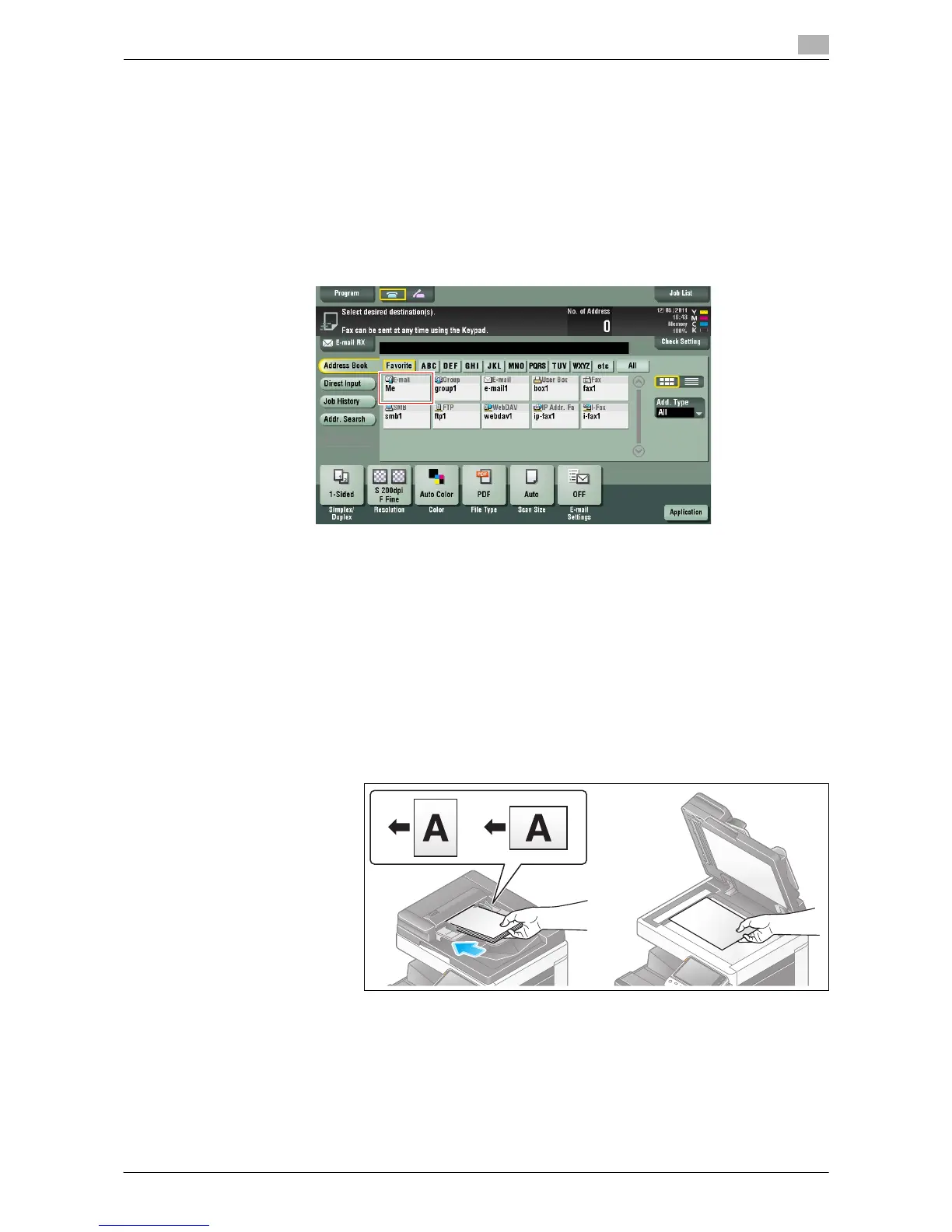
1 Load the original.
2 Enter user information, and log in to this machine.
% For details on the login procedure, refer to "User's Guide [Control Panel]/[Login Screen]".



 To Next Page
 Loading...




