Sending a File to a Shared Folder of a Computer (SMB Send) 3-4
3.2 Preparation for SMB Send
3
3.2.2 Computer Side: Steps Required to Use This Function
When using Windows 7:
Carry out preparations to send original data scanned by this machine to your computer.
First, check the name of your computer and that of the login user.
0 You need to have the administrator privileges to perform this task.
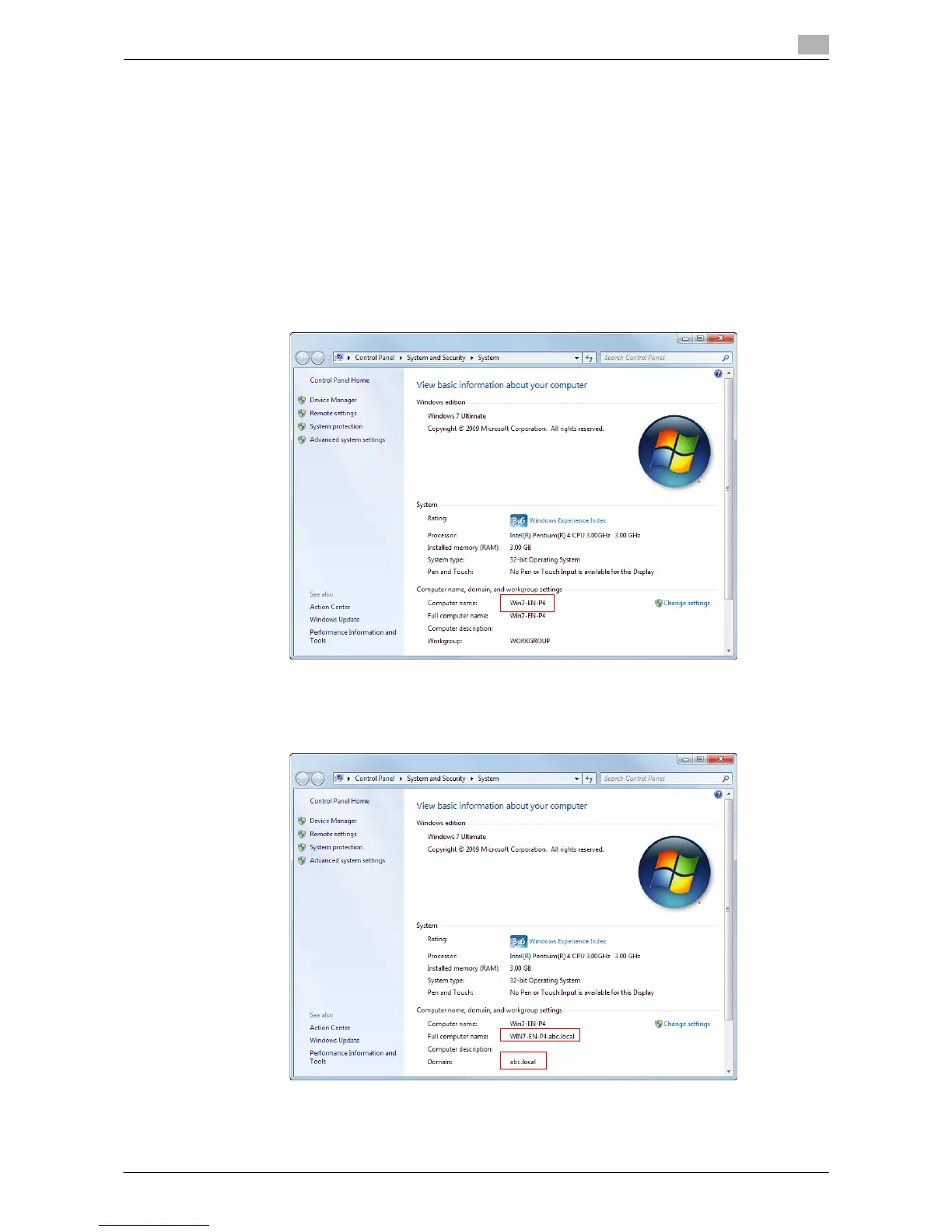
1 From the Start menu, click [Computer] - [System Properties].
2 Check [Computer name].
% The computer name is required to specify a destination. Write down the computer name.
% For domain user, the domain name is required to specify a destination along with the user name.
Write down the domain name.
Then, close the window.



 To Next Page
 Loading...




