Description of Setup Buttons 11-19
11
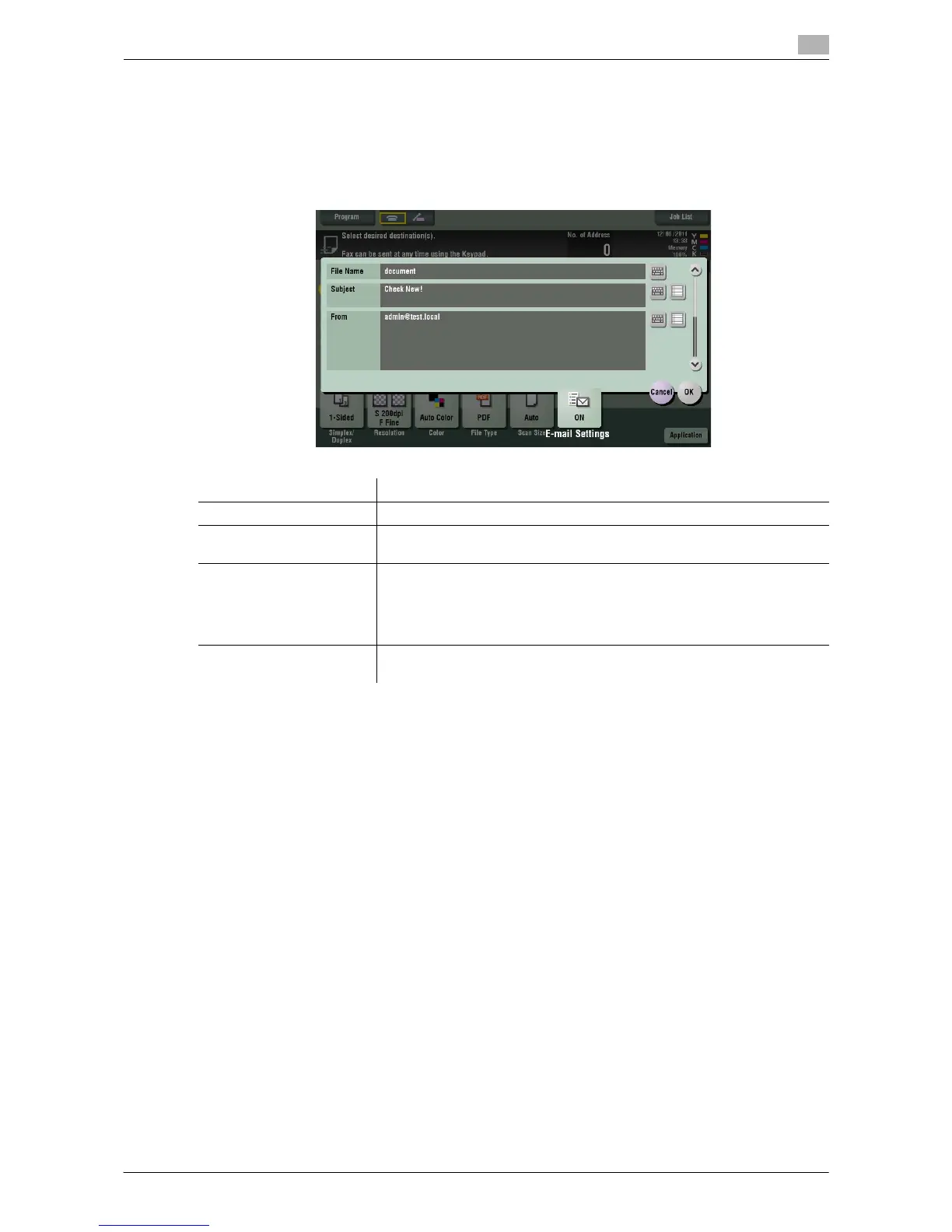
[E-mail Settings]
To display: [Scan/Fax] - [E-mail Settings]
Change the file name of the scanned original.
When sending by E-mail, you can specify the subject and text of the E-mail message and change the sender
E-mail address ("From" address).
Related setting
- You can register the fixed subject and text phrase of the E-mail message. For details, refer to
page 12-8.
Related setting (for the administrator)
- You can change the default file name. You can specify whether to add an initial of the function or wheth-
er to specify an arbitrary text instead of the device name. For details, refer to page 13-8.
- Select whether to allow the user to change the sender E-mail address ("From" address) (default: [Al-
low]). For details, refer to page 13-5.
Settings Description
[File Name] If necessary, change the file name of the scanned original.
[Subject] If necessary, change the subject of the E-mail. If fixed subject phrases are
registered, you can select a subject from those registered.
[From] If necessary, change the sender E-mail address.
In normal circumstances, the E-mail address of the administrator is used
as sender E-mail address.
If user authentication is installed on this machine, the E-mail address of the
login user is used as sender E-mail address.
[Body] If necessary, change the message text of the E-mail. If fixed message text
phrase is registered, you can select message text from those registered.



 To Next Page
 Loading...




