Description of Setup Buttons 11-16
11
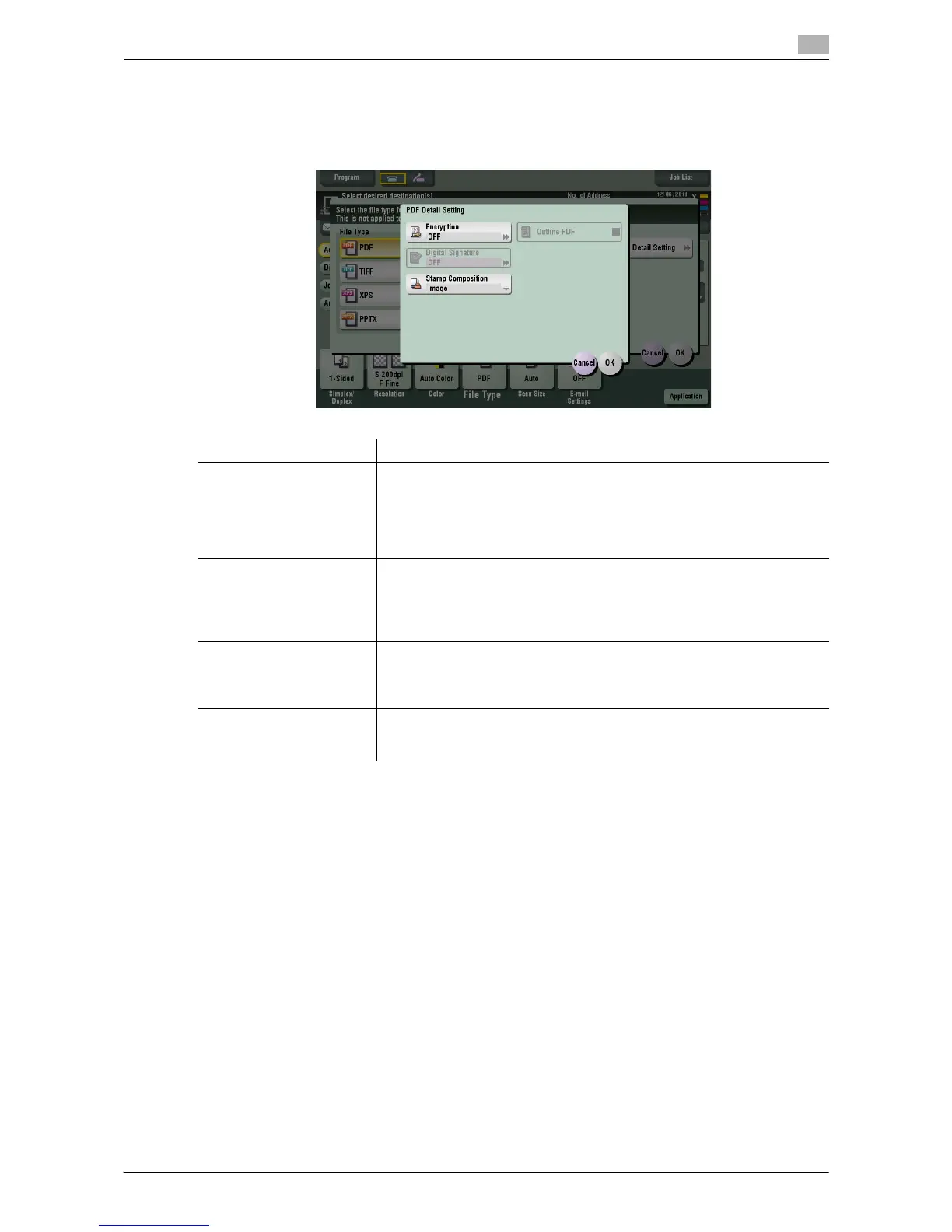
[PDF Detail Setting]
To display: [Scan/Fax] - [File Type] - [PDF Detail Setting]
If [PDF] or [Compact PDF] is selected for file format, you can configure the PDF option settings.
Settings Description
[Encryption] Select [ON] to encrypt a file.
Enter the password to restrict access to the file. To specify permissions for
printing and editing PDFs more in detail, enter an authorization password,
then specify [Encryption Level], [Printing Allowed], [Copy Contents], and
[Changes Allowed].
For details, refer to page 11-17.
[Digital Signature] Select [ON] to add a digital signature (certificate) of this machine to a PDF
file, and select [SHA1] or [SHA256] as the encryption level of the signature.
You can certify the author of a PDF, and prevent forgery or unauthorized
modification.
This function is enabled when a certification is registered on this machine.
[Stamp Composition] Specify this option to print date/time, page number, and header/footer on
a PDF.
Select [Text] if you want to compose the text to be printed on a PDF as text.
If you select [Image], the text will be composed as an image.
[Outline PDF] Specify this option to save a file in compact PDF format.
If you select the check box of [Outline PDF], the text portion of the original
is extracted and converted to a vector image.



 To Next Page
 Loading...




