Chapter 6 CONDUCTIVITY MEASUREMENT(F-54,55)
6.4 Measurement Setting Change
94 HORIBA
6.4 Measurement Setting Change
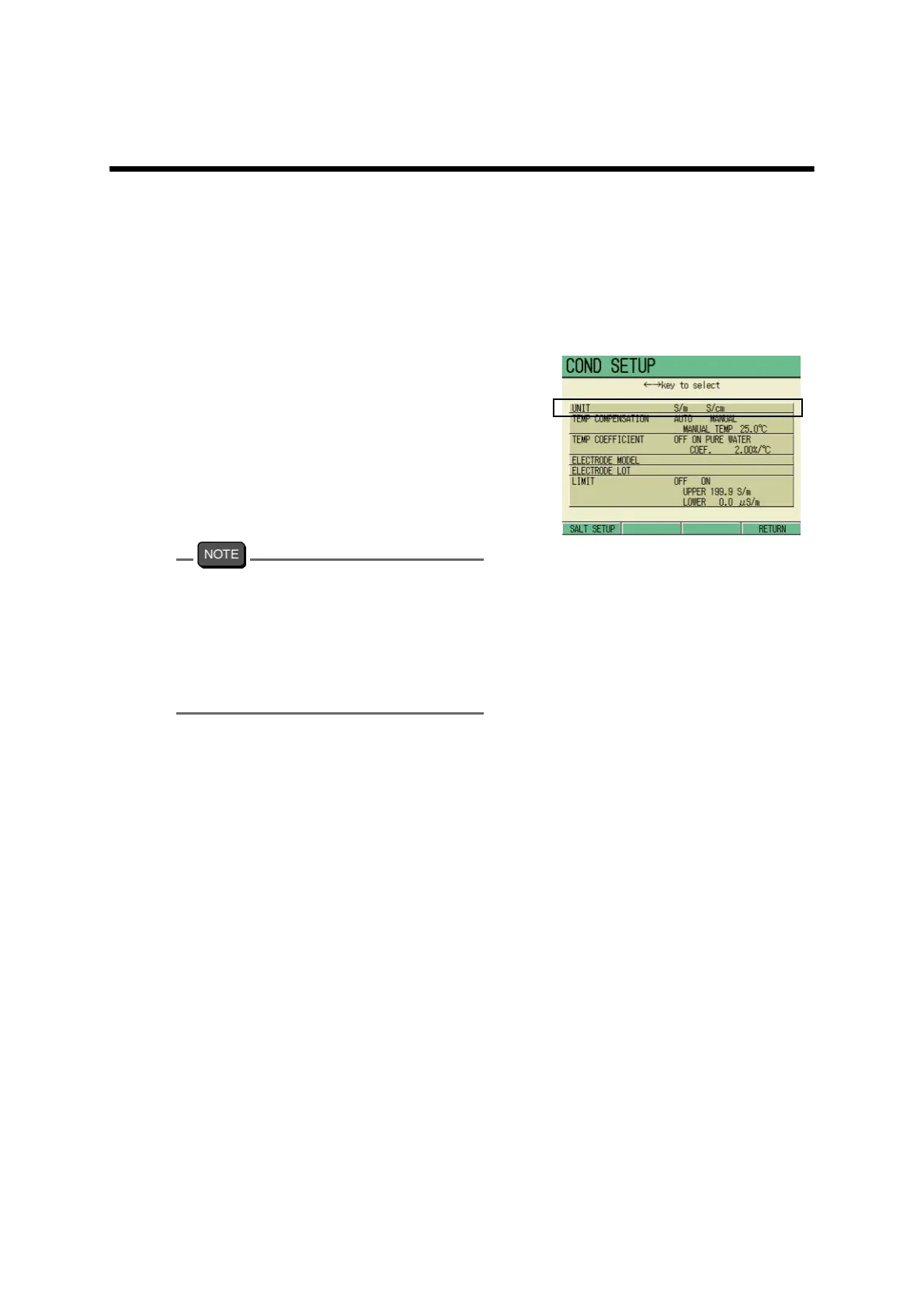
In the COND Measurement screen, press F1 (COND SETUP) to go to the COND SETUP
screen.
6.4.1 Unit selection
1. In the COND SETUP screen, press
↑ or ↓ key to select the UNIT,
and press ← or → key to select S/
m or S/cm.
2. Press F4 (RETURN).
The setting is reflected, and the dis-
play returns to the Measurement
screen.
The unit of resistivity should be determined
based on the conductivity unit set in this
screen.
Conductivity unit S/m
→ Resistivity unit Ω•m
Conductivity unit S/cm
→ Resistivity unit Ω•cm



 To Next Page