Chapter 6 CONDUCTIVITY MEASUREMENT(F-54,55)
6.6 Check/Calibration Data Display
F-52, 53, 54, 55 103
6.6 Check/Calibration Data Display
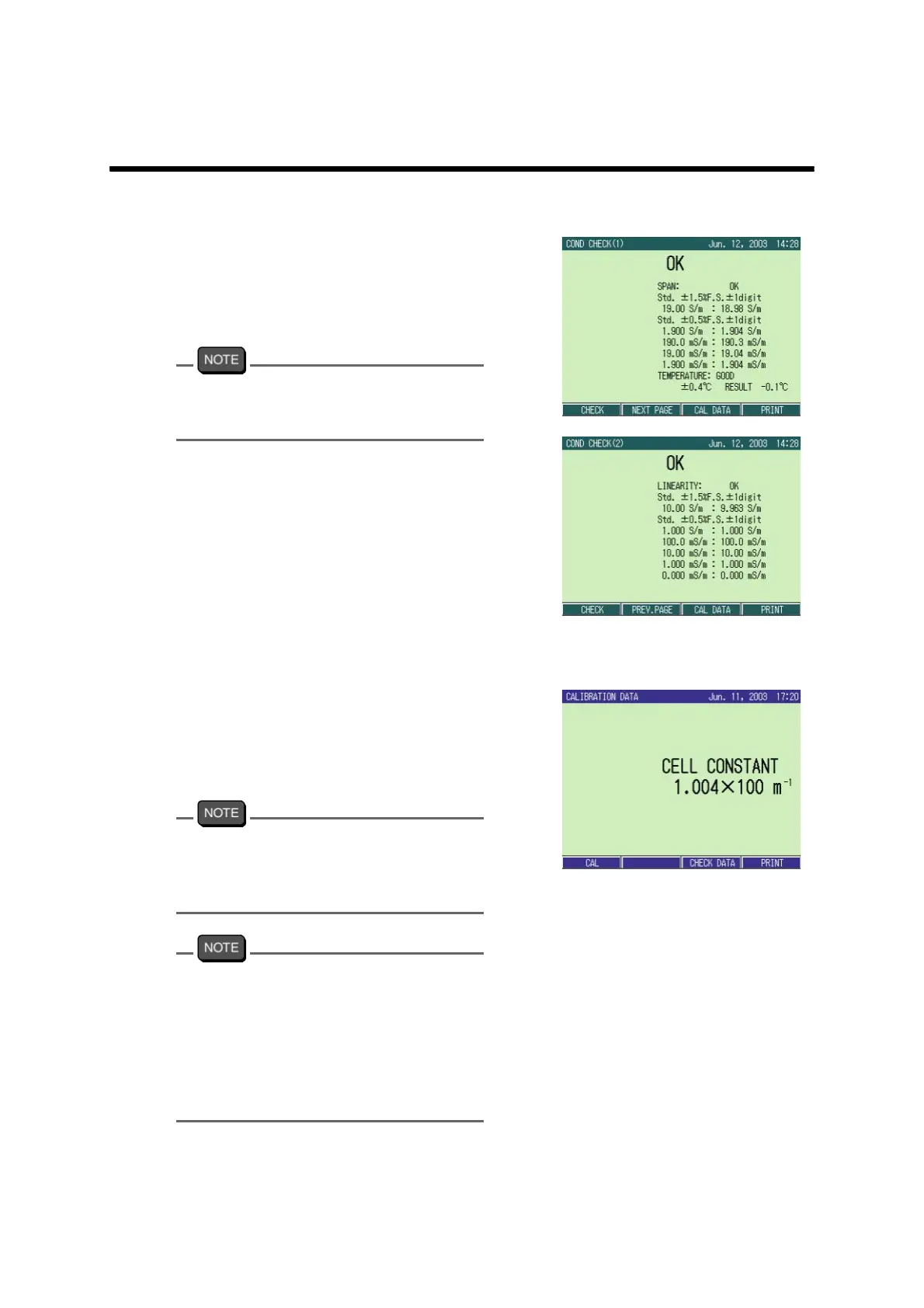
● Check data display
The latest check data can be displayed.
1. In the COND CHECK screen,
press F3 (CHECK DATA).
The check data is displayed.
When the printer is connected, the function
display of F4 shows “PRINT.”
Pressing F4 (PRINT) prints the check data.
● Calibration data display
The latest calibration data can be displayed.
1. In the CAL screen, press F3 (CAL
DATA).
The calibration data is displayed.
When the printer is connected, the function
display of F4 shows “PRINT.”
Pressing F4 (PRINT) prints the calibration
data.
In the CAL screen, the set cell constant is
displayed.
When the calibration for the cell constant is
completed, the date is also displayed.
Changing the cell constant without calibra-
tion does not change the date. The date is
renewed only when the calibration is per
-
formed.



 To Next Page