Chapter 11 METER SETTING
11.2 System setup
136 HORIBA
11.2.4 Interval memory function (Setting automatic data memory)
The measured data can be stored for every set time interval.
When it is set to OFF, the data can be manually stored by selecting Data Memory of the func-
tion keys at any time. Selecting ON stores multiple data at set time intervals.
"9.1 Setting Memory Type" page 113
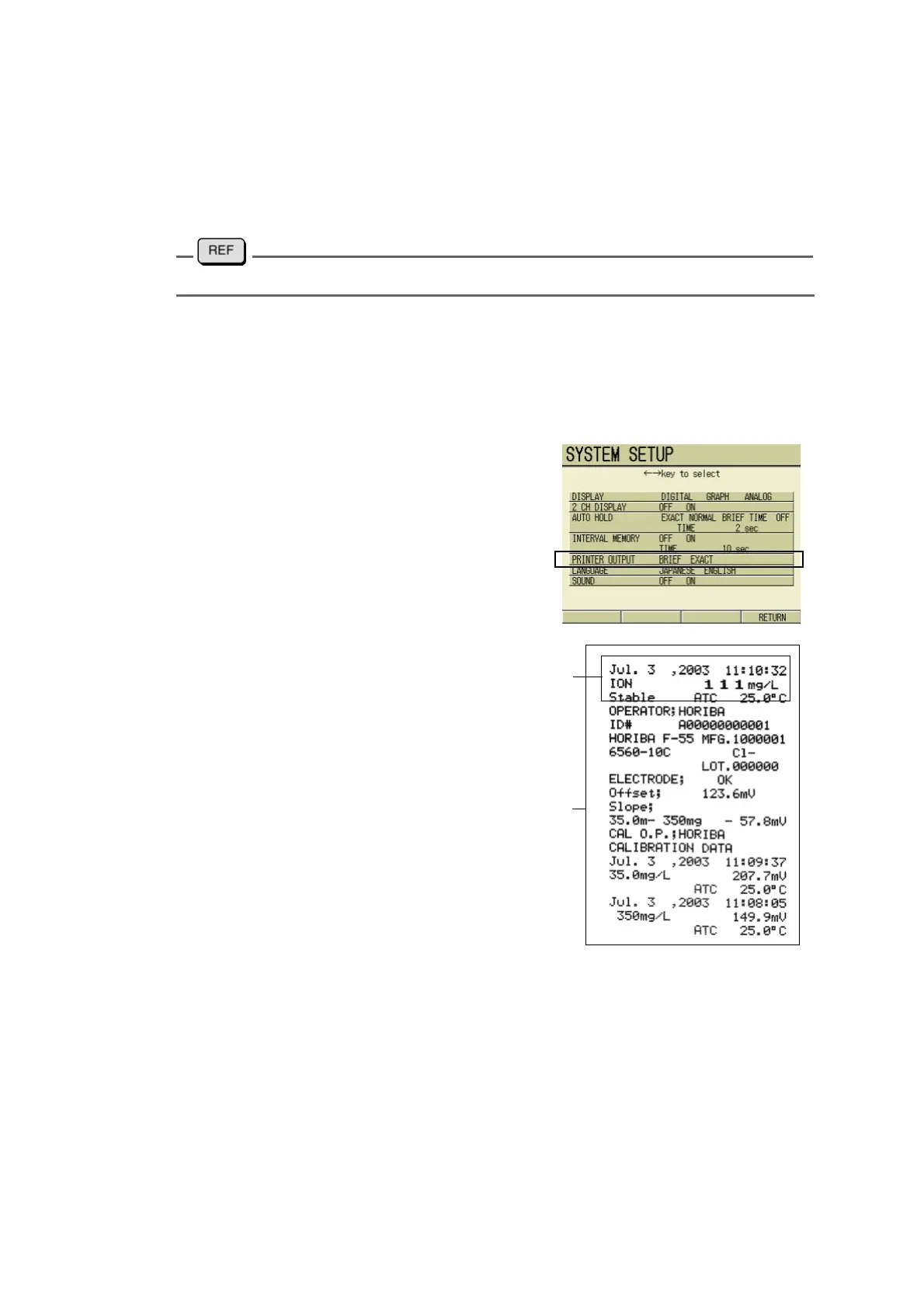
11.2.5 Setting printout format
The printout format can be selected.
1. In the SYSTEM SETUP screen,
press ↑ or ↓ key and select
PRINTER OUTPUT option.
2. Press ← or → key and select
BRIEF or EXACT.
3. Press F4 (RETURN).
The setting is reflected, and the dis-
play returns to the SETUP screen.
BRIEF printout
EXACT printout



 To Next Page