Chapter 3 pH MEASUREMENT
3.2 Open pH Measurement Screen
F-52, 53, 54, 55 37
3.2.2 Measurement
Follow the procedure below to perform pH
measurement.
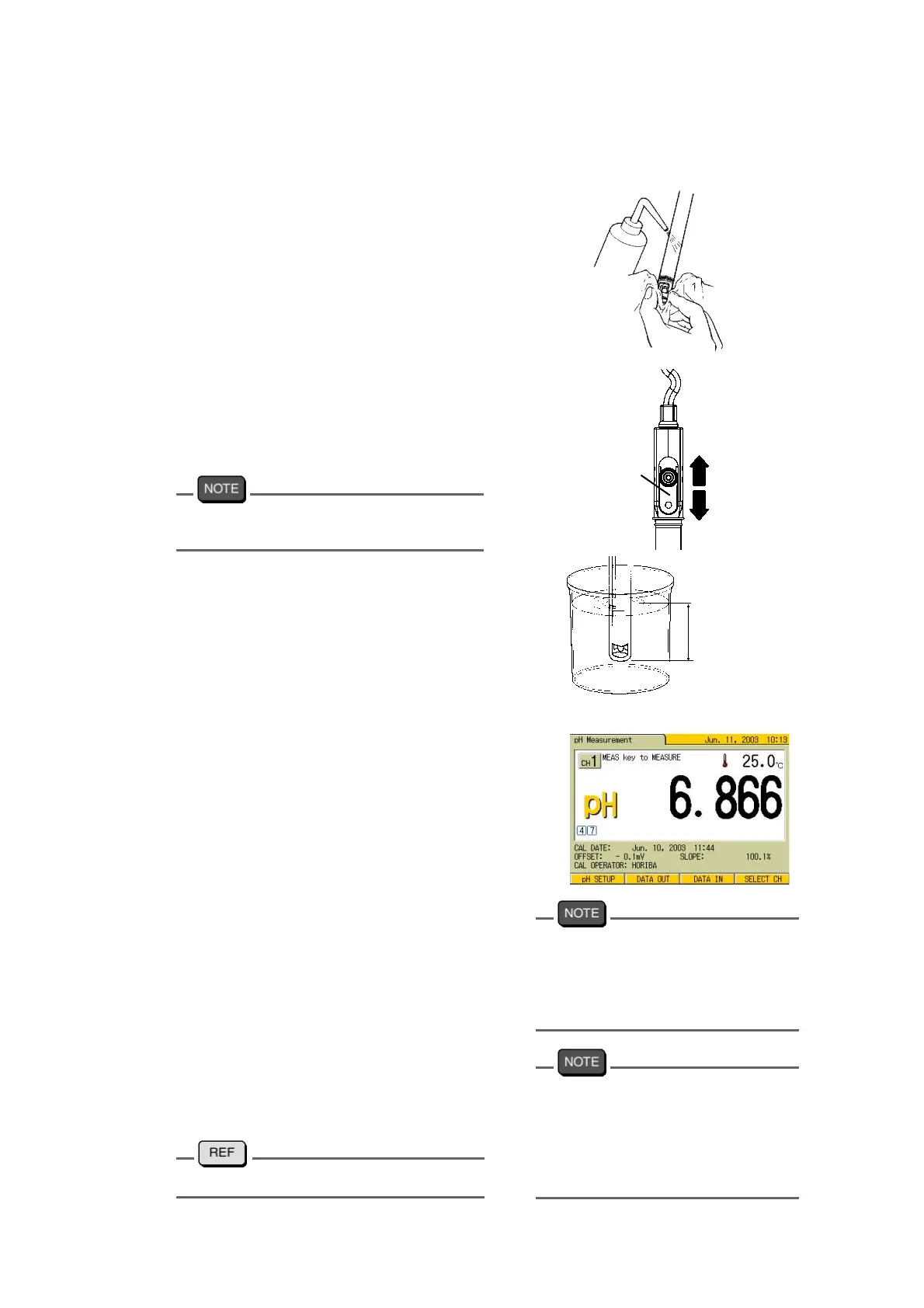
1. Wash the electrode with pure
water (ion exchange water), and
wipe it off either with filter paper or
tissue paper.
2. Open the internal solution filler port
of the electrode.
During measurement, the filler port
should be kept open.
The filler port configuration depends on the
electrode type.
3. Immerse the electrode into the sample
solution deeper than 3 cm from the tip
4. Switch the screen to the pH Measure-
ment.
5. Press the MEAS key again.
The screen displays HOLD measure-
ment mode. The HOLD display starts
blinking until the indication stabilizes.
When the indication value stabilizes,
HOLD display is lit, and the indication
value is held. This means the measure
-
ment is completed.
●
To stop the measurement when the
HOLD display is blinking, press the
ESC key to return to the measure
-
ment mode of instantaneous value.
●
There are several types of HOLD
conditions depending on the setting
configuration (Refer to
Page 134).
●
When the measured data is held,
such as at instantaneous value mea
-
surement or at AutoHold measure-
ment, press F3 (DATA IN) to store
the data.
Open
Close
Filler port
Deeper
than 3 cm
Calibration of more than three points
makes the electrode sensitivity differ-
ent in each range. The displayed elec-
trode sensitivity may differ from the
actual sensitivity.
pH electrodes 6367-10D, 6377-10D,
6378-10D, and 6252-10D may be
affected by indication when perform-
ing 2CH simultaneous measurement
in the same solution with other elec-
trodes.
"Chapter 9 DATA MEMORY" page 113



 To Next Page