Chapter 3 pH MEASUREMENT
3.3 Changing the measurement setting condition
38 HORIBA
3.3 Changing the measurement setting condition
Follow the procedure below to change the pH measurement condition.
There are six items to be set:
●
Resolution of pH measurement value
●
Automatic Temperature Compensation(ATC) and Manual Temperature Compen-
sation(MTC)
●
Temperature conversion function
●
Electrode model change
●
Electrode Lot change
●
Alarm setting
The pH measurement setting is available for each CH on the F53 only.
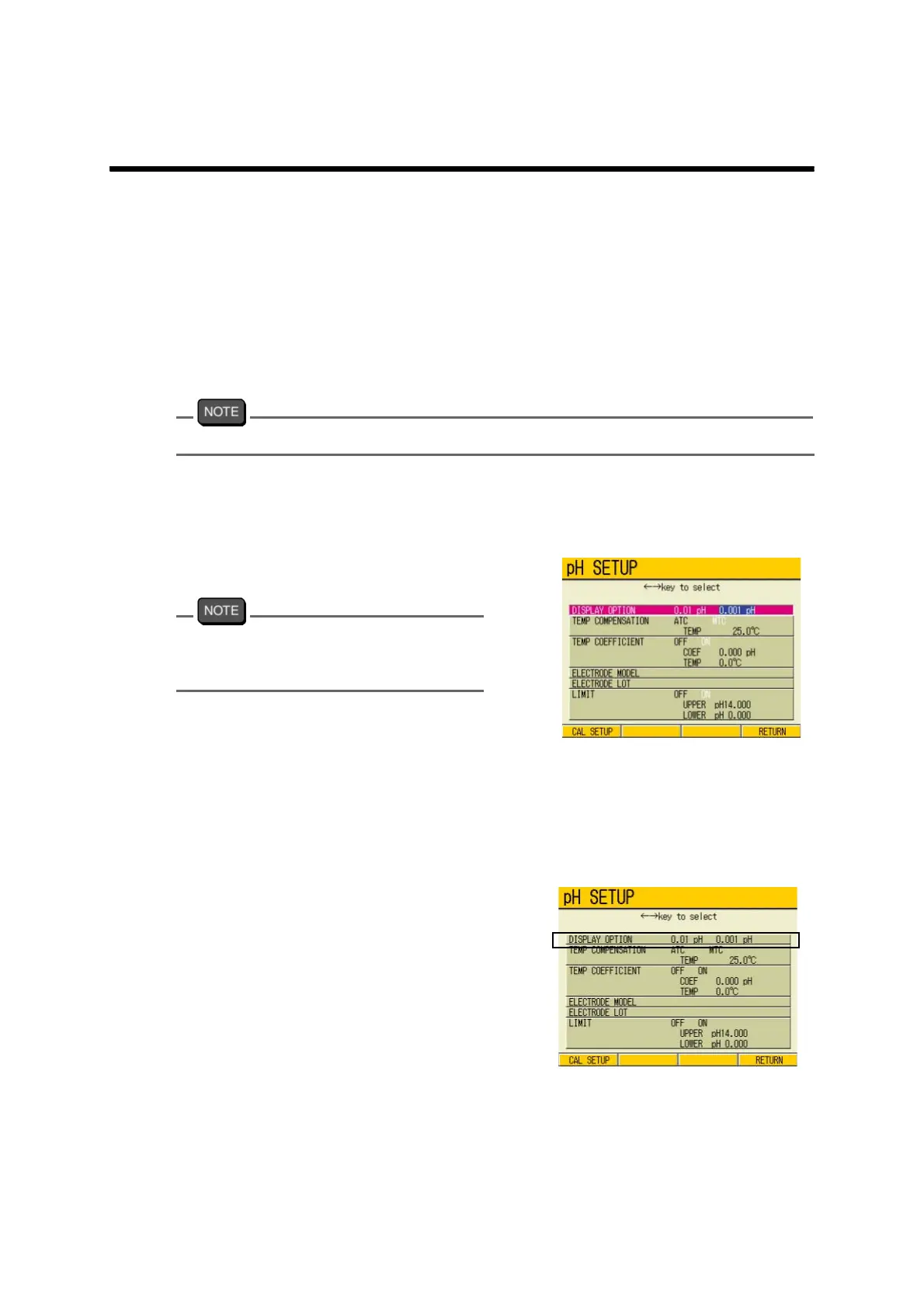
Open the pH measurement SETUP screen
1. In the pH Measurement screen,
press F1 (pH SETUP).
The pH SETUP screen appears.
When no setting change is necessary, press
ESC key or MEAS key to return to the pH
Measurement screen.
3.3.1 Resolution of pH measurement value
Switch the resolution of pH measurement value either to 0.01 pH or 0.001 pH.
Resolution switch
1. In the pH SETUP screen, press ↑
or ↓ key to go to DISPLAY
OPTION field.
2. Press ← or → key to select 0.01
pH/ 0.001 pH.
3. Press F4 (RETURN).
The setting is renewed, and the display
returns to the Measurement screen.



 To Next Page