Chapter 11 METER SETTING
11.2 System setup
F-52, 53, 54, 55 133
11.2.2 2CH display (F-53,54,55)
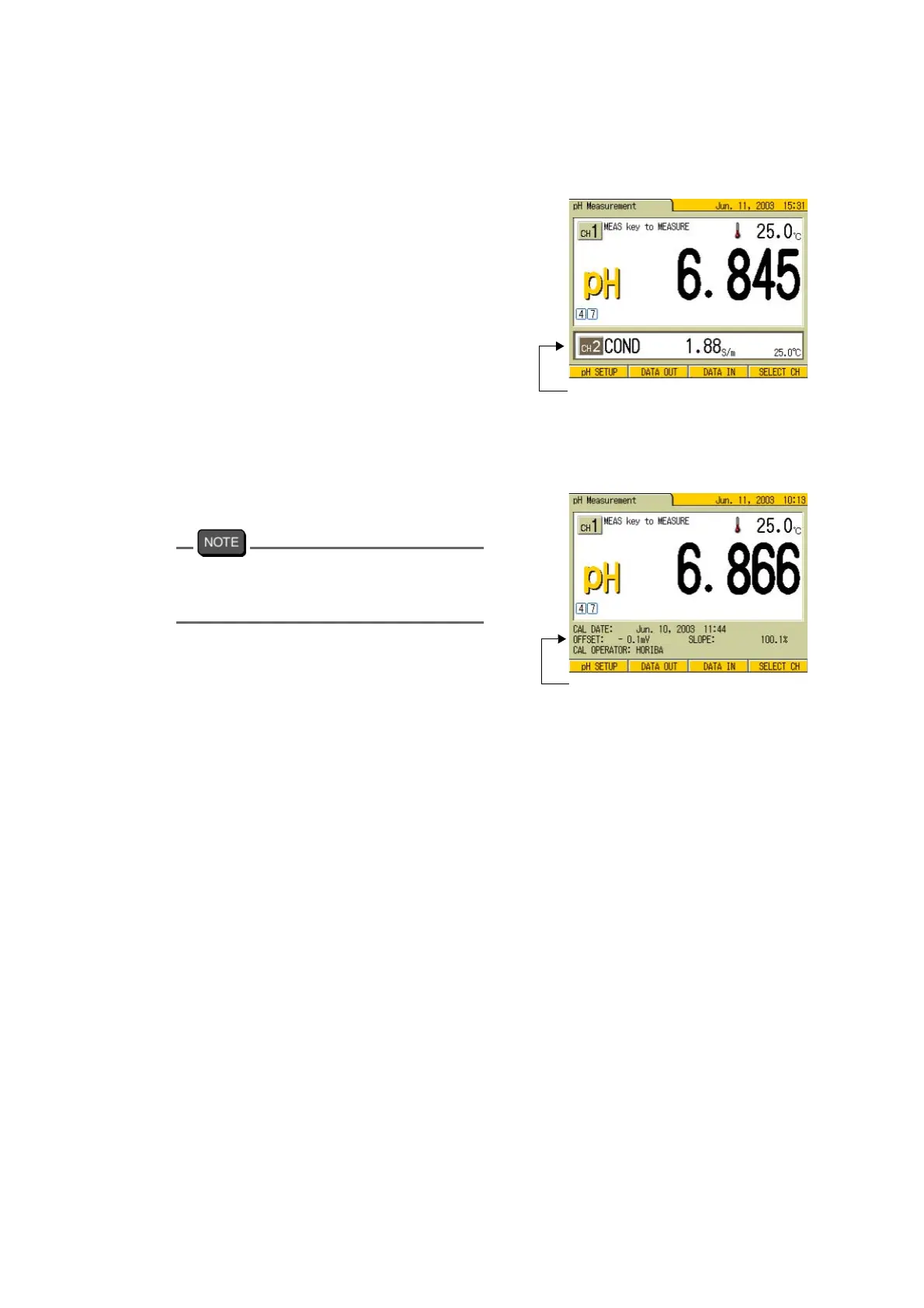
When the 2CH display is ON, two measure-
ment data, CH1 and CH2 are displayed at the
same time on the Measurement screen.
When the 2CH display is OFF, the electrode
status such as calibration data is displayed on
the sub screen for DIGITAL display.
1. In the SYSTEM SETUP screen,
press ↑ or ↓ key and select 2CH
DISPLAY option.
2. Press ← or → key and select OFF
or ON.
3. Press F4 (RETURN).
The setting is reflected, and the dis-
play returns to the SETUP screen.
Pressing F4 (SELECT CH) in the
Measurement screen
will switch the channel
for the main display with the lower screen.
Measurement data for 2CH
ON: 2CH indicated
Electrode status
OFF: 1CH indicated



 To Next Page