Chapter 2 BASIC OPERATIONS
2.1 Measurement Flow
F-52, 53, 54, 55 19
Chapter 2 BASIC OPERATIONS
2.1 Measurement Flow
More than 3
seconds
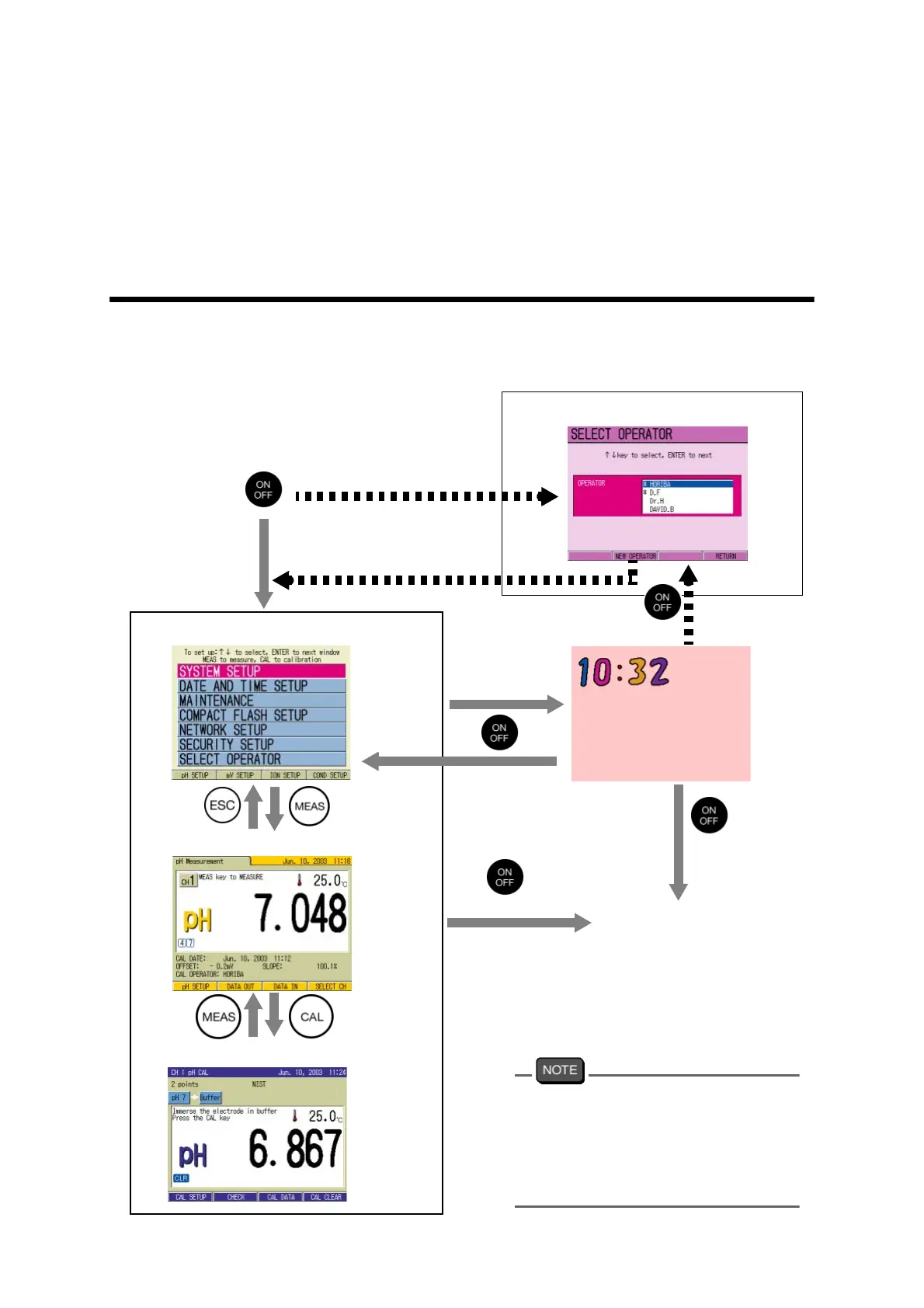
Turn on the Power
When the User Control is set to ON, first
reset the previous operator name to allow
the other operator to use the meter. To
reset the operator name, either press ON/
OFF key to make the screen to SLEEP
mode or turn off the power.
SETUP screen
pH Measurement screen
CAL screen
SELECT OPERATOR screen
More than 3 seconds
User Control
OFF
User Control
ON
User Control
ON
SLEEP screen
Power is OFF
F2(NEW OPERATOR)



 To Next Page