Chapter 2 BASIC OPERATIONS
2.4 Necessary Setup for the First-time User
26 HORIBA
2.4 Necessary Setup for the First-time User
This meter features the clock function that allows recording the date of measurement and cal-
ibration. You need to set the clock when you use the meter for the first time or after replacing
the batteries.
2.4.1 Setting the clock
Turning the power ON displays the SETUP
screen.
1. Press ↑ or ↓ key to select DATE
AND TIME SETUP. Press the
ENTER key.
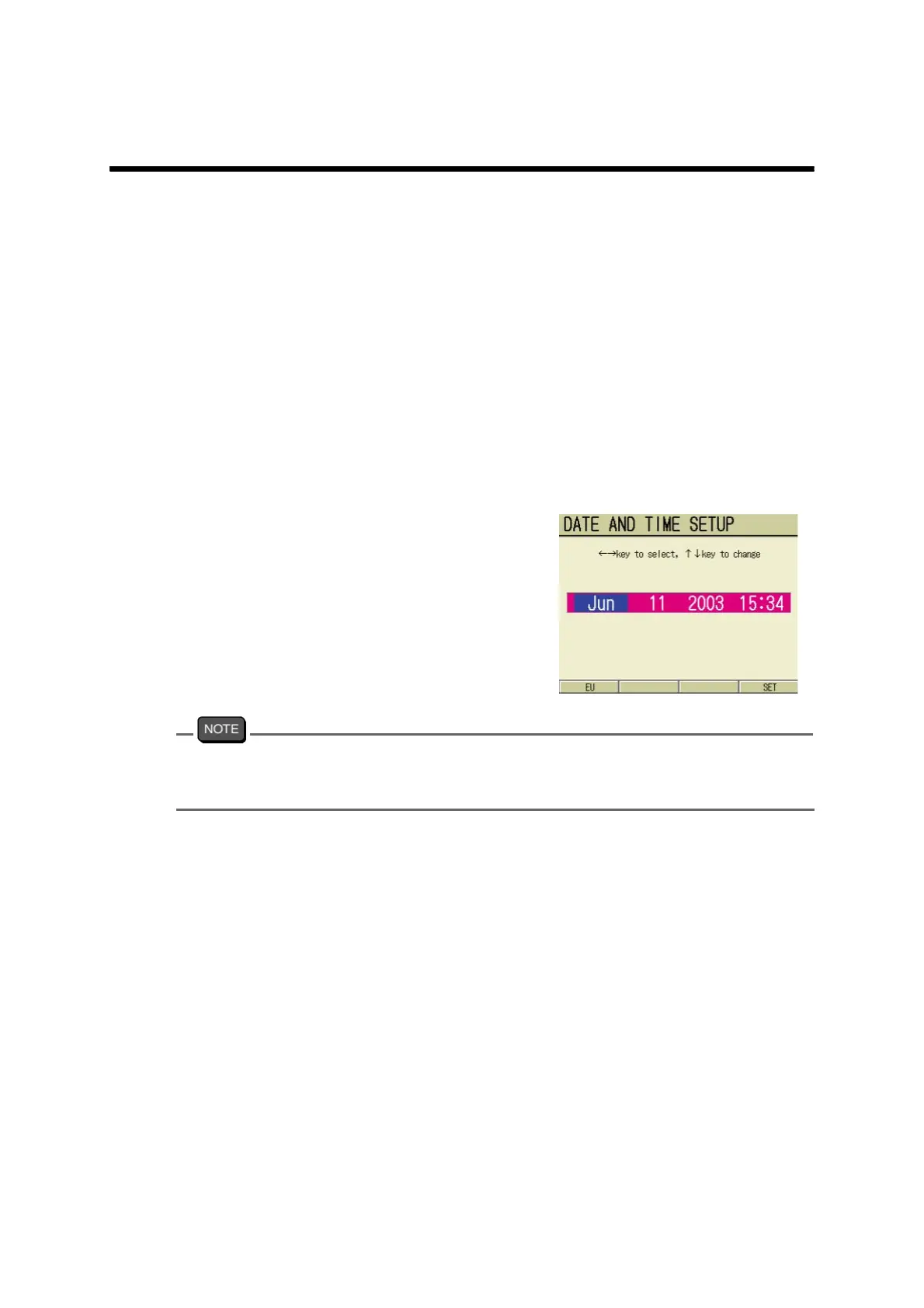
The DATE AND TIME SETUP
screen appears.
2. Press ← or → key to select the set
item (year, date, and time).
3. Press ↑ or ↓ key to set.
4. Press F4 (SET).
The setting is reflected, and the dis-
play returns to the SETUP screen.
To cancel the setting, press the ESC key and return to the SETUP screen.
When the User Control is ON in the SECURITY SETUP screen, no operator other than the
Administrator cannot access the clock to prevent irresponsible data revision.



 To Next Page