Chapter 9 DATA MEMORY
9.1 Setting Memory Type
F-52, 53, 54, 55 113
Chapter 9 DATA MEMORY
The measurement data can be stored and at the same time retrieved.
There are two ways to store data into memory: pressing “Data Memory” of the function key at
any time in the Measurement mode (Manual Memory) and automatically memorizing by a
certain interval (Interval Memory).
9.1 Setting Memory Type
Select either Interval memory or Manual
memory.
1. Turn the power ON.
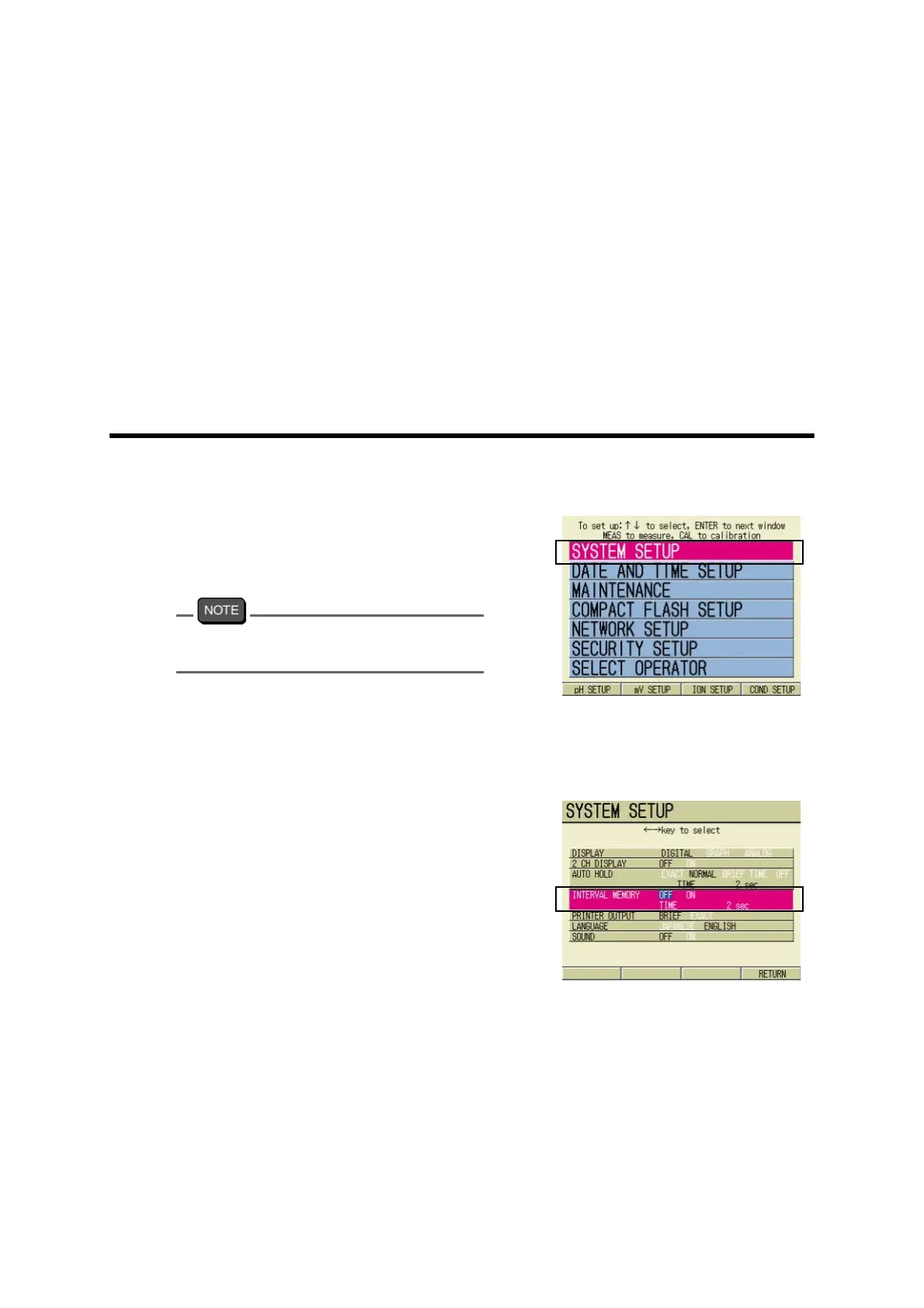
After the startup screen, the SETUP
screen appears.
Pressing ESC key in the Measurement
screen also shows the SETUP screen.
2. Pressing ↑ or ↓ key, select SYS-
TEM SETUP option, and press
ENTER key.
The SYSTEM SETUP screen appears.
3. Pressing ↑ or ↓ key, and select
INTERVAL MEMORY.
4. Press ← or → key and select ON
or OFF.
When set to ON: go to " ● Interval
memory" page 114.
When set to OFF: go to " ● Manual
memory" page 113.
● Manual memory
1. To use Manual memory function, press ← or → key and select OFF.
2. Press F4 (RETURN).
The setting is reflected, and the display returns to the SETUP screen.
3. Press MEAS key.
The display returns to the pH Measurement screen.



 To Next Page