Chapter 6 CONDUCTIVITY MEASUREMENT(F-54,55)
6.5 Periodical Check of COND
100 HORIBA
6.5 Periodical Check of COND
Use the optional Checker X-52 and input the value to the meter, to perform the functional
check.
Refer to the Instruction Manual for the Checker X-52 before the operation.
Before starting the inspection, set the unit to S/m and the cell constant to 1.000 × 100 m
-1
.
Also set the temperature compensation to AUTO.
1. In the COND Measurement mode,
press the CAL key.
The SETUP screen for the cell con-
stant appears.
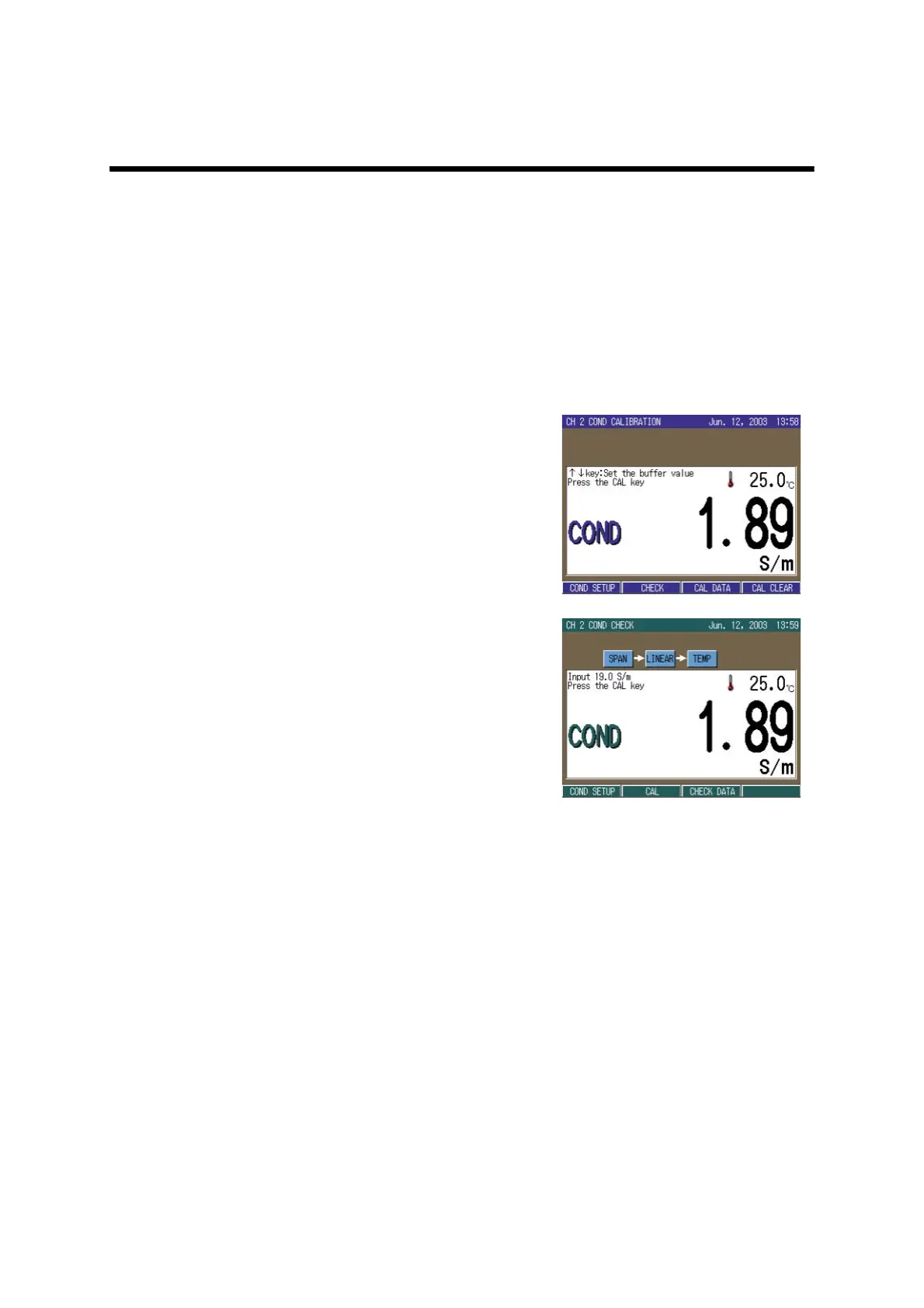
2. Press the MODE key.
The COND CALIBRATION screen
appears.
3. Press F2 (CHECK).
The periodical check mode starts.
The operation guide appears on the
screen.
4. The checker outputs the sample.
5. Press the CAL key.
When the indication stabilizes, the
HOLD indication changes from the
blinking state to the lit state.
6. The checker outputs the next sam-
ple.
7. Repeat step 5. to step 6. and con-
firm all the items.
The check items are the followings
(totally 15):
Span check
19.00 S/m
1.900 S/m
190.0 mS/m
19.00 mS/m
1.900 mS/m



 To Next Page