Chapter 3 pH MEASUREMENT
3.3 Changing the measurement setting condition
F-52, 53, 54, 55 43
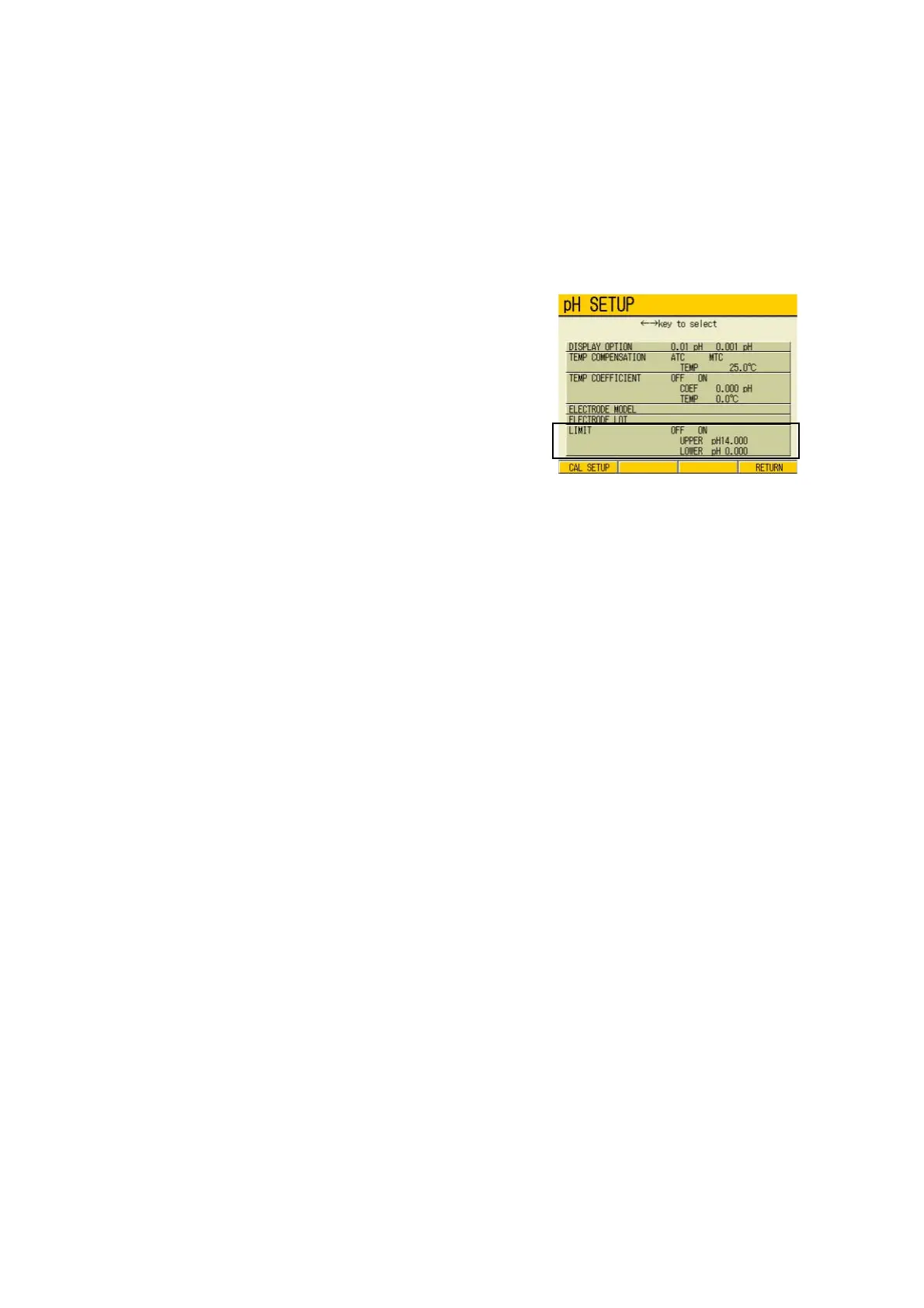
3.3.6 Alarm setting
Alarm setting function detects whether the measurement value exceeds upper or lower limit
values, and displays it on the screen or outputs it as a signal from the external output terminal.
When the measurement value exceeds the alarm range, the color of the displayed value
changes in the Measurement screen.
● Setting procedure
1. In the pH SETUP screen, press ↑
or ↓ key to go to LIMIT field.
2. Press ← or → key to select OFF or
ON.
In selecting ON, pressing the ENTER
key moves the cursor to the upper
limit value setting field. Pressing the
ENTER again changes the display
color of the set part, enabling to input
values by ↑ or ↓ key.
Setting range: pH0.000 to 14.000
3. Press the ENTER key.
The setting is determined. The display
color of the set part changes.
4. Press ↓ key to select the lower
limit item.
5. Pressing the ENTER key changes
the display color of the set part;
press ↑ or ↓ key to input the val
-
ues.
Setting range: pH0.000 to 14.000
6. Press the ENTER key.
The setting is determined. The display
color of the set part changes.
7. Press F4 (RETURN).
The setting is renewed, and the display
returns to the Measurement screen.



 To Next Page