Chapter 12 RS-232C Communication
12.5 Communication example using the HyperTerminal
F-52, 53, 54, 55 167
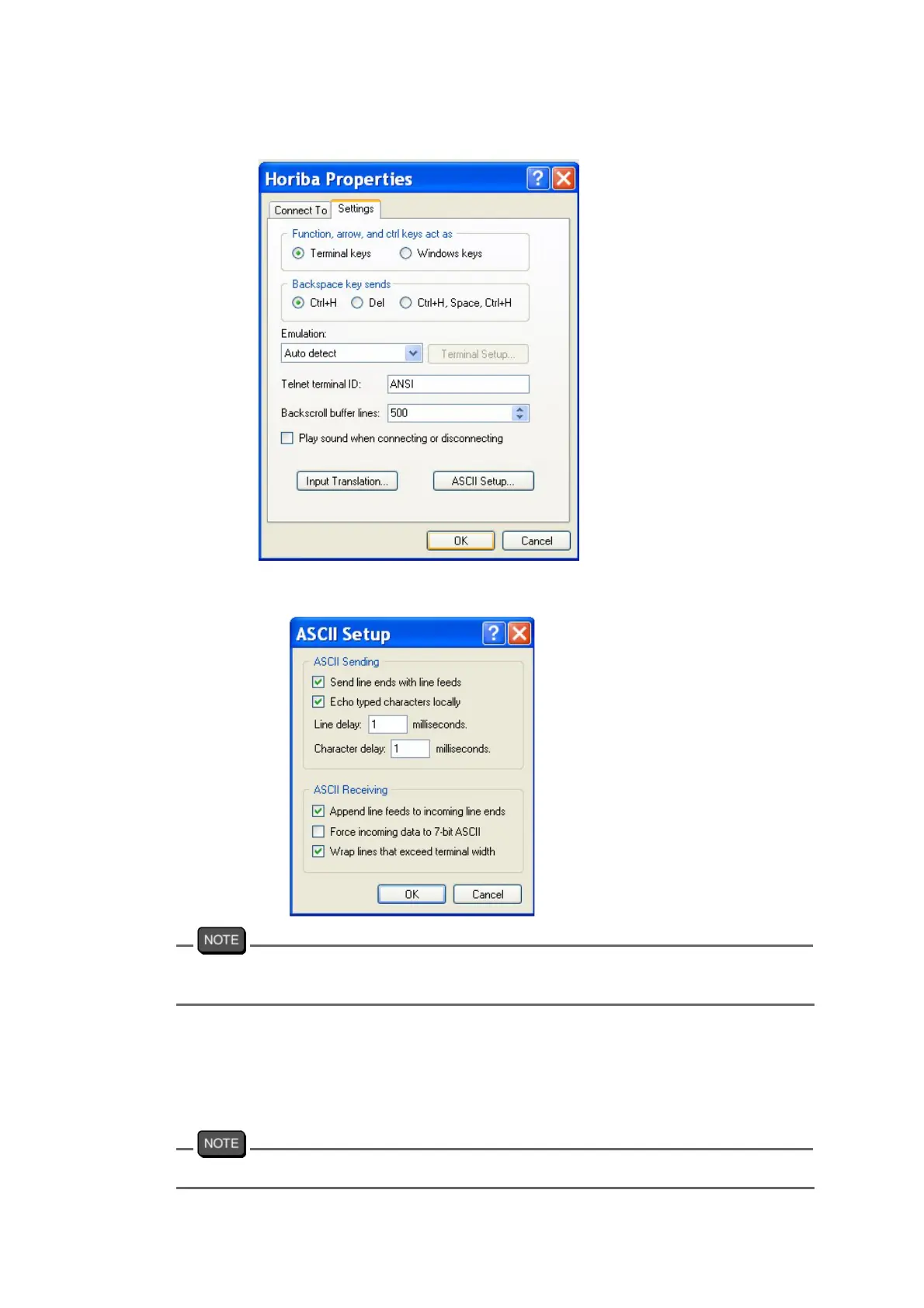
[File] > [Properties] > [Settings]
[File] > [Properties] > [Settings] > [ASCII Setup]
You can check the contents transmitted via HyperTerminal by enabling the “Echo
typed characters locally (E)” option.
4. Input the commands.
If you input a command, the corresponding response data is sent back.
Command input should be completed within 10 seconds.
Be sure to set the meter to the Online mode using the online/offline command at first.
Windows® is a registered trademark of Microsoft Corporation.



 To Next Page