Chapter 11 METER SETTING
11.1 SETUP Screen
130 HORIBA
11.1.1 SETUP screen menu
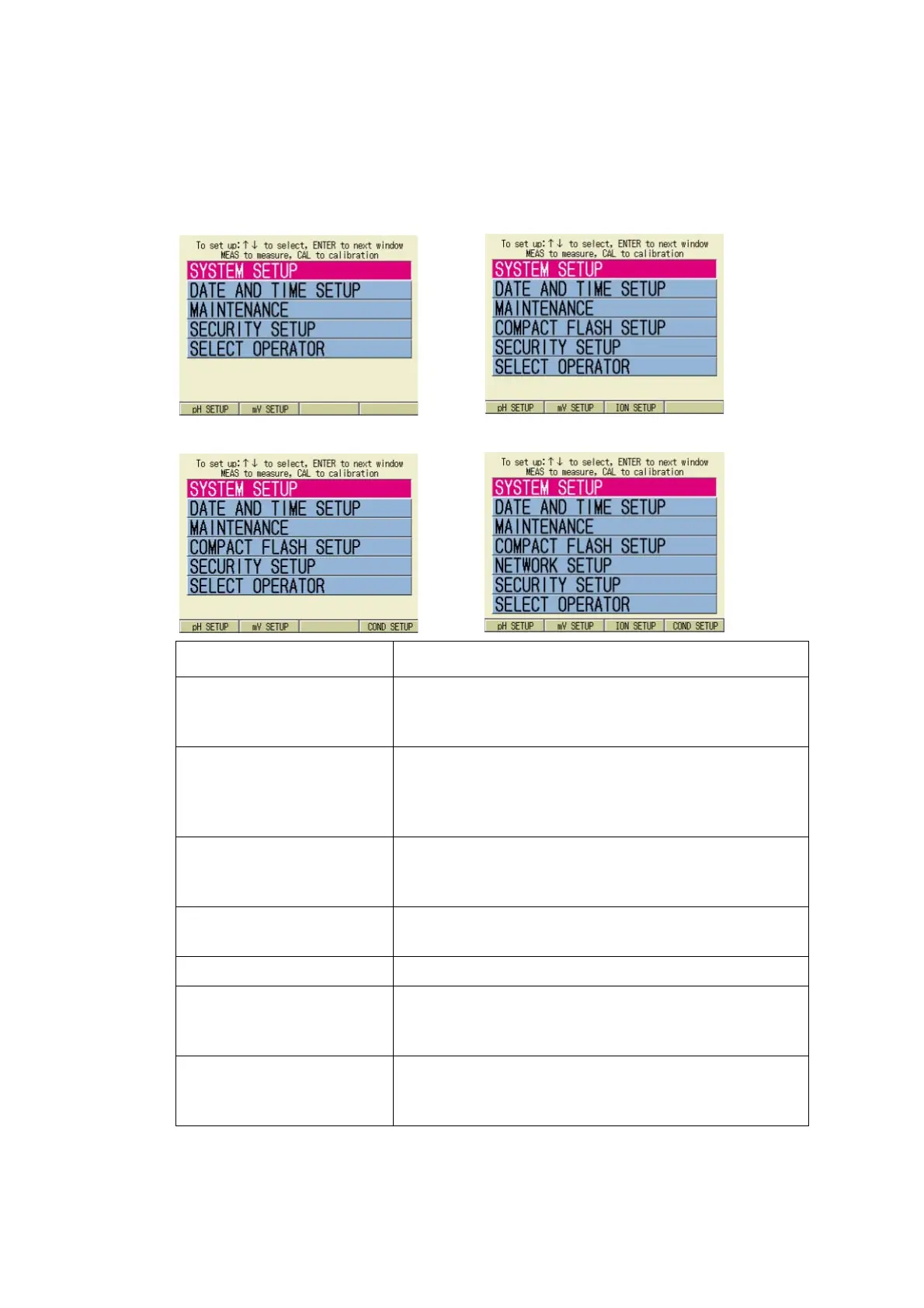
The SETUP screen menu is specific on each meter model.
SETUP screen for F-52 SETUP screen for F-53
SETUP screen for F-54 SETUP screen for F-55
Item Description
SYSTEM SETUP Setting common to all the measurement items such
as measurement screen display, measurement pro
-
cedure, and printout.
DATE AND TIME SETUP Setting configuration for the clock incorporated in the
meter
Not selectable by operators other than the Adminis-
trator when the User Control is ON
MAINTENANCE Setting configuration for the meter functional check
Not selectable by operators other than the Adminis-
trator when the User Control is ON
COMPACT FLASH SETUP Setting configuration for the compact flash functional
check and data copy
NETWORK SETUP Setting configuration for the Ethernet
SECURITY SETUP Setting configuration for user control
Not selectable by operators other than the Adminis-
trator when the User Control is ON
SELECT OPERATOR Setting configuration for the operator
Selectable only when the User Control is OFF and
the operator is not yet selected



 To Next Page