Chapter 5 Ion Measurement (F-53,55)
5.3 Measurement Using Standard Addition Method
F-52, 53, 54, 55 77
5.3.4 Measuring Ion Concentration in Sample Addition 2 Mode
This mode is used to obtain the concentration
of the ion species under measurement by
adding a small amount of sample to standard
solution for the ion species to measure twice,
thus increasing the ion concentration of the
target component, and then measuring the
change in electric potential at that time.
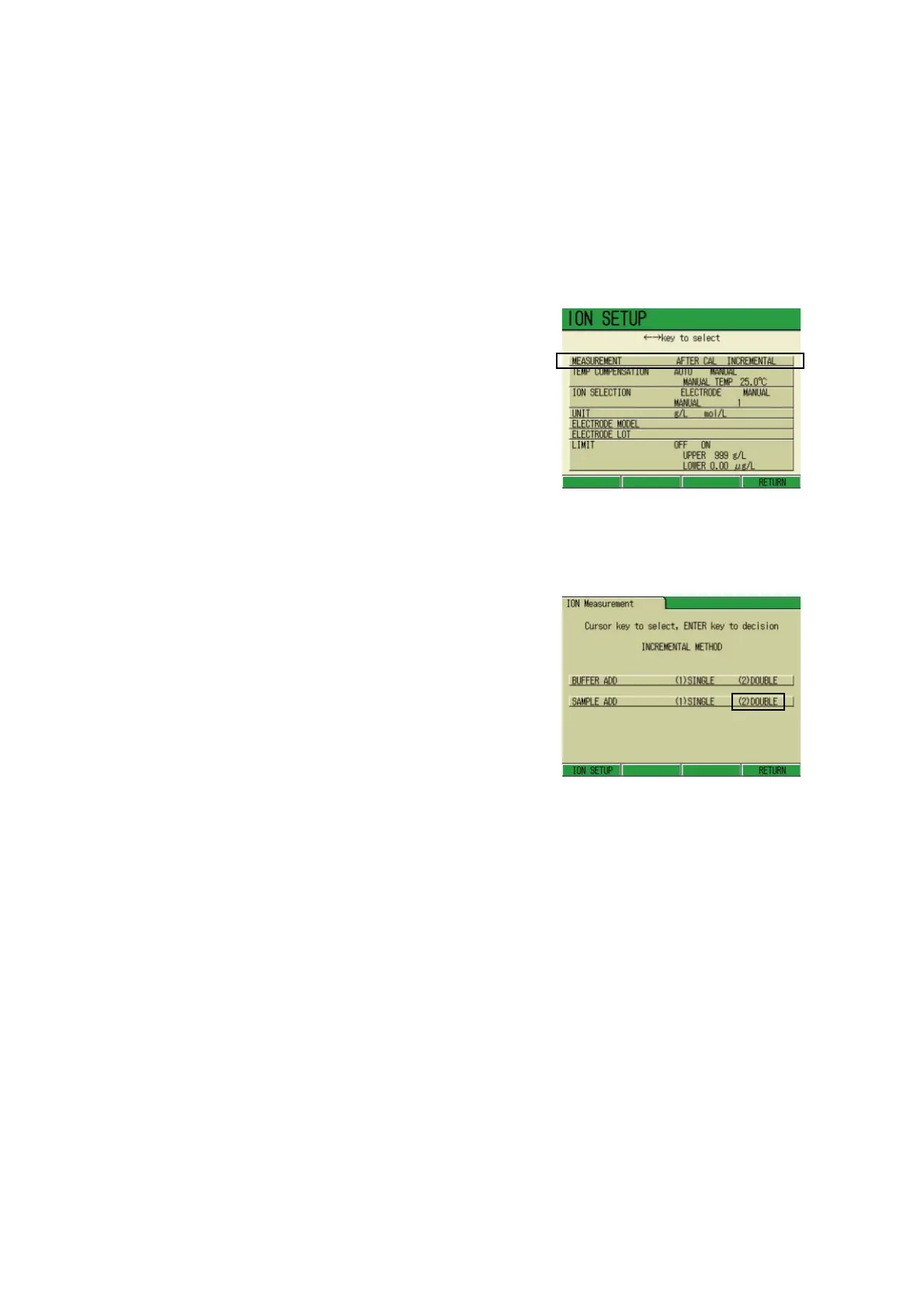
1. In the ION SETUP screen, press
↑ or ↓ key and select the MEA
-
SUREMENT option.
2. Press ← or → key, select the
INCREMENTAL option and press
F4 (RETURN).
The ION Measurement screen
appears.
3. Press ↑ or ↓ key and select the
SAMPLE ADD option.
4. Press ← or → key and select (2)
DOUBLE.
5. Press F4 (RETURN).
The SAMPLE ADDITION 2 screen
appears.



 To Next Page