Chapter 3 pH MEASUREMENT
3.4 Calibration Setting
50 HORIBA
3.4.7 Periodical check
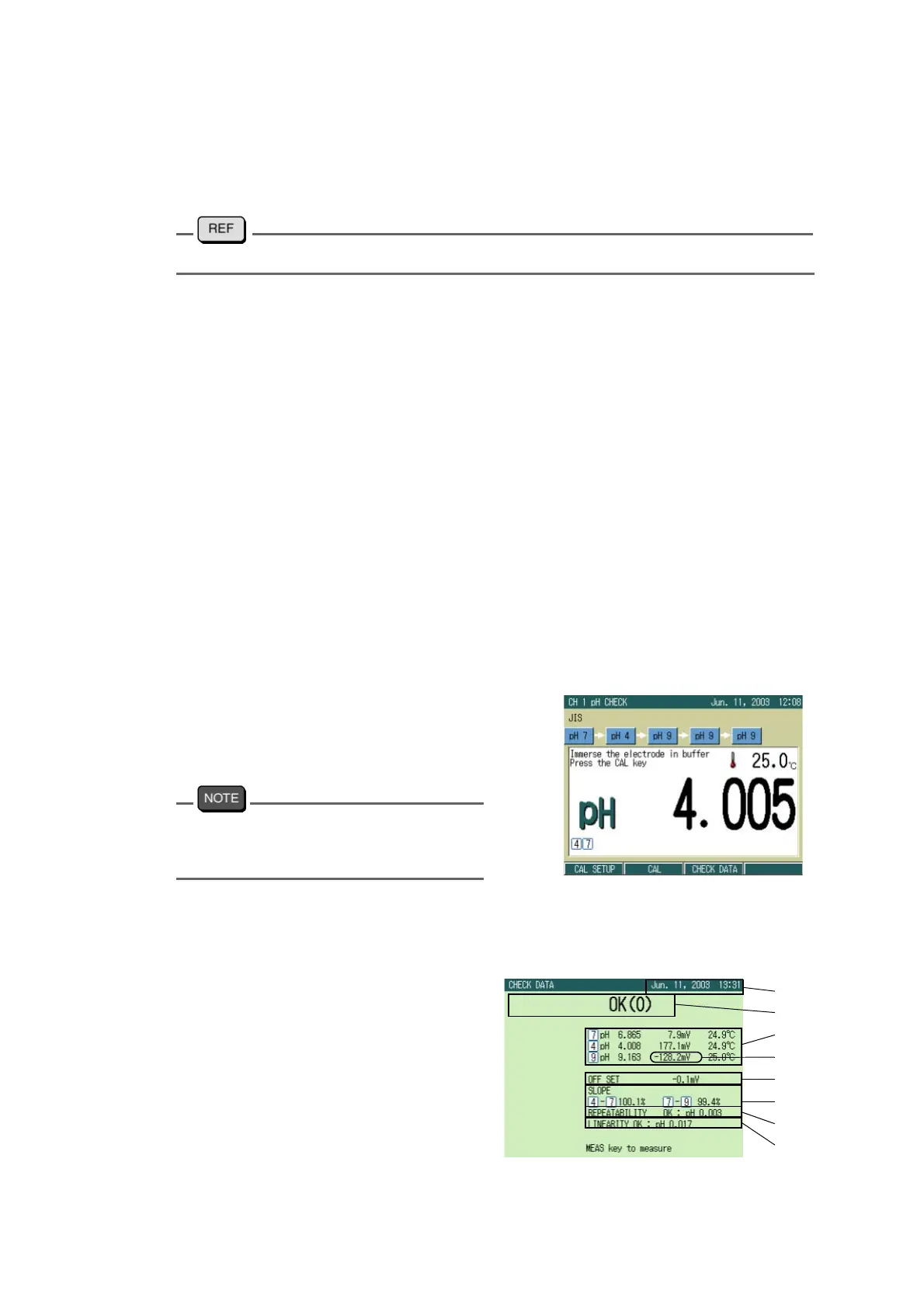
Pressing F2 (CHECK) in the pH CALIBRATION screen displays the CHECK screen set in
the pH CALIBRATION SETUP screen.
"3.4.6 Periodical check mode setting" page 49
● JIS mode
According to JIS regulation, the measurement with a solution of pH9 is given three times after
measurement by standard solutions of pH7 and pH4. The result is displayed on the screen.
When the periodical check mode starts, the operation guide is shown on the screen.
Perform measurement by the standard solutions in the following order.
① pH6.86
② pH4.008
③ pH9.180
④ pH9.180
⑤ pH9.180
Cautionary points
●
Wash the electrode with pure water before each measurement.
●
Keep the temperature gap during the measurement within 0.2 ℃ .
●
The measurement values during the periodical check are displayed according to
those when the calibration is cleared. The result values are displayed according
to those in the periodical check mode.
1. Immerse the electrode in the stan-
dard solution, and press CAL key.
The measured values are displayed.
The displayed values can be determined by
pressing the ENTER key even when HOLD
indication is blinking.
When the check is completed, the
result data is displayed.
Result data output
① Date of check
② Judgment
OK:
The result data satisfies the regulation
CHECK:
The result data does not satisfy the regulation
TEMP:
The temperature gap is over 0.2 ℃
②
③
①
⑤
⑥
④
⑧
⑦



 To Next Page