Chapter 6 CONDUCTIVITY MEASUREMENT(F-54,55)
6.4 Measurement Setting Change
F-52, 53, 54, 55 95
6.4.2 Temperature compensation
There are two types of temperature compensation; Automatic Temperature Compensation
(ATC) and Manual Temperature Compensation (MTC).
Under ATC, the temperature sensor connected to the meter detects the solution temperature.
On the other hand, under MTC the operator should measure the solution temperature before
-
hand since the temperature sensor is not connected to the meter, and should input the temper-
ature value to the system. The compensation uses the input temperature value.
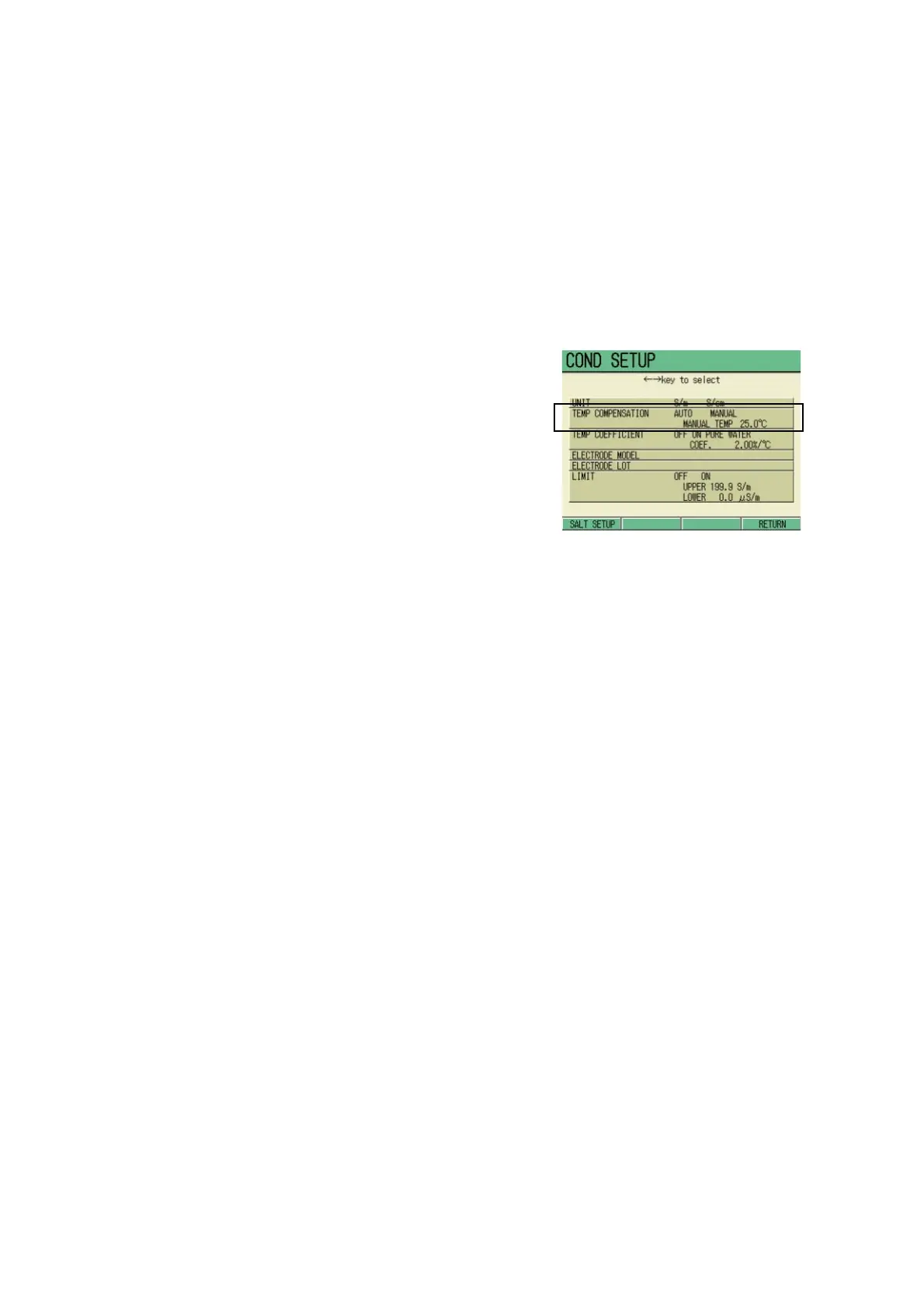
1. In the COND SETUP screen, press
↑ or ↓ key and select the TEMP
COMPENSATION option, and
press ← or → key and select
AUTO/MANUAL.
In selecting MANUAL
Input the temperature in the following step:
1. Press the ENTER key.
The cursor moves to the temperature
setting part.
2. Press the ENTER key again.
The display color of the setting part
changes, and the input is available.
3. Press ↑ or ↓ key and input the
value.
Setting range: 0.0 to 100.0 ℃
4. Press the ENTER key.
The setting is determined, and the dis-
play color of the setting part changes.
5. Press F4 (RETURN).
The setting is reflected, and the dis-
play returns to the COND Measure-
ment screen.



 To Next Page