Chapter 14 PRINTER
14.4 Sample Printout
F-52, 53, 54, 55 177
14.4 Sample Printout
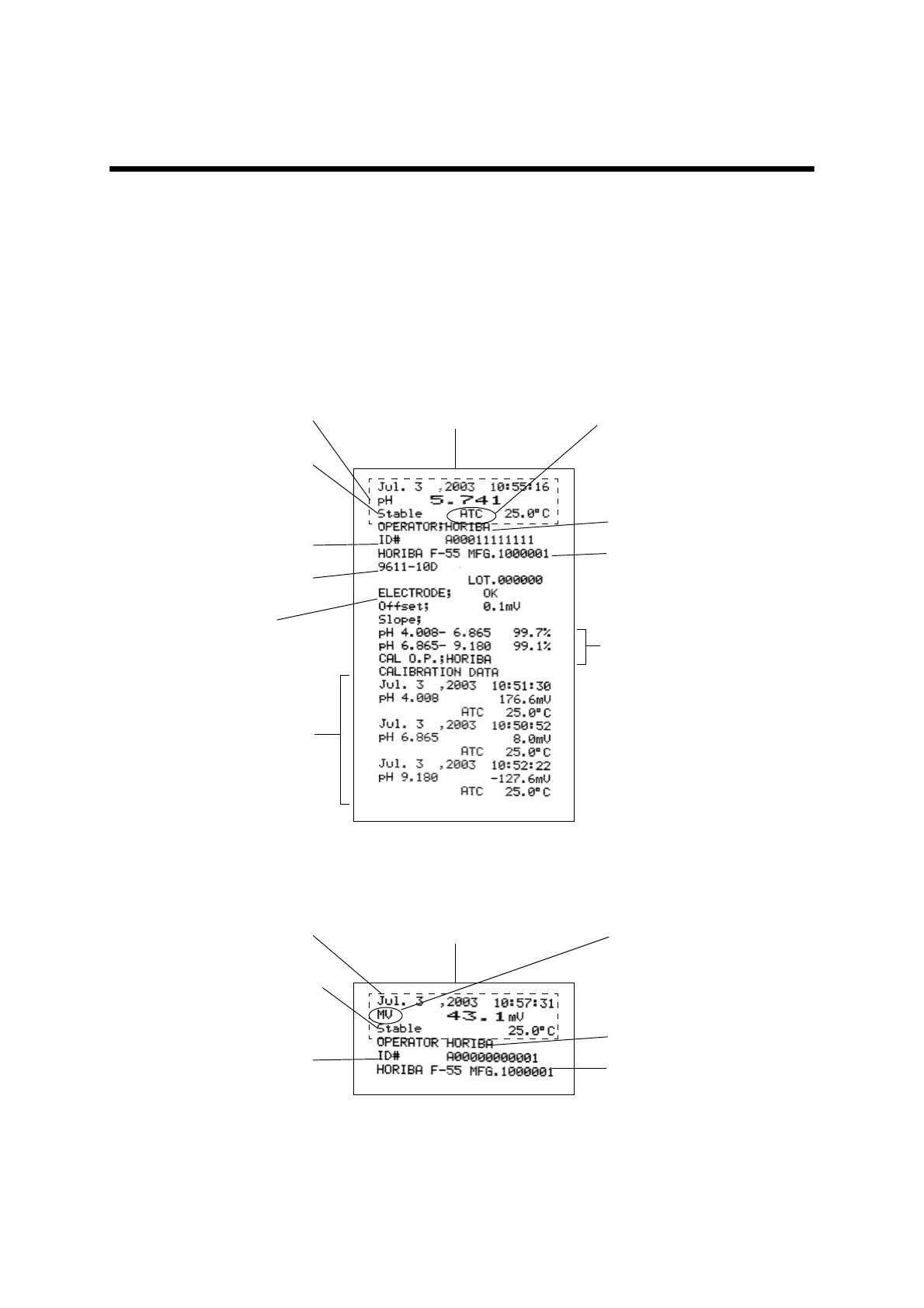
The data displayed here is the sample printout. The contents depend on the meter change/
improvement.The printer also determines the printout image.
14.4.1 When the ENTER key is pressed in the Measurement
mode
● pH Measurement mode
● mV Measurement mode
Operator name: max. 12 letters
Temperature compensation
setting
At Manual mode: MTC
At Auto mode: ATC
MFG: max 7 letters
ID#: max 12 letters
Lot: max. 7 letters
Electrode model: max. 9
EXACT printout
Electrode state:
“OK”
“CHECK”
“ERROR”
Sensitivity display
Standard solution value is
displayed
No calibration/1-point calibration:
None
2-point calibration: 1st item
3-point calibration: 2nd item
4-point calibration: 3rd item
5-point calibration: 4th item
When the data in the one con-
firmed with AutoHold, “Stable”
is shown.
Nothing is displayed for the
instantaneous value measure-
ment.
Std.solution and potential:
● No cal data:
“NO CAL DATA”
● Up to 5-point CAL
BRIEF printout
Operator name: max. 12 letters
MFG: max 7 letters
ID#: max 12 letters
EXACT printout
When the data in the one con-
firmed with AutoHold, “Stable” is
shown.
Nothing is displayed for the
instantaneous value measure-
ment.
BRIEF printout
REL relative mV value



 To Next Page