Chapter 3 pH MEASUREMENT
3.4 Calibration Setting
F-52, 53, 54, 55 47
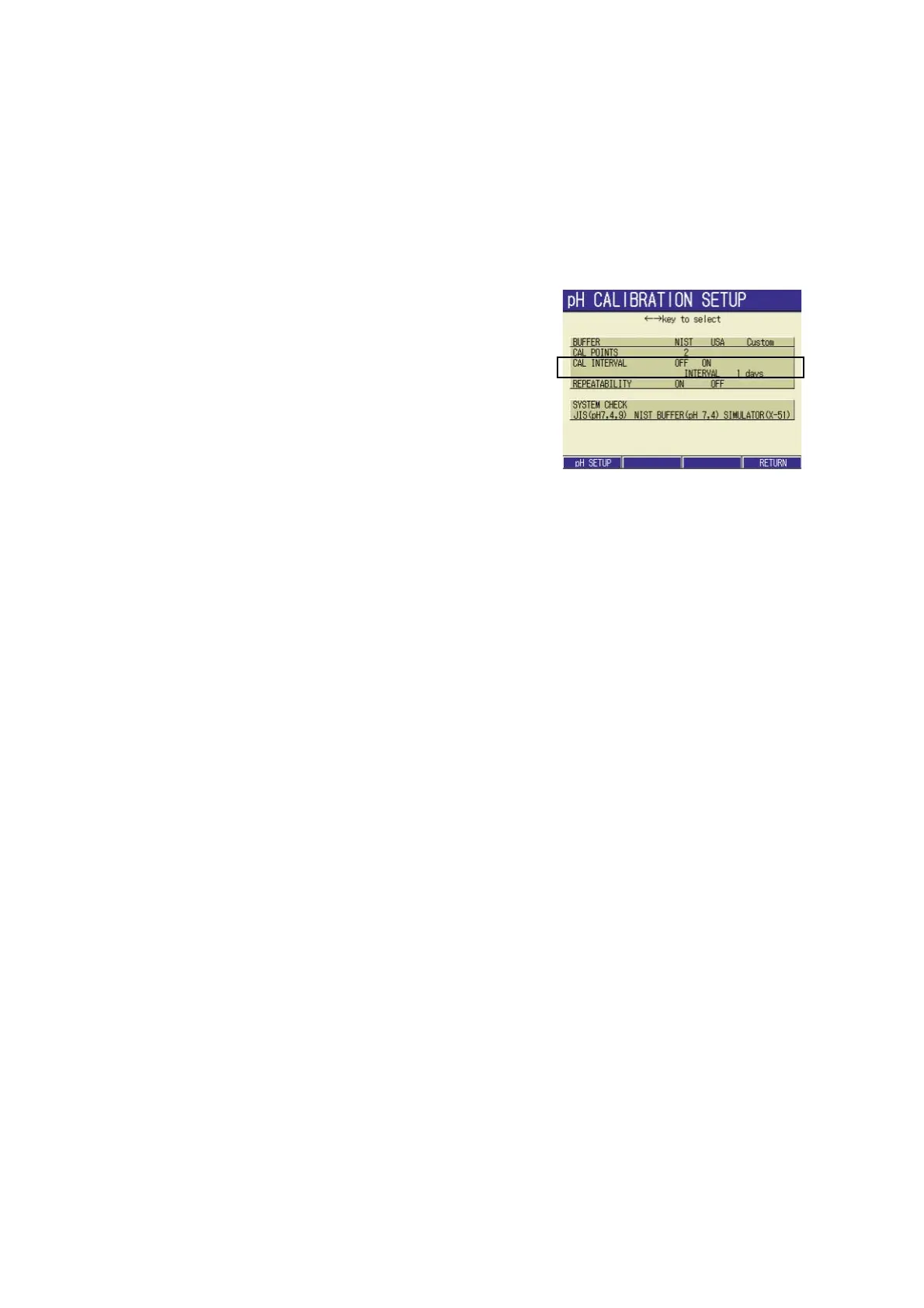
3.4.4 Calibration interval setting
In calibration interval setting, the number of days from the previous calibration to the next
calibration can be set. By setting the calibration interval, ERR08 (calibration interval error)
can be displayed on the Measurement screen when the set calibration interval comes.
Setting procedure
1. In the pH CALIBRATION SETUP
screen, press ↑ or ↓ key to go to
the CAL INTERVAL field
2. Press ← or → key to select ON.
3. Press the ENTER key.
The cursor moves to the interval day
setting field.
4. Press the ENTER key again.
The display color of the setting part
changes, and value input is available
by ↑ or ↓ keys.
Setting range: 1 to 999 days
5. Press the ENTER key to determine
the setting.
The display color of the setting part
changes.
6. Press F4 (RETURN) key. The set-
ting is reflected, and the display
returns to the CAL screen.
When the interval setting is unnecessary:
1. Select OFF at step 1. above.
2. Press F4 (RETURN) to renew the
setting. The display returns to the
CAL screen.



 To Next Page