Chapter 6 CONDUCTIVITY MEASUREMENT(F-54,55)
6.4 Measurement Setting Change
98 HORIBA
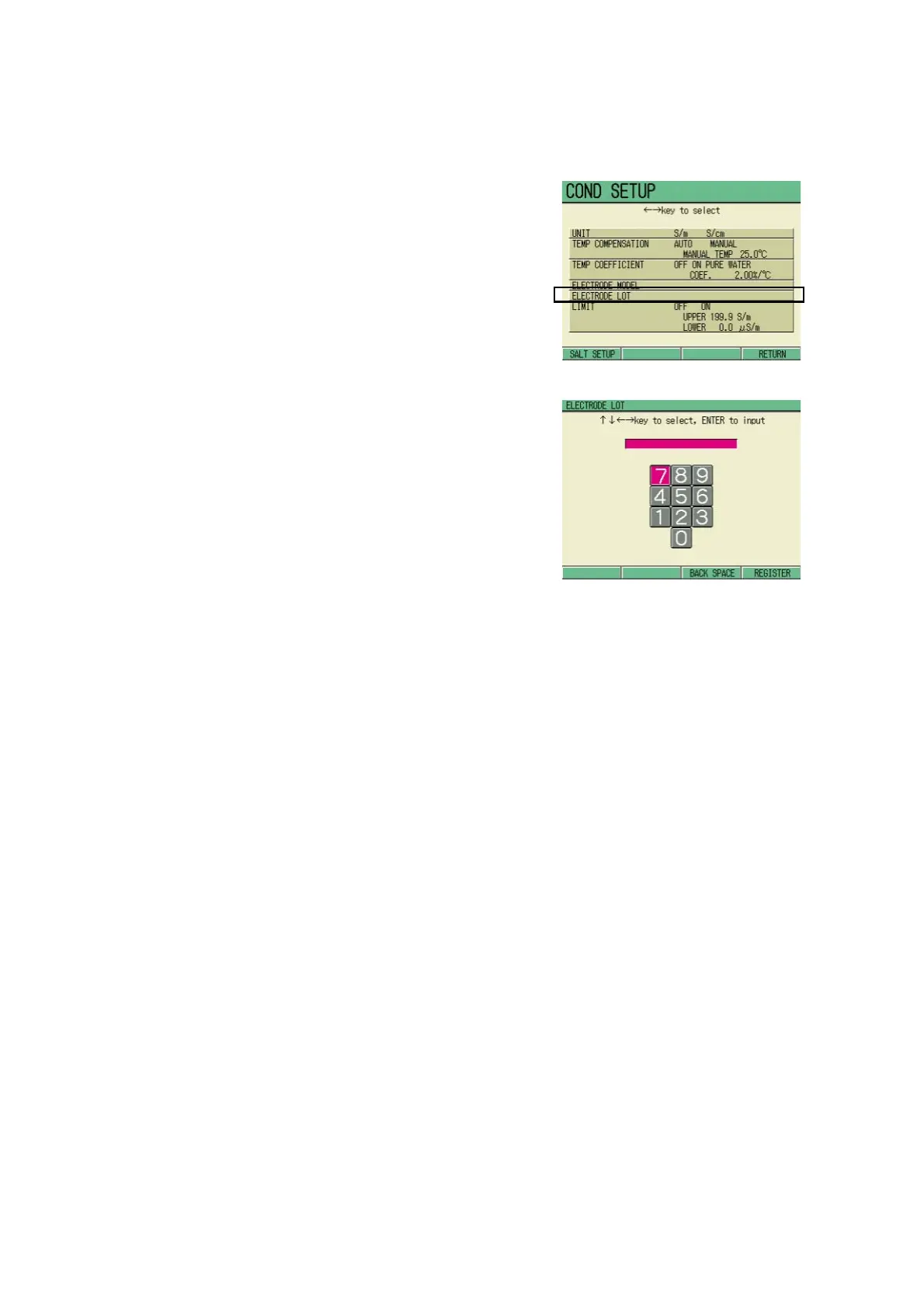
6.4.5 Electrode lot change
By inputting the electrode Lot, the data print-
out (detailed) and/or data memory can con-
tain the electrode Lot information.
1. In the COND SETUP screen, move
the cursor to the electrode Lot.
change the field by ↑ or ↓ key.
2. Press the ENTER key.
The ELECTRODE LOT screen
appears.
3. Select the numerical values by ↑ ,
↓ and/or ← , → keys, and press
the ENTER key.
Setting range: maximum 7 digits
4. Press F4 (RETURN) to return to
the COND SETUP screen.
Press F4 (RETURN) to register the
set value.



 To Next Page