Chapter 6 CONDUCTIVITY MEASUREMENT(F-54,55)
6.4 Measurement Setting Change
96 HORIBA
6.4.3 Temperature conversion coefficient
The conductivity of the solution changes according to the solution temperature. To compare
the solution conductivity, it is necessary either to perform the measurement in a certain tem
-
perature or to measure the solution by converting the temperature to the standard temperature.
In the measurement of ACCURATE, the measurement solution should be kept in the standard
temperature typically by a thermostatic chamber.
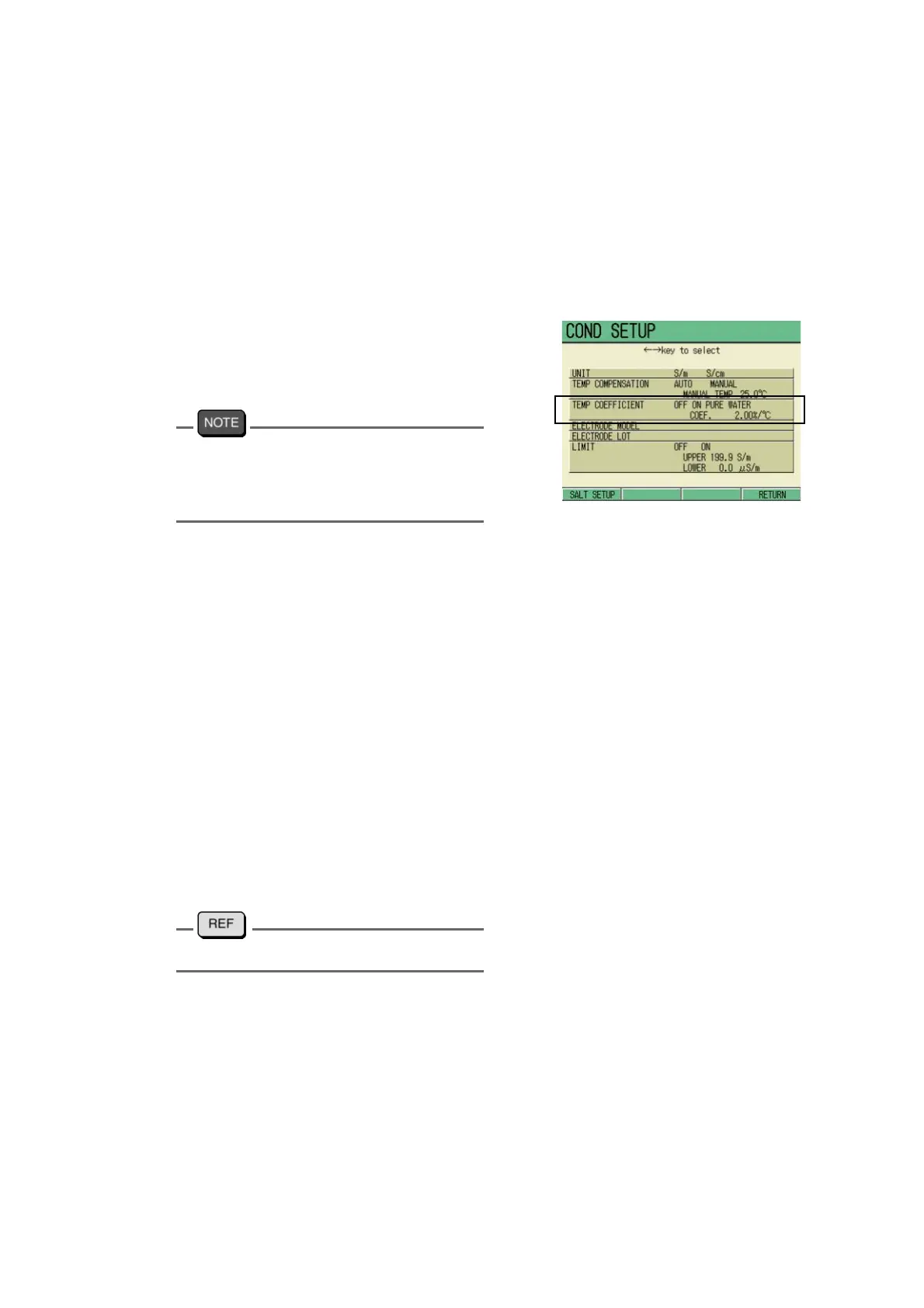
1. In the COND SETUP screen, press
↑ or ↓ key to select the TEMP
COEFICIENT option, and press ←
or → key to select OFF, ON or
PURE WATER.
In setting to PURE WATER, refer to “Pure
water temperature conversion (double tem
-
perature compensation)” described in JIS
K0130.
2. In selecting ON, pressing the
ENTER key moves the cursor to
the coefficient setting part. Press
-
ing the ENTER key again changes
the display color, enabling the
value input by ↑ or ↓ key.
Setting range: 0.00 to 10.00 %/ ℃
3. Press the ENTER key.
The setting is determined, and the dis-
play color of the setting part changes.
4. Press F4 (RETURN).
The setting is reflected, and the dis-
play returns to the Measurement
screen.
" ● Temperature coefficient" page 243



 To Next Page