Chapter 11 METER SETTING
11.5 Compact Flash Setting ( F-53, 54, 55)
F-52, 53, 54, 55 145
11.5.3 Compact flash operation
● Common operation
1. In the SETUP screen, select the
COMPACT FLASH SETUP option
by pressing ↑ or ↓ key.
2. Press the ENTER key.
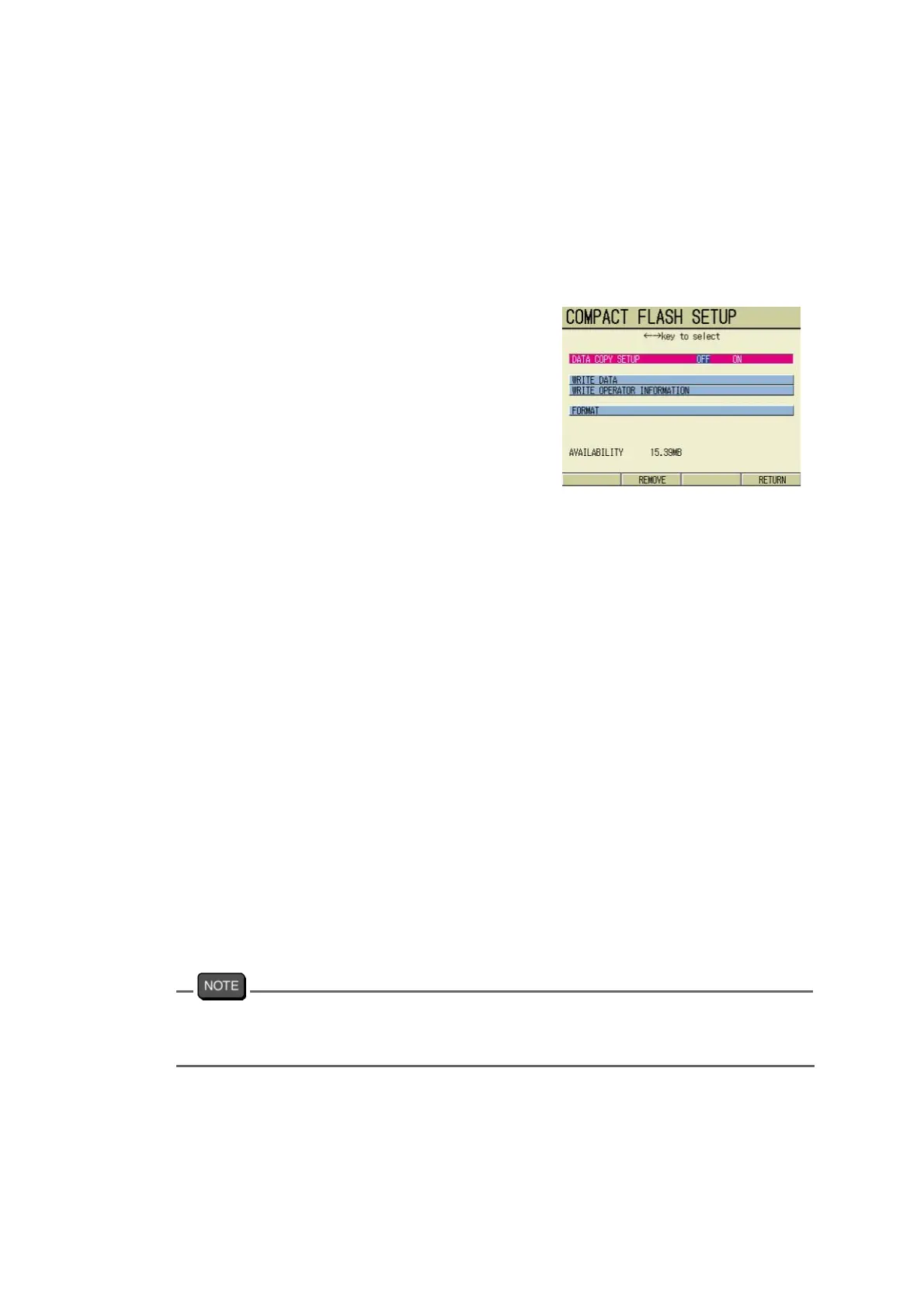
The COMPACT FLASH SETUP
screen appears.
3. Press ↑ or ↓ key and select the
option to be set or executed.
4. Set or perform the option accord-
ing to each configuration.
5. Repeat step 3. and step 4. above,
and complete setting and/or exe-
cution for the necessary options.
6. Press the F4 (RETURN).
The setting is reflected, and the
SETUP screen appears.
● Setting/Executing each item
DATA COPY SETUP
Setting ON will memorize the data in the compact flash card when the data is stored by man-
ual memory.
1. Press ← or → key and select either OFF or ON.
WRITE DATA
All the data in the meter is copied to the compact flash card.
1. Press the ENTER key.
The data is stored into the compact flash card.
The data number left unwritten is indicated in the lower left of the screen.
Turning ON and OFF during the access will write only those data recorded up to when the key
is pressed.
The data having the same date and measurement items will be overwritten.



 To Next Page