Chapter 3 pH MEASUREMENT
3.3 Changing the measurement setting condition
F-52, 53, 54, 55 39
3.3.2 Automatic Temperature Compensation (ATC) and Manual
Temperature Compensation (MTC)
There are two types of temperature compensation in the pH measurement mode: Automatic
Temperature Compensation (ATC) and Manual Temperature Compensation (MTC).
ATC detects the solution temperature by the sensor connected to the meter, and performs tem-
perature compensation.
MTC measure the solution temperature beforehand, when the temperature sensor is not yet
connected to the meter, and the temperature value is converted. The input temperature value is
used to perform temperature compensation.
" ● Temperature compensation" page 216
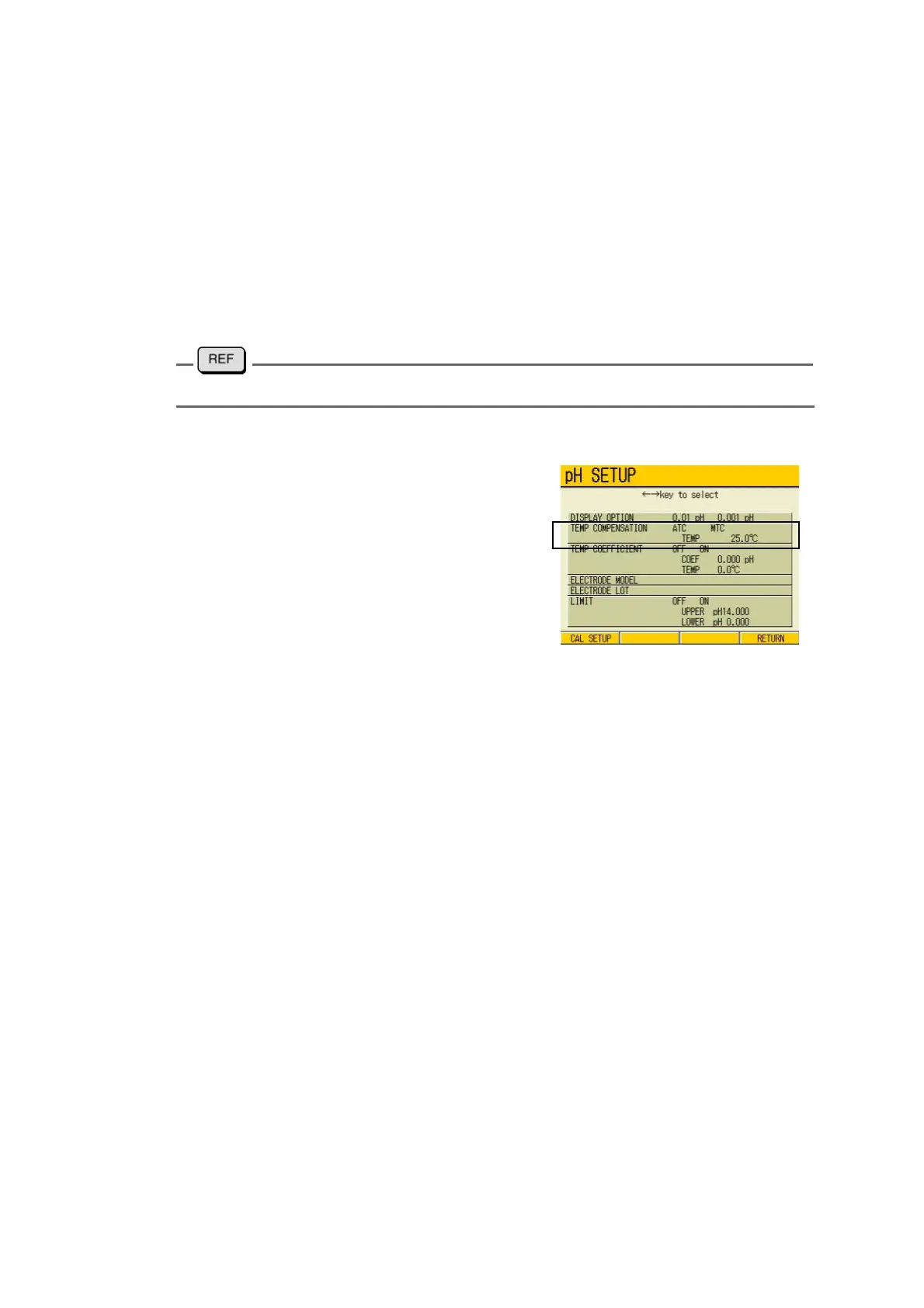
Switch temperature compensation
1. In the pH SETUP screen, press ↑
or ↓ key to go to TEMP COMPEN
-
SATION field.
2. Press ← or → key to select ATC/
MTC.
When “Manual” is selected, input the
solution temperature.
Solution temperature input at manual temperature compensation
1. Press the ENTER key.
The cursor moves to the temperature
setting field.
2. Press the ENTER key again.
The display color of the setting field
changes.
3. Press either ↑ or ↓ key, and input
the value.
Setting Range: : 0.0 to 100.0 ℃
4. Press the ENTER key.
The setting is determined. The display
color of the setting field changes.
5. Press F4 (RETURN).
The setting is reflected, and the dis-
play returns to the Measurement
screen.



 To Next Page