Chapter 9 DATA MEMORY
9.3 Calling up Memory Data
116 HORIBA
9.3 Calling up Memory Data
9.3.1 Display from memory data
The memorized data is selected and dis-
played on the screen.
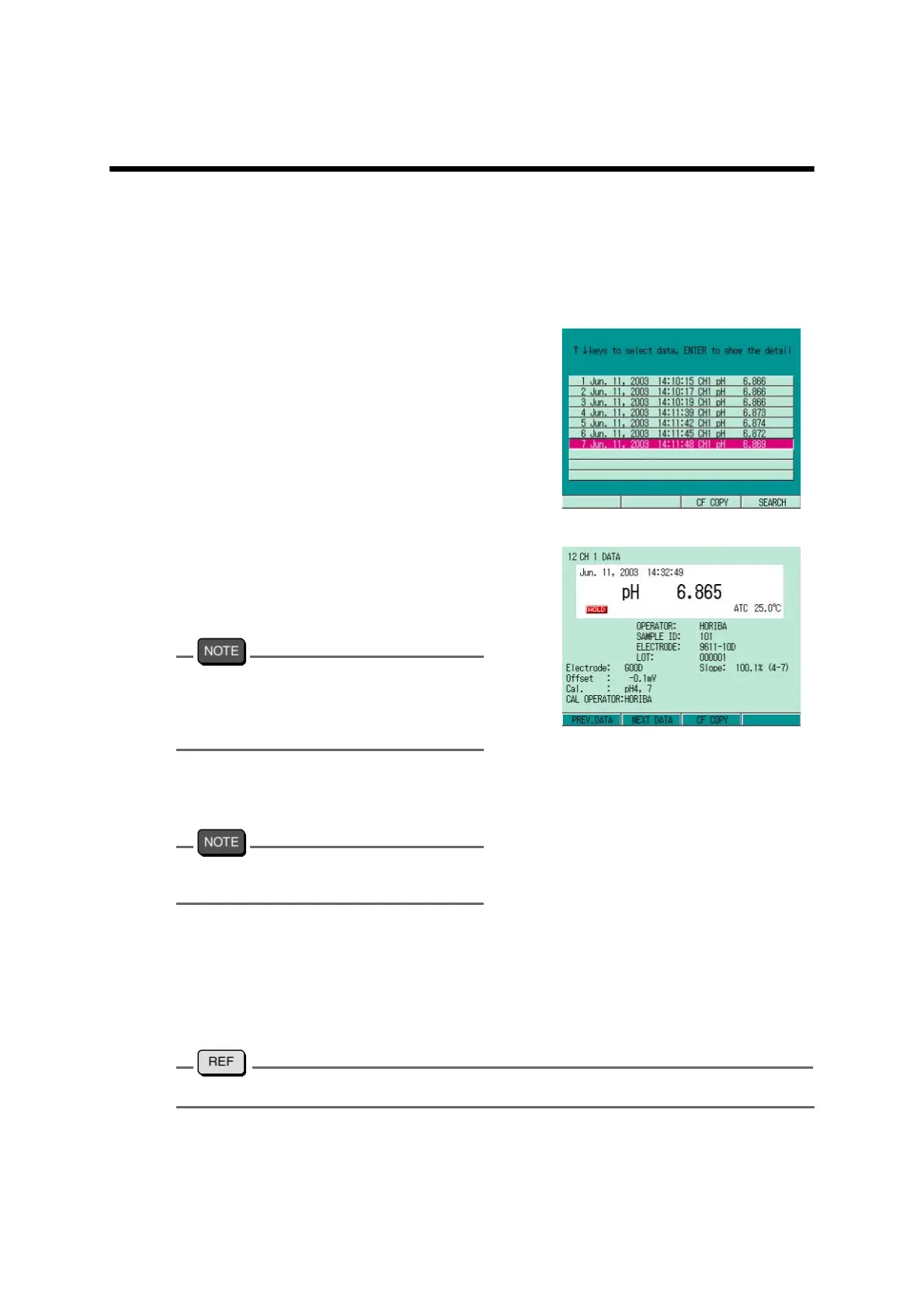
1. In the Measurement screen, press
F2 (DATA OUT).
The data calling screen appears, and
the list of memorized data is dis
-
played.
2. Press ↑ or ↓ key to select the
data to be called, and press the
ENTER key.
The detailed data is displayed.
In performing pH repeatability check, the
electrode status displayed in the
measurement data is the one judged by the
preliminary inspection.
3. Press the ESC key to return to the
data calling screen.
Pressing the MEAS key goes to the
Measurement screen.
● Data storage into Compact flash card (Only for F-53,54,and 55)
When the compact flash card is inserted, the CF COPY option is displayed as F3 in the data
calling screen and in the detailed data screen.
Pressing F3 (CF COPY) copies the selected data onto the compact flash card.
To copy all the data, refer to " WRITE DATA" page 145



 To Next Page