Chapter 3 pH MEASUREMENT
3.3 Changing the measurement setting condition
40 HORIBA
3.3.3 Temperature Conversion Function
The measured pH values change according to the temperature even for the same sample. In
addition, the degree of temperature change for pH values also changes according to each sam
-
ple. When the temperature change degree (temperature factor) for the sample is known, the
pH value can be displayed by converting it to the pH value at conversion temperature. For
samples in which the temperature factor is unknown, set the temperature conversion function
to OFF.
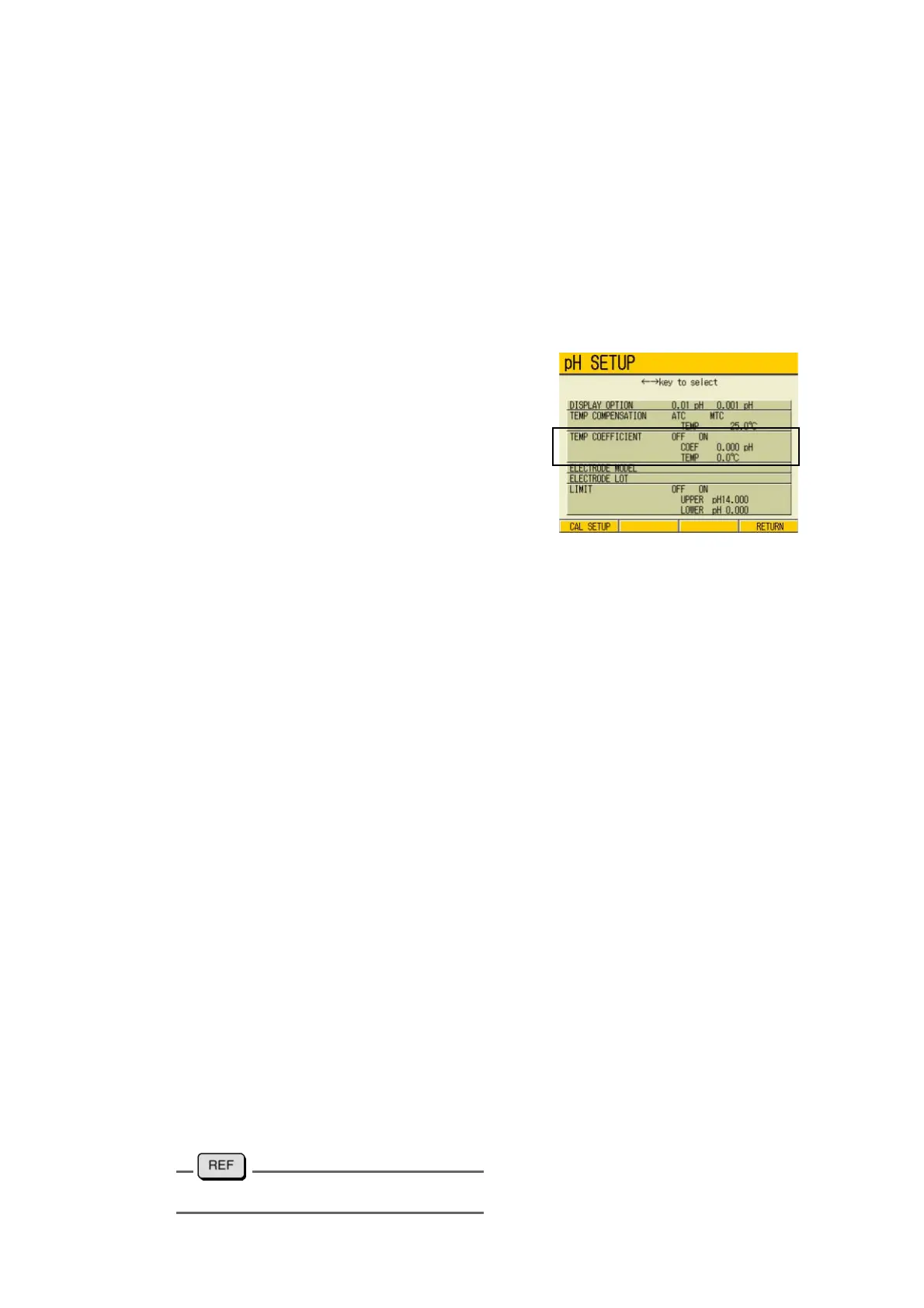
● Setting Temperature Coefficient
1. In the pH SETUP screen, press ↑
or ↓ key to go to TEMP COEFFI
-
CIENT field
2. Press ← or → key to select OFF or
ON.
When ON is selected, input the tem-
perature conversion factor.
Input temperature conversion factor
1. Press the ENTER key.
The cursor moves to the conversion factor setting part.
2. Press the ENTER key again.
The display color of the setting part changes.
3. Press ↑ or ↓ key and input the temperature conversion factor.
Setting range: -0.100 to +0.100 pH
4. Press the ENTER key.
The setting is determined. The display color of the set part changes.
5. Press ↑ or ↓ key, and move the cursor to the temperature part of the temper-
ature conversion.
6. Press the ENTER key.
The display color of the setting part changes.
7. Press ↑ or ↓ key, and input the standard temperature value to apply conver-
sion.
Setting range: 0.0 to 100.0 ℃
8. Press the ENTER key.
The setting is determined. The display color of the set part changes.
9. Press F4 (RETURN).
The setting is renewed, and the display returns to the Measurement screen.
" ● Temperature conversion" page 217



 To Next Page