Chapter 9 DATA MEMORY
9.2 Performing Data Memory
F-52, 53, 54, 55 115
9.2 Performing Data Memory
● For Interval memory
1. Press the MEAS key in the Mea-
surement screen.
The Interval memory starts.
When the set time elapses, the first
data is memorized.
2. Press the MEAS key.
The Interval memory is canceled.
● For Manual memory
In each Measurement screen, the data can be
memorized during instantaneous value dis
-
play or when the AutoHold measurement is
completed (while HOLD display is lit).
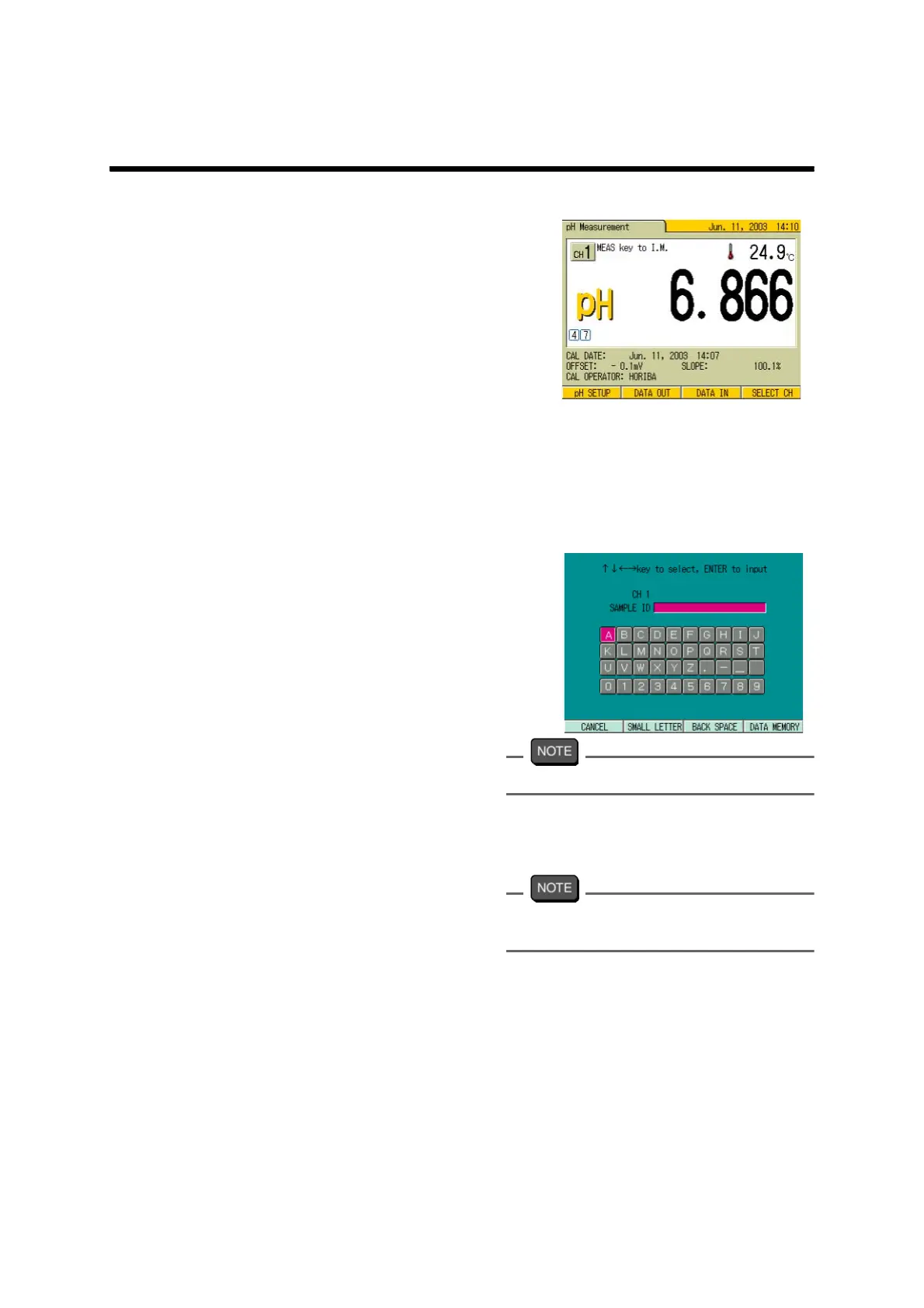
1. Press F3 (DATA IN).
The data at this time is memorized.
The sample ID input screen appears.
2. Press ↑ , ↓ and/or ← , → key
and select the appropriate letter.
3. Press the ENTER key.
Up to 12 digits can be input. The selected letters are input.
4. Repeat step 2. to step 3., and input
the sample ID.
5. When the input is completed, press
F4 (DATA MEMORY).
When the sample ID is not necessary, press
F4 (DATA MEMORY) without any input.
The measurement data is memorized.



 To Next Page