Chapter 7 SALINITY MEASUREMENT (F-54,55)
7.2 Salinity Calibration
F-52, 53, 54, 55 105
7.2 Salinity Calibration
The salinity conversion is available by con-
ductivity, yet the calibration using the stan-
dard solution of sea water can obtain an
accurate salinity concentration.
Perform the calibration in the temperature
mentioned in the standard sea water as in the
following step:
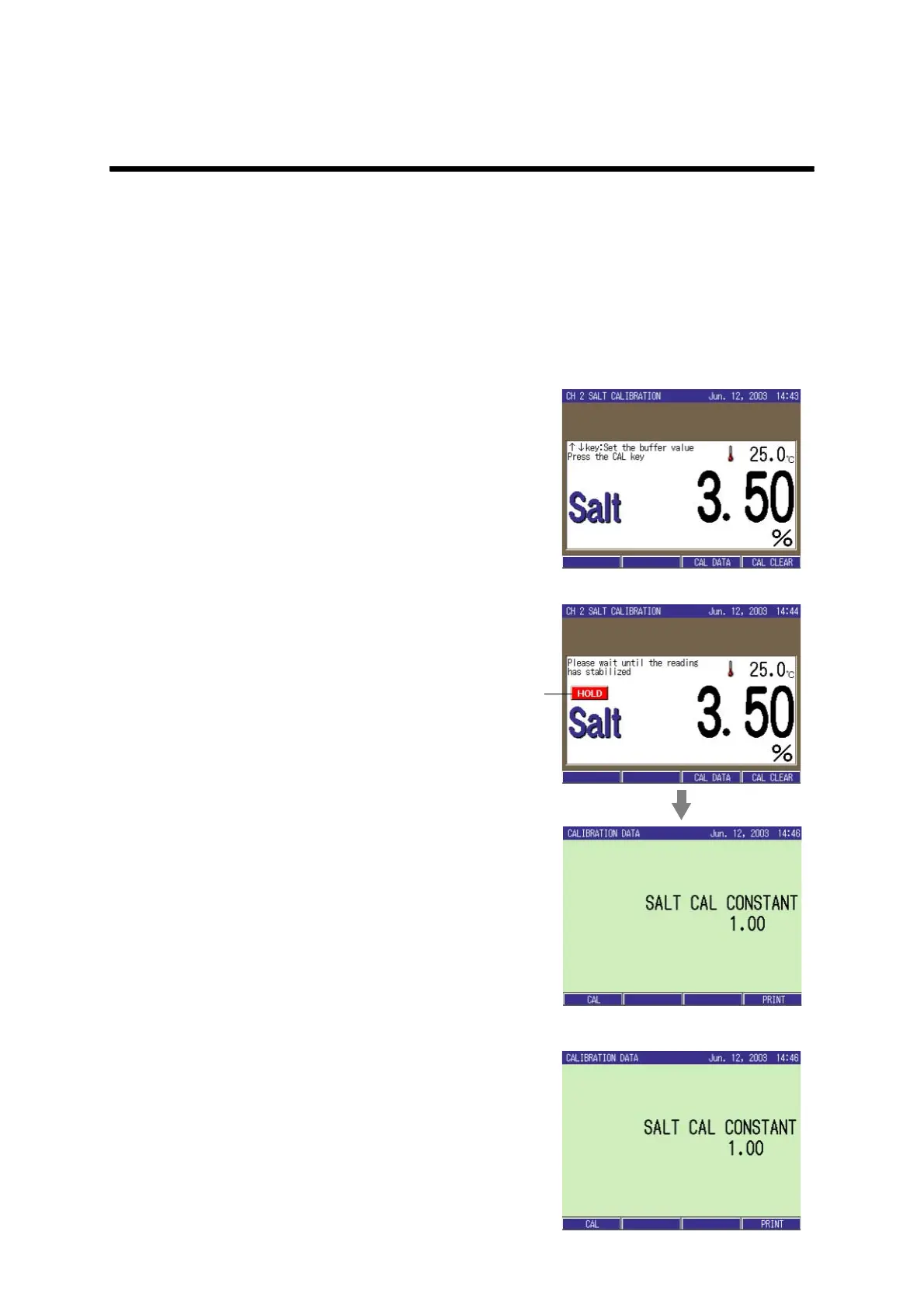
1. Immerse the electrode in the stan-
dard sea water.
2. In the SALT Measurement screen,
press the CAL key.
The SALT CALIBRATION screen
appears.
3. Press ↑ or ↓ key to set the con-
centration of standard solution
used for the calibration.
Setting range: 0.00 to 5.00%
4. Press the CAL key.
The calibration starts.
When the calibration is completed, the
selected Salt Calibration Coefficient is
set.
5. Press the MEAS key to return to
the Measurement screen.
● Calibration data display
1. In the SALT CALIBRATION
screen, press F3 (CAL DATA).
The calibration data is displayed.
Lit



 To Next Page