Chapter 9 DATA MEMORY
9.3 Calling up Memory Data
F-52, 53, 54, 55 117
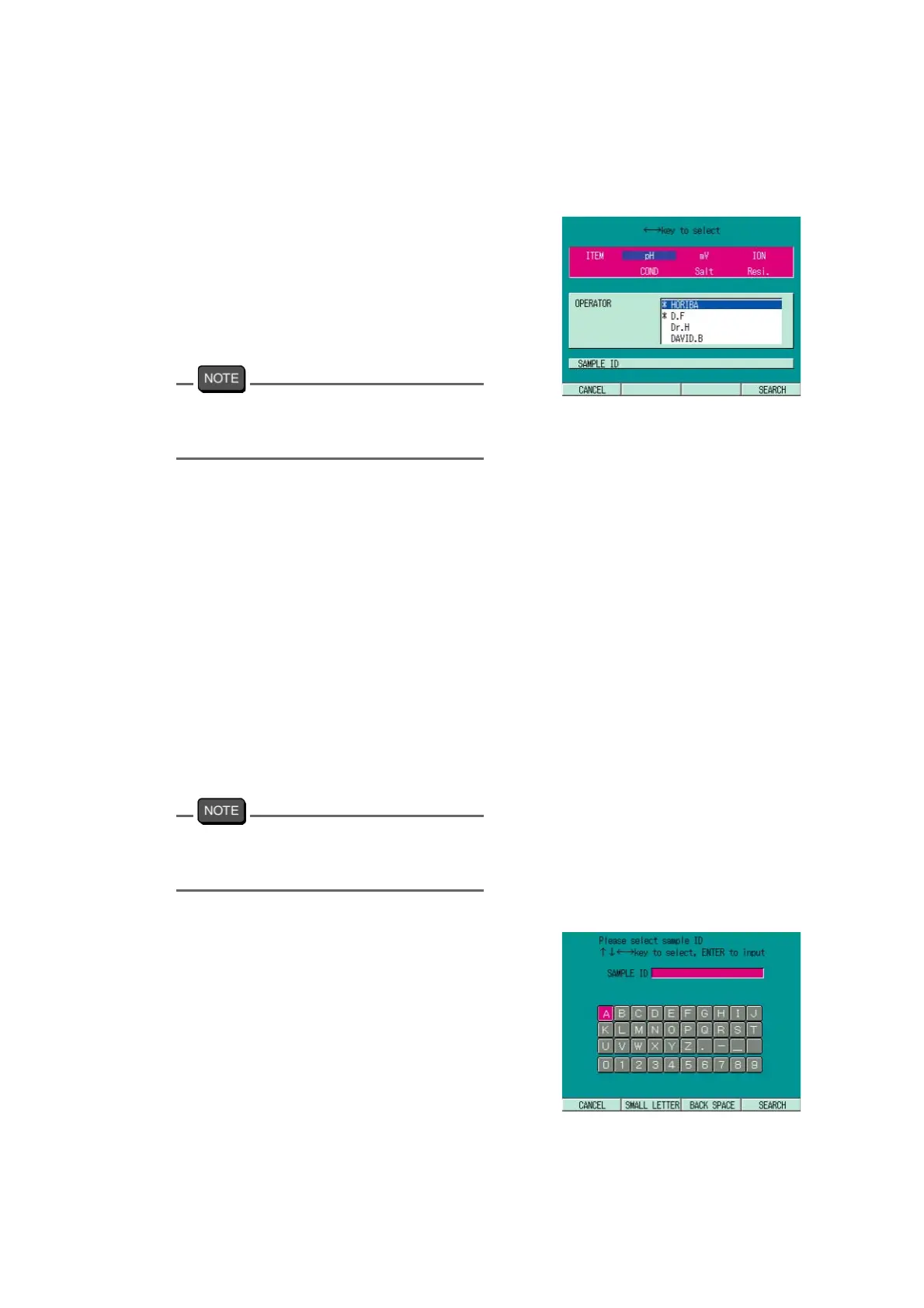
9.3.2 Searching Memory data
The memorized data can be searched by such keywords as Measurement item, Operator, or
Sample ID.
1. In the data calling screen, press
F4(SEARCH).
The search screen appears.
2. Press ↑ or ↓ key and select the
search item.
To change the search keyword from the
Operator name to Sample ID, press ENTER
key.
Search by Measurement item
1. Press ← or → key and select
ITEM.
2. Press F4 (SEARCH) key.
The search result is displayed.
Search by Operator name
1. Press ↑ or ↓ key and select
Operator.
2. Press F4 (SEARCH).
The search result is displayed.
Data with no operator name registration or
the memory data by GUEST are out of the
search range.
Search by Sample ID
1. With the search item of SAMPLE
ID selected, press ENTER key.
The sample ID input screen appears.
2. Press ↑ or ↓ key, select appropri-
ate letters (alphabetical and
numerical), and press ENTER key.
The selected letters are input.
3. Repeat step 2., and input the Sam-
ple ID to be searched.



 To Next Page