Chapter 4 mV(ORP) MEASUREMENT
4.1 mV(ORP) Measurement
F-52, 53, 54, 55 57
Chapter 4 mV(ORP) MEASUREMENT
4.1 mV(ORP) Measurement
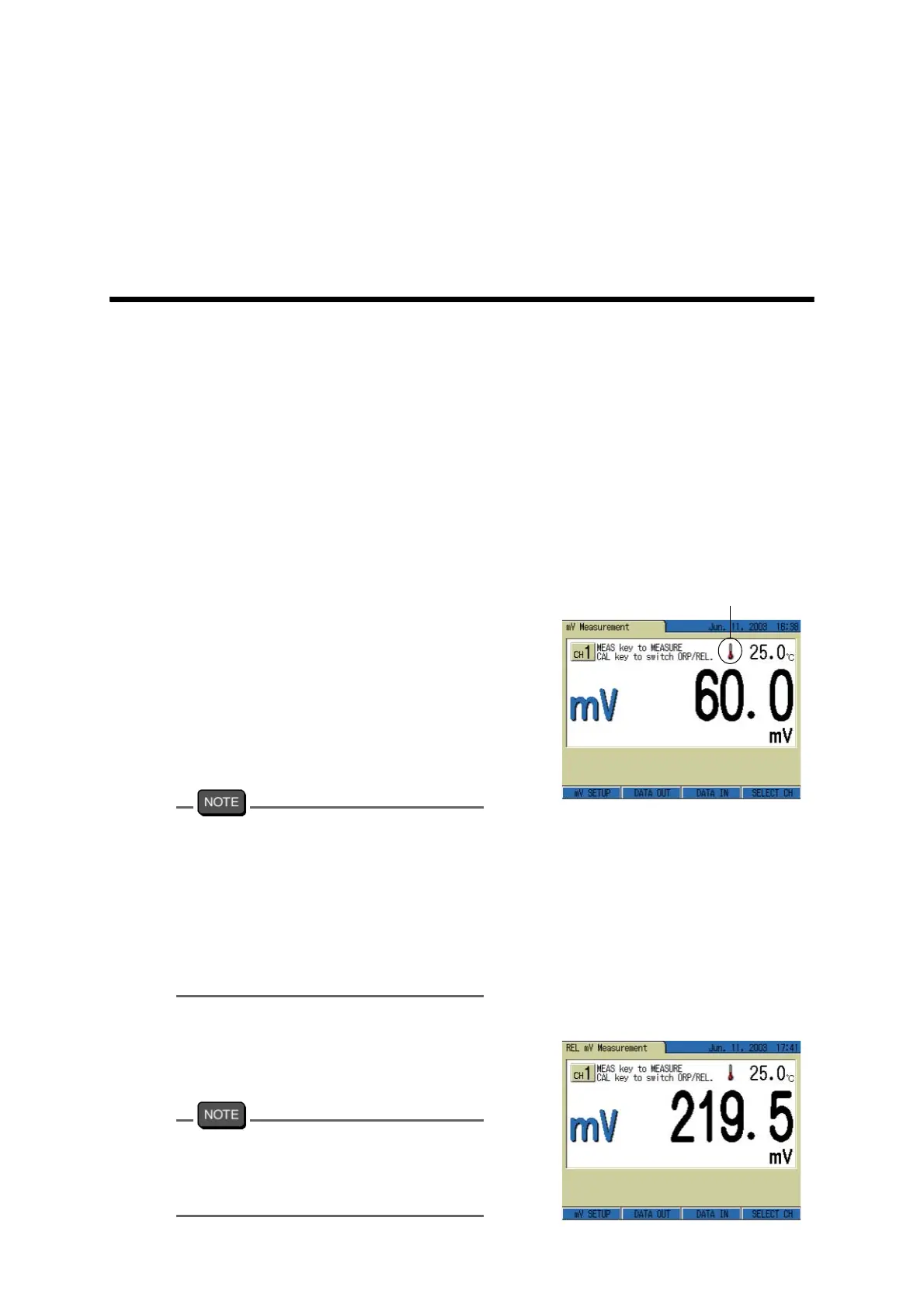
1. In any Measurement screen, press the MODE key to go to mV Measurement
screen.
The displayed screen shows the measurement state of mV instantaneous value.
2. Pressing the MEAS key starts AutoHold measurement.
● Measurement of relative mV
This meter features a display function of relative potential difference by shifting the measure-
ment potential to zero. (The potential with no compensation is called as absolute mV.)
1. In measurement of mV instanta-
neous value, or during HOLD dis-
play is lit, press CAL key.
The displayed title of the screen
changes from “mV Measurement” to
“Relative mV Measurement.” The
indicated value is compensated as off
-
set potential, and the screen displays
the instantaneous value of relative mV.
Display range of relative mV:
±
1999.9 mV
In the relative mV measurement, the dis-
played values start blinking when the abso-
lute mV at that time exceeds the
measurement range ( ± 1999.9 mV).
The ATC display is on the screen, but this
does not mean the temperature compensa
-
tion is on the process. In mV (ORP) mea-
surement there is no need of temperature
compensation.
2. Press the CAL key again.
The screen display returns to that of
absolute mV.
To check ORP electrode is working well, use
ORP standard solution. See (
Page 220) on
this concern. In mV(ORP) measurement, no
MTC display is on the screen.
ATC indication



 To Next Page