Chapter 3 pH MEASUREMENT
3.2 Open pH Measurement Screen
F-52, 53, 54, 55 31
3.2.1 Calibration of Standard Solution
In pH measurement, it is necessary to perform calibration once a day before the measurement.
To prevent measurement error in advance, the repeatability can be confirmed with pH7 stan-
dard solution. In confirming the repeatability with standard solution, turn ON the preliminary
check at Calibration Setting.
"3.4.5 Preliminary check setting" page 48
There are three standard solution settings used for calibration: NIST, USA, and Custom.
Under the initial setting, NIST is selected.
"3.4.1 Setting standard solution" page 44
Which standard solution should be
used for calibration?
●
When the measurement sample is known to be acid, perform two-point calibra-
tion, pH7 and pH4. When it is known to be alkaline, perform two-point calibration,
pH7 and pH9.
●
When the sample pH is not known, perform three-point calibration, pH4, pH7 and
pH9.
●
For calibration other than that by two-point, change the calibration point setting.
"3.4.3 Calibration point setting" page 46
"3.4.2 Calibration for Custom selection" page 45
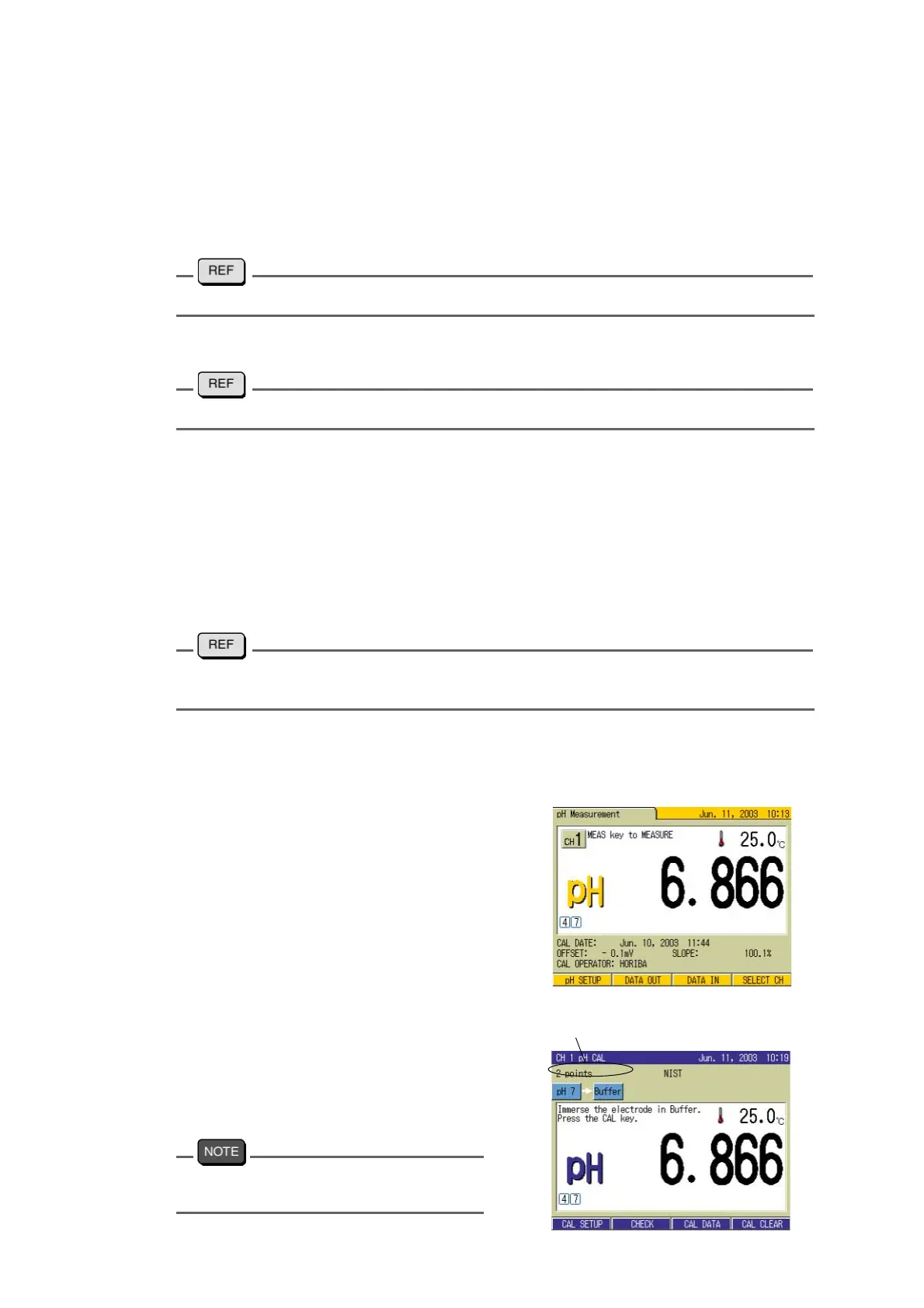
The following is a two-point calibration example using two standard solutions of pH7 and
pH4.
Calibration of the 1st point
1. Press the MEAS key in the SETUP
screen. The
pH Measurement
screen appears.
2. Press the CAL key in the pH Mea-
surement screen.
The CAL screen appears.
The screen display depends on the setting
condition of the standard solution.
CAL conditions show up



 To Next Page