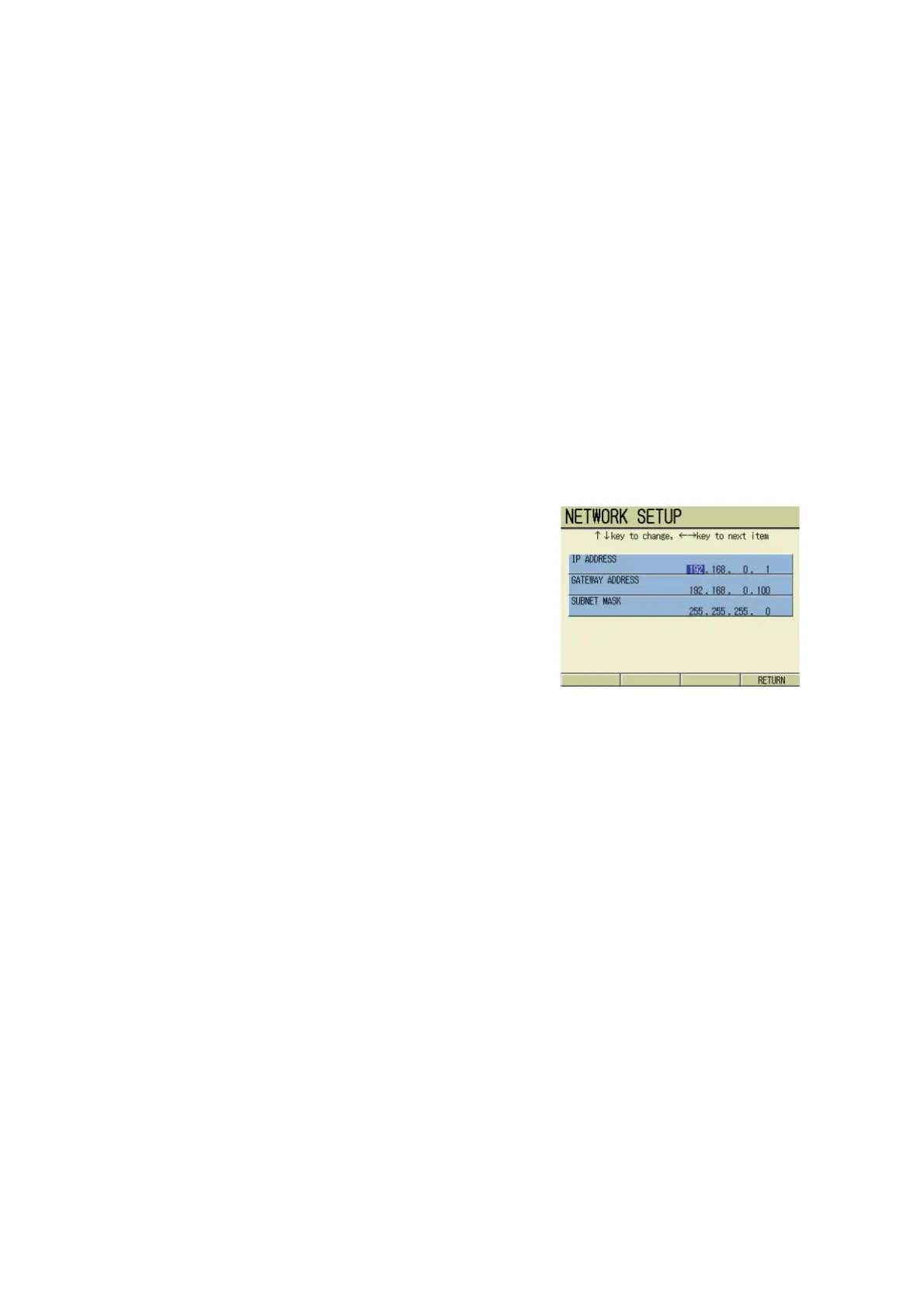
Chapter 11 METER SETTING
11.6 Network Setting (F-55)
F-52, 53, 54, 55 149
※ What is “subnet mask?”
In TCP/IP network, computer communication with the same network is available. In this case
it is necessary to distinguish the network from the host, and for this purpose the subnet mask
is used. The subnet mask consists of 32 bits just as IP address, and in Class C the following
address is set as standard:255.255.255.0
Normally in the setting for F-55, it is recommended to use the standard setting.
※ Gateway address
When the network configuration includes a server or rooter as gateway, the address of that
server or rooter is called the gateway address.
When the PC is directly connected to an F-55 without a server or rooter connection, there is
no need to change the setting. In this case follow the standard setting.
Setting procedure
1. In the SETUP screen, press ↑ or
↓ key to select NETWORK
SETUP.
2. Press the ENTER key.
The NETWORK SETUP screen
appears.
3. Press ← or → key and select the
option to be set.
4. Press ↑ or ↓ key to set the value.
5. When the setting is completed,
press F4 (RETURN).
The setting is made.



 To Next Page