Chapter 5 Ion Measurement (F-53,55)
5.3 Measurement Using Standard Addition Method
70 HORIBA
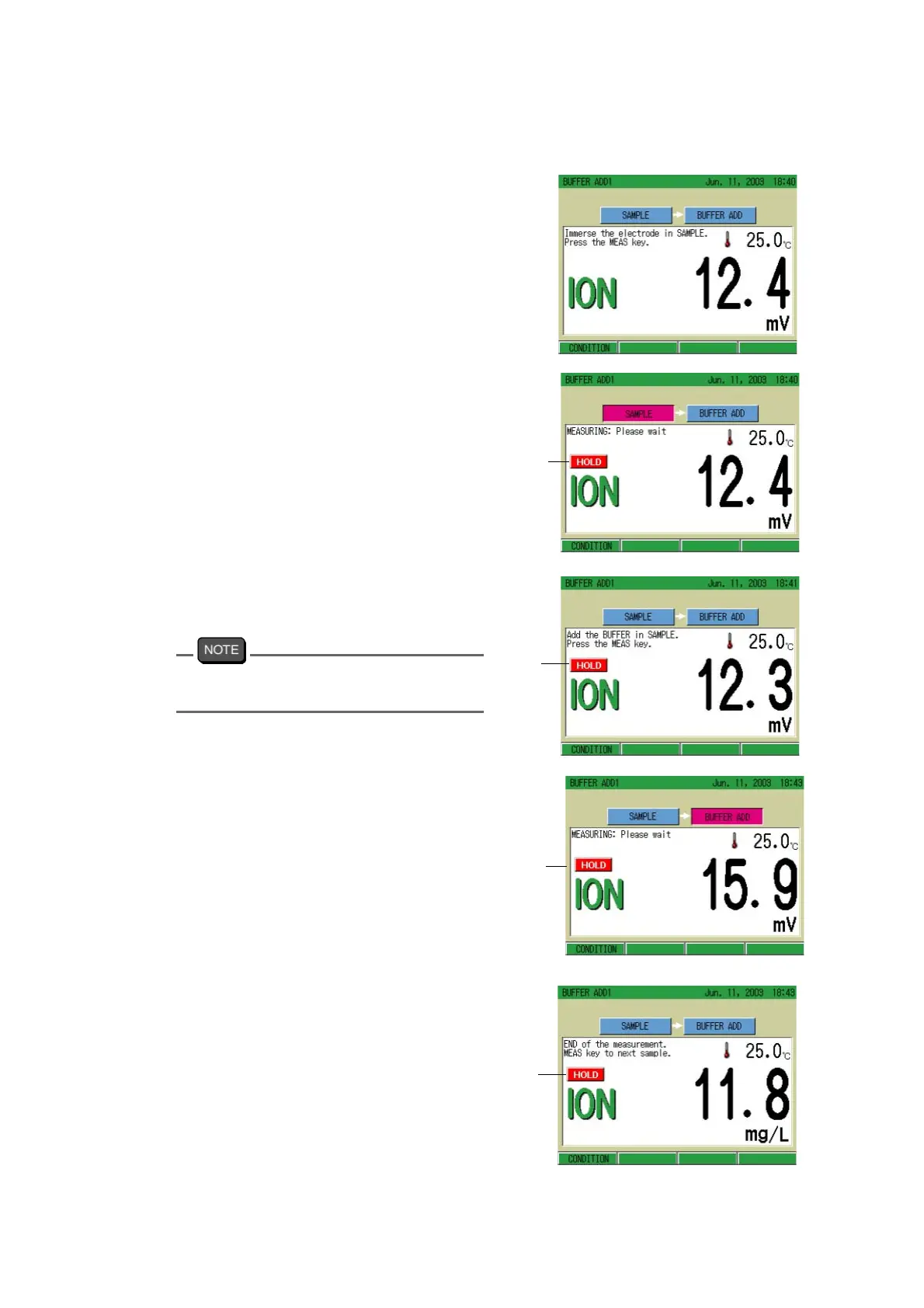
● Measuring
1. Immerse the ion electrode in sam-
ple solution.
2. Press the MEAS key.
The AutoHold measurement starts.
When the indication stabilizes, the
HOLD indication lights up.
Pressing the ESC key clears the HOLD
status.
3. Add the standard solution to the
sample solution
.
4. Press the MEAS key.
The AutoHold measurement starts.
When the indication stabilizes, the
HOLD indication lights up.
After calculation, the concentration of
the sample solution will display.
To measure continuously:
Press the MEAS key.
To change the condition:
Press F1 (CONDITION).
To switch SINGLE/DOUBLE
Press F1 (CONDITION) and press the ESC
key.
Blinking
Lit
Blinking
Lit



 To Next Page