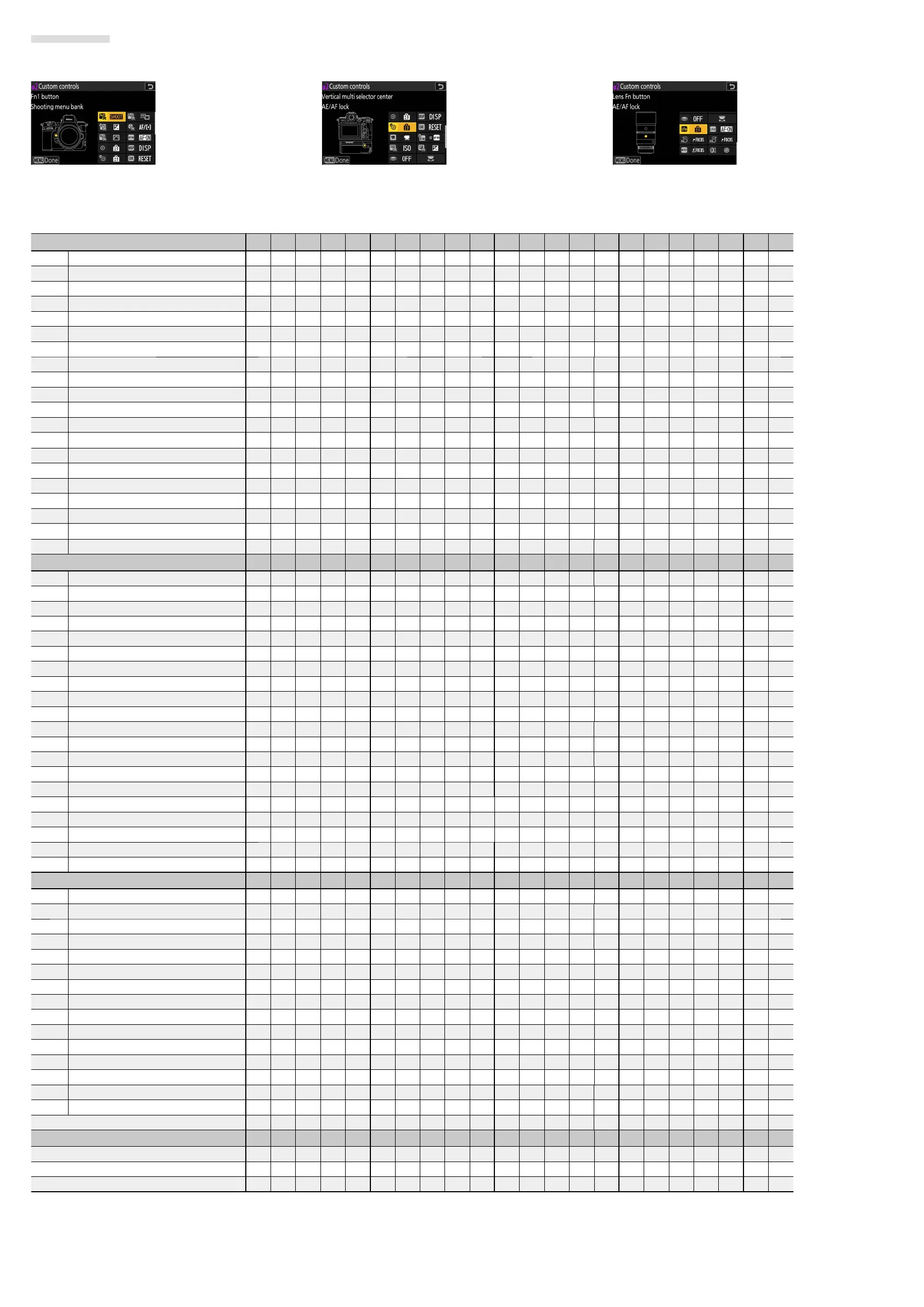
Video Recording
The roles played by custom controls during video recording are chosen using Custom Setting g2 [Custom controls].
Customizable Controls
w
[Fn1 button]
y
[Fn2 button]
n
[Fn button for vertical shooting]
u
[Focus mode button]
k
[Protect/Fn3 button]
V
[AF-ON button]
8
[Sub-selector center]
D
[DISP button]
F
[Vertical multi selector center]
p
[OK button]
z
[Video record button]
j
[
AF-ON button for vertical shooting
]
R
[ISO sensitivity button]
Q
[
Exposure compensation button
]
G
[Shutter-release button]
y
[Command dials]
S
[Lens Fn button]
3
[Lens Fn2 button]
S
[
Lens Fn ring (counterclockwise)
]
R
[Lens Fn ring (clockwise)]
T
[Lens memory set button]
l
[Lens control ring]
Available Roles
Role
wynuk V8D FpzjRQGyS3SRT l
A
[Preset focus point]——
4
——
4444444
————
44444
—
K
[Select center focus point]——
4
——
4444444
————
44444
—
F
[Save focus position]
44
———
4444
——
4
————
44444
—
H
[Recall focus position]
44
———
4444
——
4
————
44444
—
A
[AF-ON] —————
4444
——
4
————
44444
—
G
[Fast AF-ON] —————
4444
——
4
————
44444
—
F
[AF lock only] —————
4444
——
4
————
44444
—
E
[AE lock (Hold)]——
4
——
4444
—
44
————
44444
—
N
[AWB lock (hold)]——
4
——
4444
—
44
————
44444
—
O
[AE/AWB lock (hold)]——
4
——
4444
—
44
————
44444
—
C
[AE lock only] —————
4444
——
4
————
44444
—
B
[AE/AF lock] —————
4444
——
4
————
44444
—
K
[Switch FX/DX]
444
——
4444
—
44
————
44444
—
p
[View assist]
444
——
4444
—
44
————
44444
—
E
[High-frequency icker reduction]
444
——
4444
—
44
————
44444
—
L
[Silent mode]
444
——
4444
—
44
————
44444
—
M
[Cycle live view info display]
444
——
4444
—
44
————
44444
—
b
[Live view info display o ]
444
——
4444
—
44
————
44444
—
b
[Framing grid]
444
——
4444
—
44
————
44444
—
p
[Zoom on/o ]
444
——
4444444
————
44444
—
Role
wynuk V8D FpzjRQGyS3SRT l
D
[Virtual horizon]
444
——
4444
—
44
————
44444
—
W
[Focus peaking display]
444
——
4444
—
44
————
44444
—
O
[MY MENU]
444
—
44444
—
4444
——
44444
—
3
[Access top item in MY MENU]
444
—
44444
—
4444
——
44444
—
K
[Playback]
444
—
44444
—
4444
——
44444
—
l
[Filtered playback]
444
—
44444
—
4444
——
44444
—
N
[Filtered playback (select criteria)]
444
—
44444
—
4444
——
44444
—
t
[Power aperture (open)]
4
—————————————————
4
———
q
[Power aperture (close)]—
4
—————————————————
4
——
i
[Exposure compensation +]
4
——————————————————
4
——
h
[Exposure compensation -]—
4
————————————————
4
———
J
[Hi-Res Zoom −]—
4
————————————————
4
———
I
[Hi-Res Zoom +]
4
——————————————————
4
——
B
[ISO sensitivity (increase)] ———————————————————
4
——
C
[ISO sensitivity (decrease)] ——————————————————
4
———
9
[Pattern tone range]
444
—
44444
—
44
————
44444
—
1
[Record videos]
444444444444
——
4
—
44444
—
e
[Same as AF-ON button] ———————————
4
——————————
n
[Shooting menu bank]
444
—
4
—————
4
—
44
————————
v
[Shooting mode]
444
—
4
—————
4
—
44
————————
Role
wynuk V8D FpzjRQGyS3SRT l
J
[Choose image area]
444
—
4
—————
4
—
44
————————
E
[Exposure compensation]
444
—
4
—————
4
—
44
———————
4
9
[ISO sensitivity]
444
—
4
—————
4
—
44
———————
4
m
[White balance]
444
—
4
—————
4
—
44
————————
h
[Set Picture Control]
444
—
4
—————
4
—
44
————————
y
[Active D-Lighting]
444
—
4
—————
4
—
44
————————
h
[Skin softening]
444
—
4
—————
4
—
44
————————
i
[Portrait impression balance]
444
—
4
—————
4
—
44
————————
w
[Metering]
444
—
4
—————
4
—
44
————————
z
[Focus mode/AF-area mode]
44444
—————
4
—
44
————————
a
[Control lock]
444
—
4
—————
4
—
44
————————
H
[Microphone sensitivity]
444
—
4
—————
4
—
44
————————
X
[Focus (M/A)] ——————————————————————
q
[Power aperture] —————————————————————
4
H
[Hi-Res Zoom] —————————————————————
4
[None]
444
—
44444444444
—
444444
Role with command dial
wynuk V8D FpzjRQGyS3SRT l
[Exposure setting] ———————————————
4
——————
[Focus/AF-area mode selection] ———————————————
4
——————
[Sub-command dial zoom role] ———————————————
4
——————



 To Next Page