Release Mode
Choosing a Release Mode
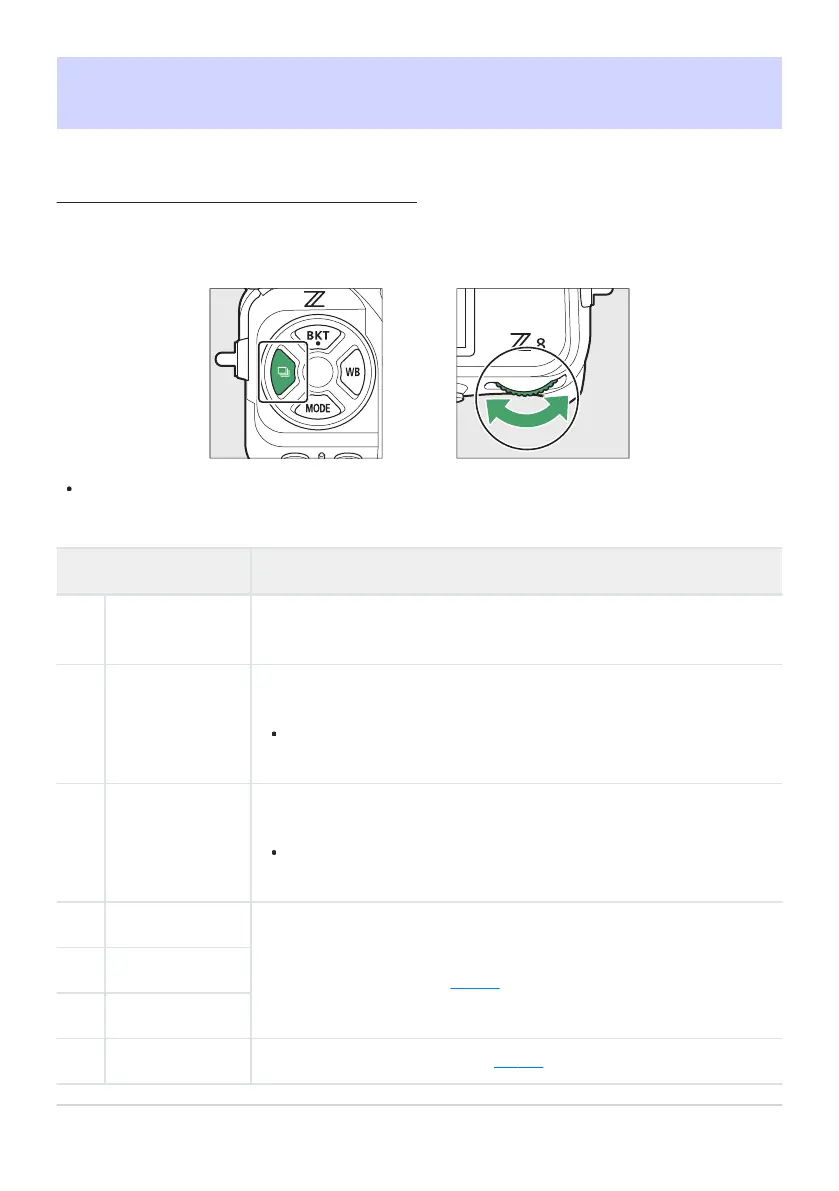
To choose the operation per
formed when the shutter-release button is pressed all the way down, hold
the c button and rotate the main command dial.
Options for the selected setting, if any, can be chosen by holding the c button and rotating the
sub-command dial.
Mode Description
U
Single frame
The camera takes one photograph each time the shutter-release button
is pr
essed.
V
Continuous low-
speed
The camera tak
es photographs at a selected rate while the shutter-
release button is pressed.
Choose from rates of from 1 to 10fps. To choose the frame rate, hold
the c button and rotate the sub-command dial.
W
Continuous
high-speed
The camera takes photographs at a selected rate while the shutter-
release button is pressed. Use for active subjects.
Choose from rates of from 10 to 20fps. To choose the frame rate,
hold the c button and rotate the sub-command dial.
A
C30
The camera takes photographs at 30, 60, or 120fps while the shutter-
release butt
on is pressed (
0 136).
C
C60
B
C120
E
Self-timer Take pictures with the self-timer (0 138).
133
Release Mode



 To Next Page