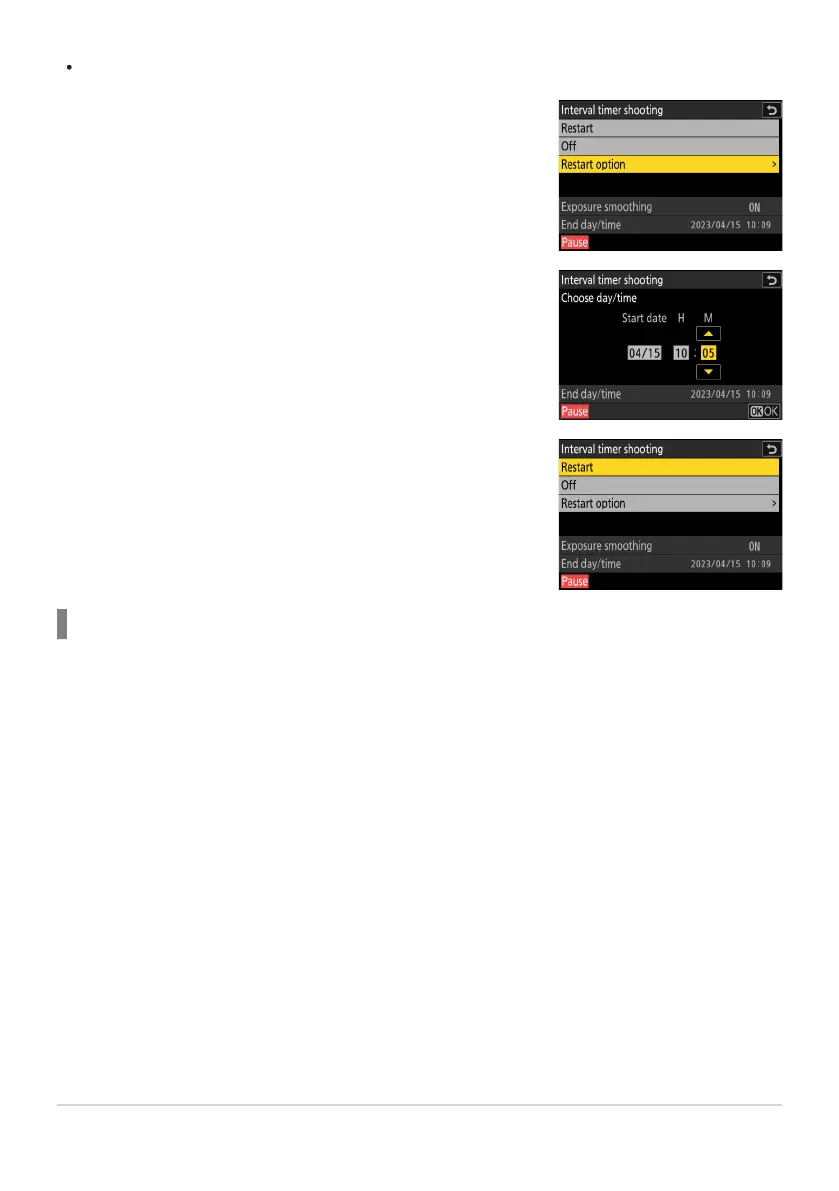
Highlight [Restar
t option] and press 2, then highlight [Choose
day/time] and press 2.
Choose a starting date and time and press J.
Highlight [Restart] and press J.
To resume shooting at a specified time:
Ending Inter
val-Timer Photography
To end interval-timer photography before all the photos are taken, select [Interval timer shooting]
in the photo shooting menu, highlight [Off], and press J. Note that the menus may not be displayed
when the G button is pressed if the time selected for [Interval] is very short. In this case you will
need to press J to pause interval-timer photography and then select [Interval timer shooting] in the
photo shooting menu, highlight [Off], and press J.
490
Interval Timer Shooting
-
-
-



 To Next Page