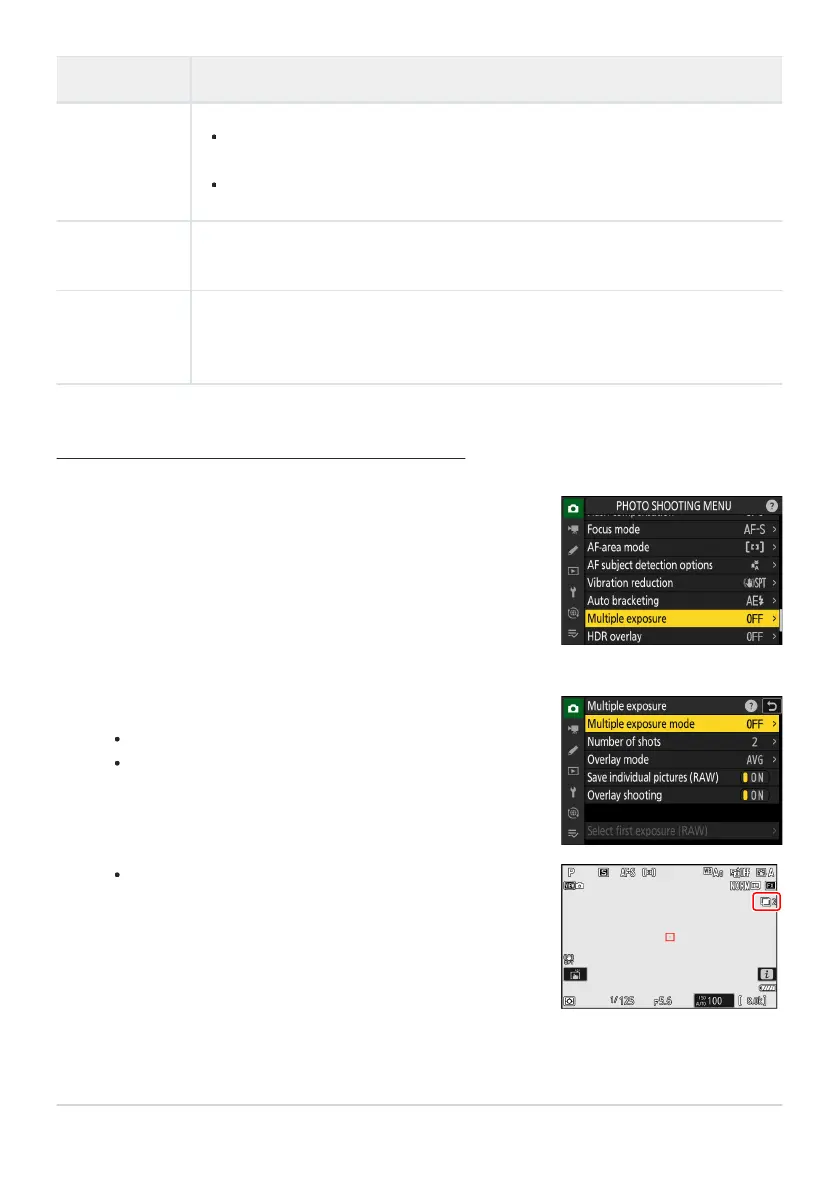
Highlight [Multiple exposure] in the photo shooting menu
and press
2.
Choose an option for [Multiple exposure mode].
Highlight [Multiple exposure mode] and pr
ess 2.
Highlight a multiple exposure mode using 1 or 3 and press
J.
If [On (series)] or [On (single phot
o)] is selected, an icon
will appear in the display.
Option Description
[Save
individual
pictur
es
(RAW)]
[ON]: Save both the multiple exposure and the shots that make it up; the
pictures are saved in NEF (RAW) format.
[OFF]: Discard the individual shots and save only the multiple exposure.
[Overlay
shooting]
If [ON] is selected, earlier exposures will be superimposed on the view through
the lens. The earlier exposures aid composition of the next shot.
[Select first
exposure
(RAW)]
Choose the first exposure from the NEF (RAW) pictures on the memory card.
Creating a Multiple Exposure
473
Multiple Exposure
1
2



 To Next Page