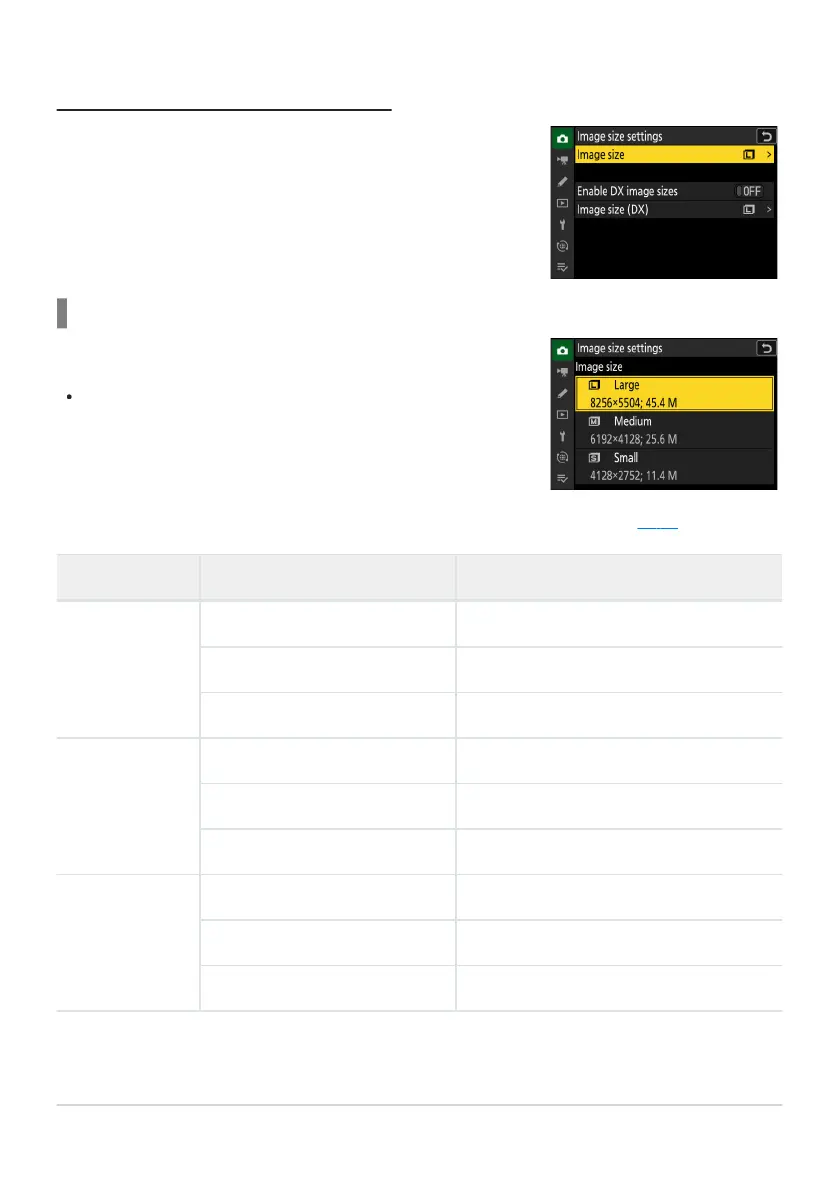
Use [Image size settings] in the photo shooting menu t
o choose a
size for new photographs.
Choose a size for new JPEG and HEIF pictures. The size for JPEG and
HEIF pictures can be select
ed from [Large], [Medium], and [Small].
NEF (RAW) pictures are recorded at a size of [Large].
Choosing an Image Size
Image Size
The number of pix
els in the picture varies with the option selected for image area (
0 99).
Image area Image size Size when printed at 300dpi
[FX (36×24)]
Large (8256× 5504 pixels) Approx. 69.9× 46.6cm/27.5× 18.3in.
Medium (6192× 4128 pixels) Approx. 52.4× 35.0cm/20.6× 13.8in.
Small (4128× 2752 pixels) Approx. 35.0× 23.3cm/13.8× 9.2in.
[DX (24×16)]
Lar
ge (5392× 3592 pixels) Approx. 45.7× 30.4cm/18.0× 12.0in.
Medium (4032× 2688 pixels) Approx. 34.1× 22.8cm/13.4× 9.0in.
Small (2688× 1792 pixels) Approx. 22.8× 15.2cm/9.0× 6.0in.
[1:1 (24×24)]
Large (5504× 5504 pixels) Approx. 46.6× 46.6cm/18.3× 18.3in.
Medium (4128× 4128 pixels) Approx. 35.0× 35.0cm/13.8× 13.8in.
Small (2752× 2752 pixels) Approx. 23.3× 23.3cm/9.2× 9.2in.
103
Image Recording Options (Image Area, Quality,
and Size)



 To Next Page